Participating Frequently
June 23, 2023
Answered

Complex number list needs help

  • June 23, 2023
  • 1 reply
  • 1437 views

Hello,

This problem is very difficult to explain from words. Hence I'm attaching my files. I'm trying to get my number list as you see in the attached pdf. I tried hours. But I'm unable to make my styles to get numbers automatically like this. I have attached working indesign file too. So if someone can tell me how to fix this indesign styles to get numbe lists same as in the pdf file, I really appreciate it.

Let me try to explain the problem shortly. 1st heading is the section heading (1 Brand principles). It should go to the whole section as #1. It will go to #2 in the 2nd section. 2nd heading is Section Sub Head (1.1
Logo usage). Every page have different section sub head and it should be numbered 1.1, 1.2, 1.3 etc. Once section 2 started, Section Sub Head should be numbered 2.1, 2.2, 2.3 etc. 

Hope this is clear enough. Looking forward for help. Thank you soo much!!!
Pradi
Correct answer rob day

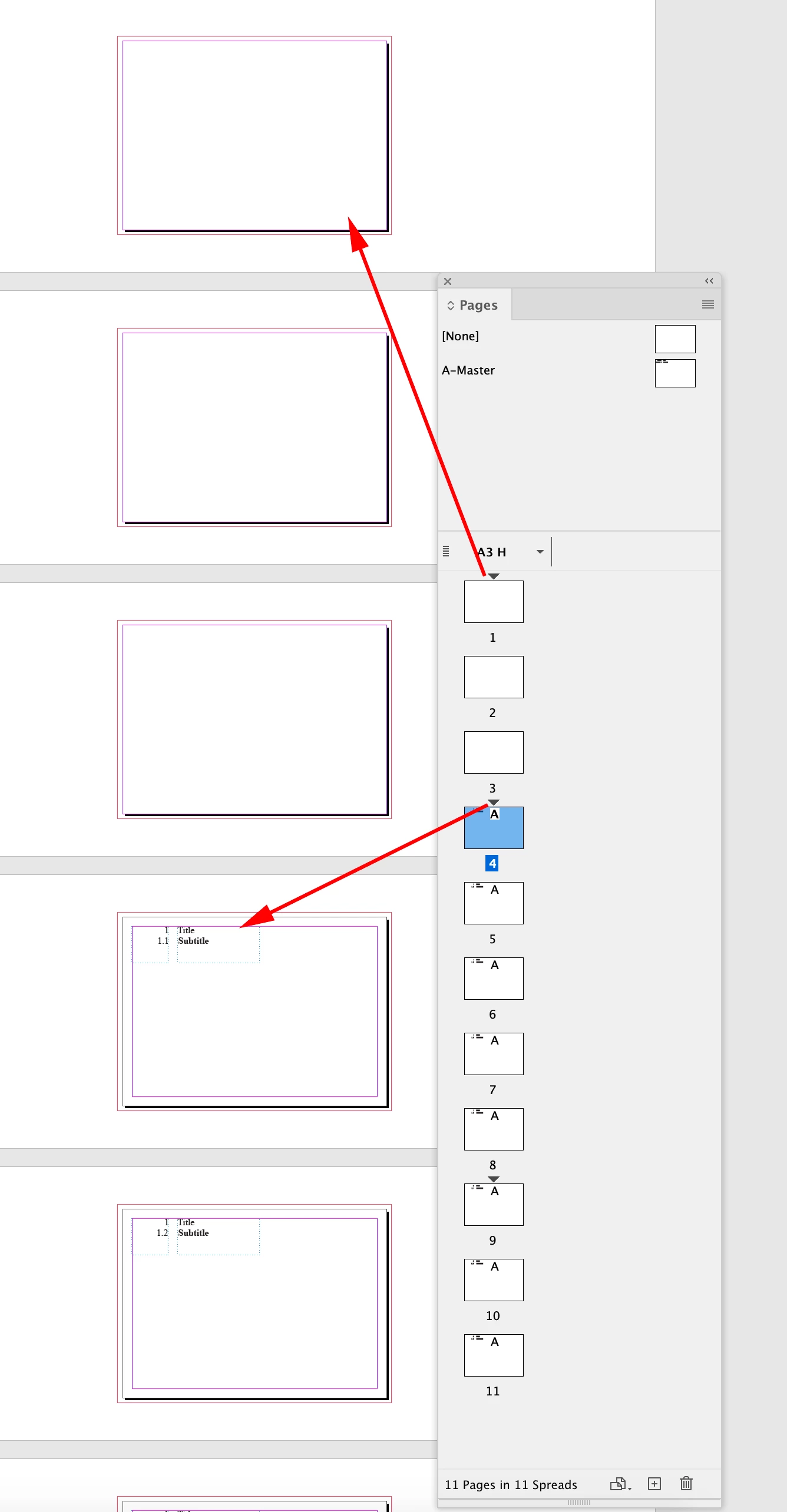
Sorry... forgot to show you the screenshot. This is how it looks to me now.


I did not notice the auto page number in the lower right. I don’t think this would work unless you want to make the numbering in the lower right from a numbered list with frame breaks.


FWIW, you would have to start a new section from your absolute page 5 in order to get you example to work—so a normal section start with page 1, a new section start for Section 1 on page 5, and a new sction start for Section 2 on page 9


1 reply

Willi Adelberger
Community Expert
June 23, 2023

Your setting is start at no 1, but it should be continuos from prvious.

Your first level belongs to List1, your second level belongs to List2, but all levels have to belong to the very same list

Willi Adelberger
Community Expert
June 23, 2023

Additional I would recommend to make a single text frame and not several text frames. There are other means to position text on various parts of the pge in the same frame.

Pradi1988Author
Participating Frequently
June 24, 2023

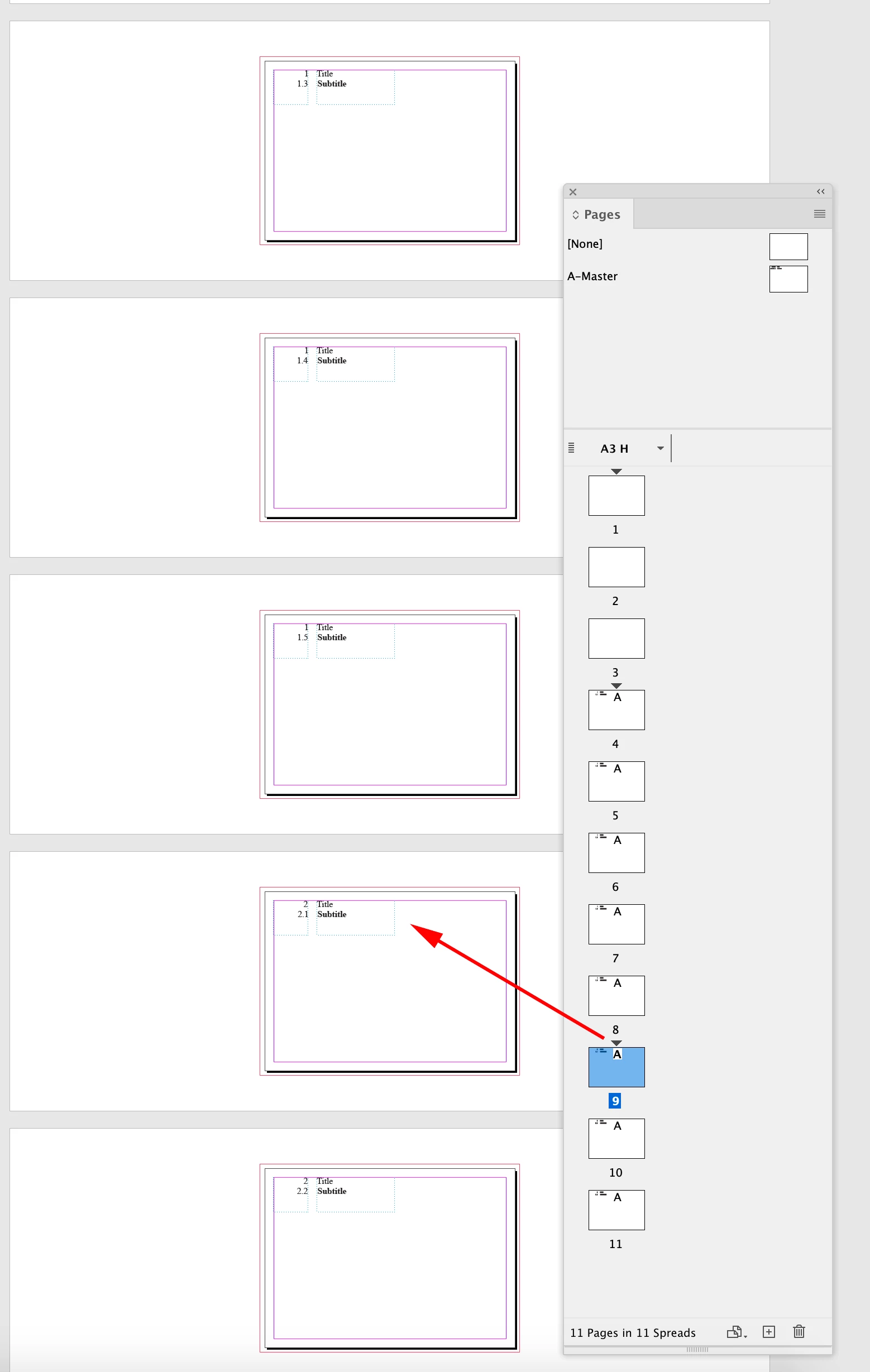
@rob day Wow... That is a great idea. It worked well. But I still have 2 challenges with this method. You can see bottom right corner, I have page numbers. So now all my page numbers also shows as 1.1, 1.2 etc. Next one is, actually I have other 4 pages before this 1.1 Logo usage section sub heading. So page #5 where I'm starting 1st section and section subhead. Hence now it shows as 1.5 Logo usage instead of 1.1 Logo usage. Do you have any suggestions for this? 

I truely appreciate all your help and all the detailed instructions you given with screenshots. Very helpful.

If anyone else have any helpful tips for this, you are most welcome!!!


Sorry... forgot to show you the screenshot. This is how it looks to me now.