


Complex tiled wall print with overlapping areas (banner mesh)
Hey InDesign community!
I am not an English native and there are quite a few technical terms here so I hope everything is easy to understand.
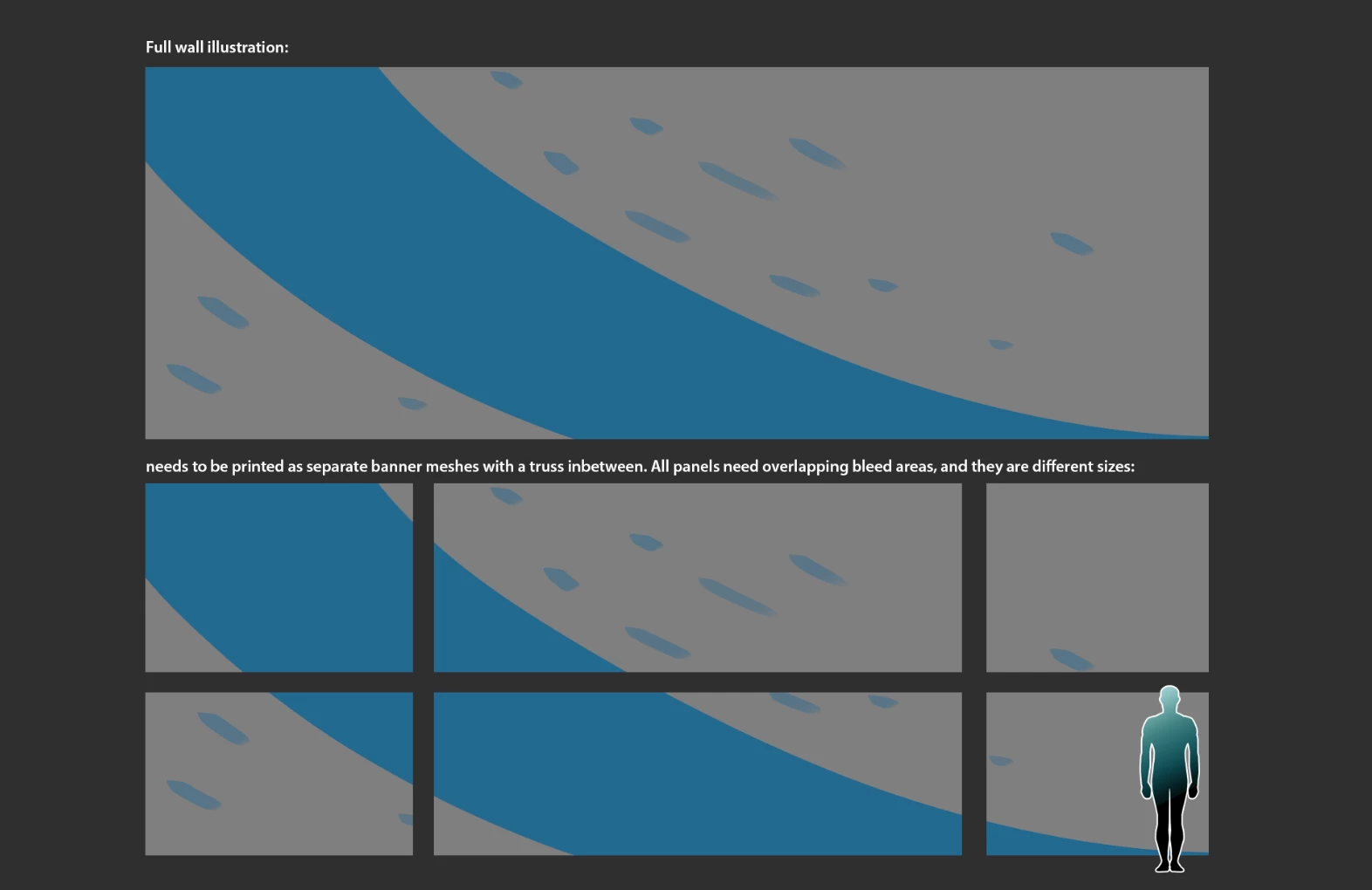
I am currently working on a big project which will require me to print my illustration work at wall-size for a convention booth. The problem here is the booth is built as a truss construction so the illustration will have to be split in separate banner-mesh panels, varying between 5000x3000 to 2500x3000. The illustration has to be continuous, but I'm not really sure where to begin to export this as separate PDF's, ready for the printer. To complicate matters furthers, these banner-mesh are ringed and thus require an extra 'overlap' on top of their bleed, this is about 30mm that is folded backwards and stitched to form the reinforced edges of the banner.
Currently I'm thinking the answer will be somewhere in this direction
- Make everything in InDesign at 1/4th size, export at 400DPI (average DPI for this convention wall print is 100)
- Use Collated pages to make every panel a custom size and put them on top of eachother. Use Gutter to simulate the 'non-printing' areas
- How to approach the overlap: ???
- Export every banner with 3mm bleed
I hope everything is clear, I find myself with a thesaurus to find the right words to express the problem!  . I have made a quick sketch to show how it is supposed to work.
Thanks in advance for all help!
Yours truly,
Vincent De Nil
 AdChoices