


New Participant
March 26, 2019
Question

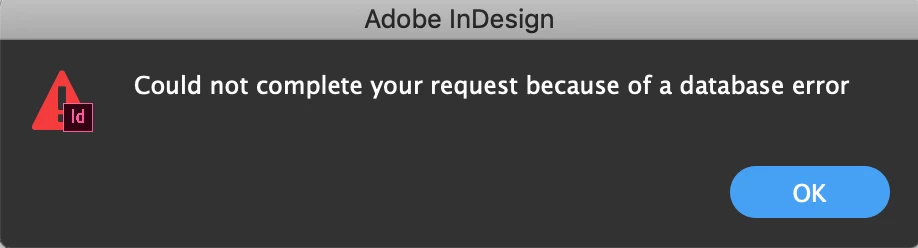
Could not complete your request because of a database error (iMac)

  • March 26, 2019
  • 3 replies
  • 7840 views

I saw i'm not the only one with this problem.

The last few months we have a lot of problems with inDesign. We use the latest version of it (14.0.1) but documents crashes a lot with the error "could not complete your request because of a database error". Is there a solution for it to fix this problem? We never had this before and when it happens it's impossible to open the document again. So we lose a lot of work overhere. Please help

When does it happen?

• It happend random.

• It happend when I save the document.

• It happend when I save the document but then after 15 minutes or so.

What did I try:

• Try to open it on a other iMac.

• Open the conflict document what inDesign makes for me.

• Closed inDesign.

• Restart the computer.

• Restart the computer and try to open it in save modus.
This topic has been closed for replies.

3 replies

Srishti Bali
Community Manager
Community Manager
April 5, 2019

Hi Egon,

We’re so sorry to hear about this. This generally happens when the files are saved on the network locations. Where's your file saved? For example, in Network Drive/System HDD/Shared Folder on System /External HDD?

Try saving a file on Desktop and let us know if that shows the same error.

Regards,

Srishti

New Participant
February 26, 2020

it does not work mam

You always suggest this 

Bill Silbert
Community Expert
March 26, 2019

If you decide to follow Willi's advice make sure that you uninstall and reinstall in the following manner:

In the app section of your Creative Cloud desktop app click on the “V” next to each app’s name and choose the “Uninstall” option from the pull-down menu that appears. After you’ve run the uninstalls then use the Creative Cloud Cleaner Tool Use the Creative Cloud Cleaner Tool to solve installation problems  . Then reinstall the programs through the Desktop app. Before you reinstall, trash all preference files to make sure that your installs are completely clean.

Willi Adelberger
Community Expert
March 26, 2019

InDesign and InCopy are Applications in a form of a Plugin Manager. All functionality is controlled by a database. If some corruption of this file (generally spoken of the program files) occurs you will get this message. Often it does also appear if the applications are not installed from the original installer but are transfered from another computer or backup via file transfer.

Therefore I recommend to deactive, uninstall all CC, restart the computer and install from the scratch all programs.