


Answered
Creating a script to search and change character-style for individual characters
Hi there,
I am trying to build a script that uses GREP to search the current open document, and changes all instances of 'm2' to 'm2' (superscript)
Due to the documents build, I can't easily just put it in the GREP styles in paragraph styles as most of the document text frames read as (No styles)+ due to a plugin we use.
I have used this code for creating a character style that has only got superscript applied, I just can't figure out how to apply it to all instances of 'm2'
var myDocument = app.activeDocument;
var myCharacterStyle = myDocument.characterStyles.item ("superscript" );
!myCharacterStyle.isValid && myCharacterStyle = myDocument.characterStyles.add({name:"superscript"});
myCharacterStyle.position = Position.SUPERSCRIPT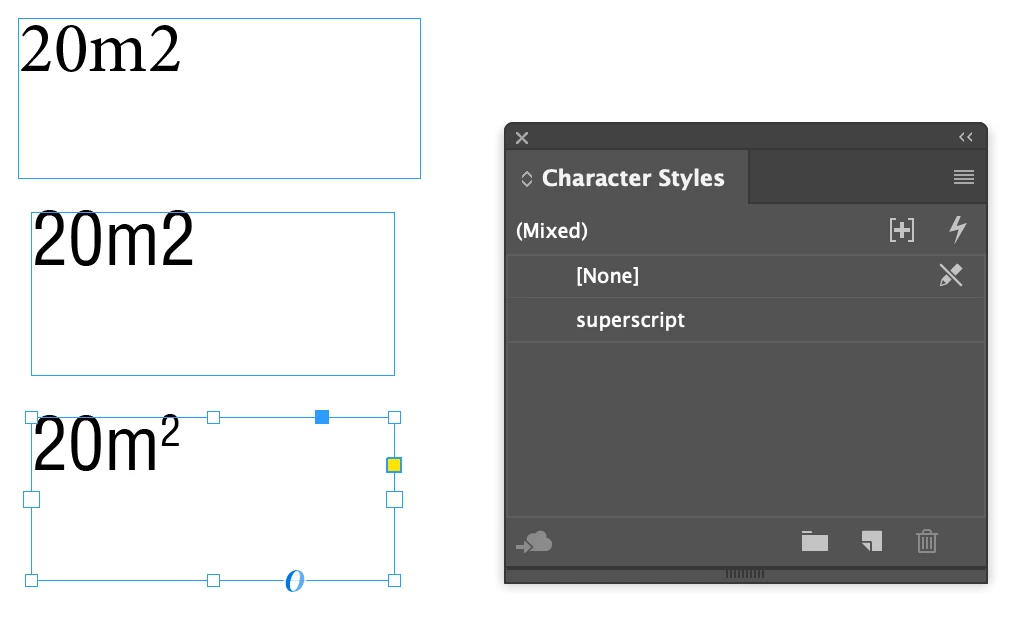 I have been trying to use the GREP: (?<=\l)2 as the search terms.
Is there a way to make GREP target the characters I want, and apply a character style directly to that character?
 AdChoices