
April 1, 2019
Answered

Creating a table of contents from multiple documents

  • April 1, 2019
  • 1 reply
  • 4644 views

I have 3 InDesign documents that are published as one pdf.  I would like one table of contents to start on the 3rd page of the 1st of the 3 documents.  Is this possible to automate?  or, What is the best way to do this? 

Thanks!
    This topic has been closed for replies.
    Correct answer Barb Binder

    Hi Greta:

    1. Add the three indd. files to the book.
    2. Save the book.
    3. Open document 1, navigate to a blank page where you want to add the Table of Contents
    4. Layout > Table of Contents
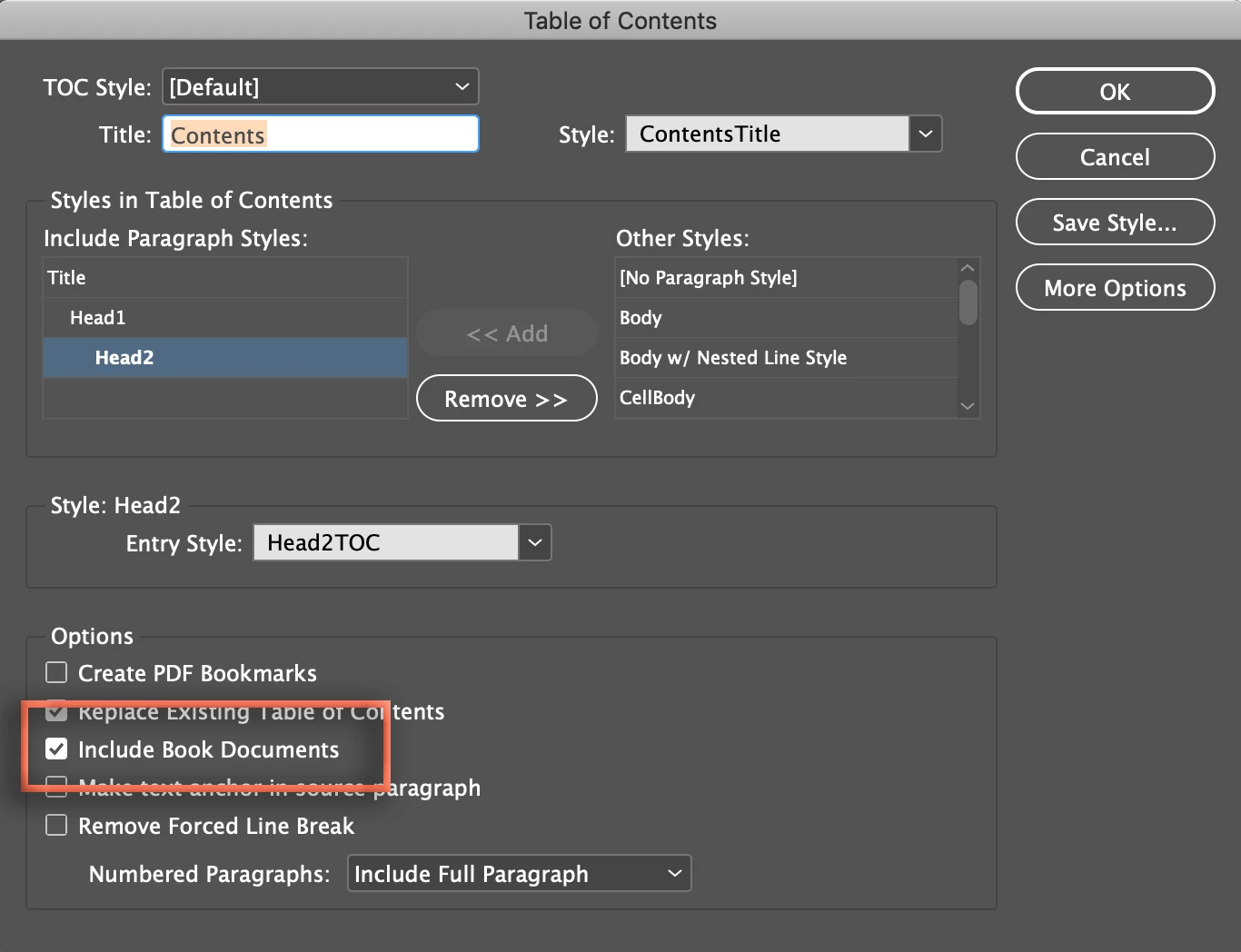
    5. Set up the table of contents settings as desired but do not forget the enable the checkbox for Include Book Documents.
    6. Click on OK and flow the TOC onto the blank page(s).

    ~Barb

    1 reply

    BobLevine
    Adobe Expert
    April 1, 2019

    Yes, If you add all of the documents to a book.

    April 1, 2019

    Good to know.  That's part one.  Thanks!

    The second part is the how.  I created a book, but I can't figure out how to then create a table of contents in the book; the Table of Contents menu is not available for the book.  Do I need to create a table of contents in each document first?  (I've tried using the manual, but it's no help here.)  And is there a trick to get it where I want it in the 1st document?

    Barb BinderCorrect answer
    Adobe Expert
    April 1, 2019

    Hi Greta:

    1. Add the three indd. files to the book.
    2. Save the book.
    3. Open document 1, navigate to a blank page where you want to add the Table of Contents
    4. Layout > Table of Contents
    5. Set up the table of contents settings as desired but do not forget the enable the checkbox for Include Book Documents.
    6. Click on OK and flow the TOC onto the blank page(s).

    ~Barb