


Participant
March 18, 2018
Answered

Creating an outline of an object that is a certain distance away from all points

  • March 18, 2018
  • 1 reply
  • 3106 views

Hello everyone,

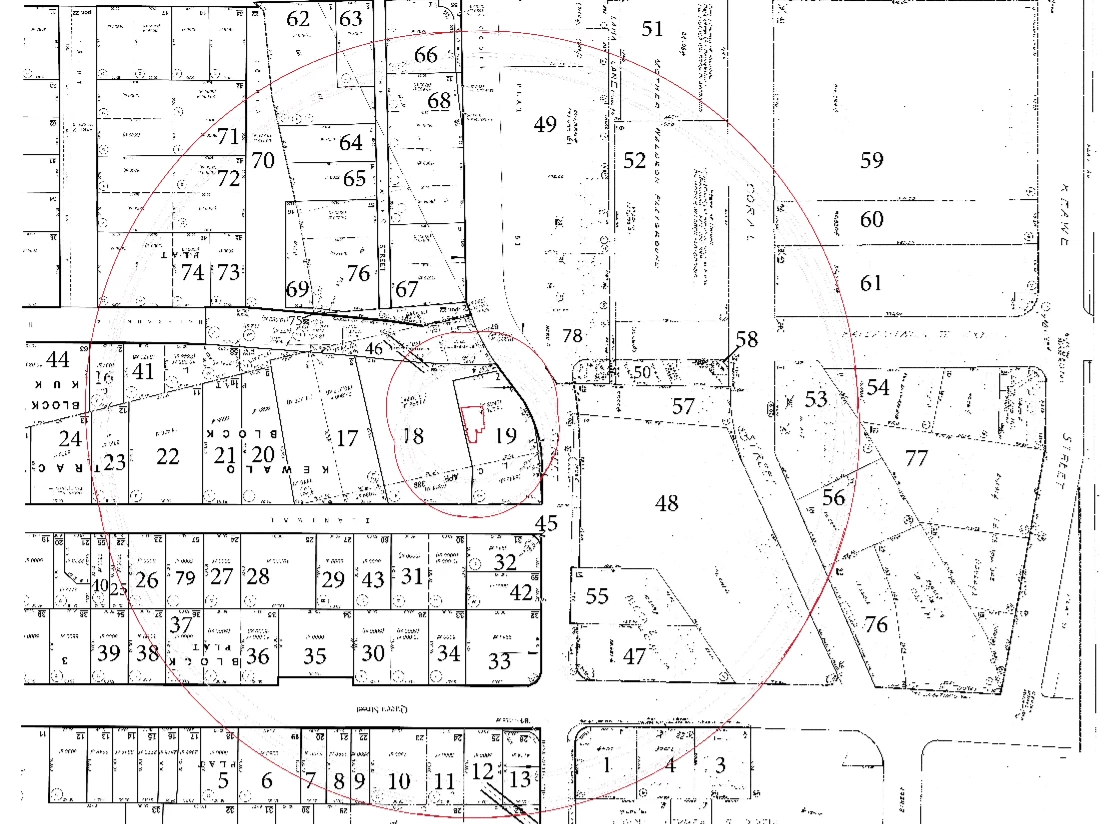
I am trying to put together a map that outlines 500ft (1in = 50 ft) from a proposed premise. Does anyone know how I can create an outline of a shape that is exactly 10 inches away from all points of the proposed shape? Please find below an image of what I am trying to do. There are two outlines in the image below. Any help would be greatly appreciated.
This topic has been closed for replies.
Correct answer Laubender

Hi,

maybe you already found your answer in the Adobe Illustrator forum?

Creating an Outline of an object

The problem I see with moving a path:

The result shape will be always a "blob" like the one you are showing in your screenshot, more a circle-like shape and will not remind one of the original. And by no means every path point is distanced the same amount from the original ones.

With InDesign there is no way of doing this other than scripting perhaps the text wrap function and create a new shape on base of the wrapping shape. But the result will also be like the one from Illustrator.

Regards,
Uwe

1 reply

LaubenderCommunity ExpertCorrect answer
Community Expert
March 19, 2018

Hi,

maybe you already found your answer in the Adobe Illustrator forum?

Creating an Outline of an object

The problem I see with moving a path:

The result shape will be always a "blob" like the one you are showing in your screenshot, more a circle-like shape and will not remind one of the original. And by no means every path point is distanced the same amount from the original ones.

With InDesign there is no way of doing this other than scripting perhaps the text wrap function and create a new shape on base of the wrapping shape. But the result will also be like the one from Illustrator.

Regards,
Uwe

Luke Jennings
Inspiring
March 19, 2018

You might be able to achieve that with a stroke style. From the stroke panel, go to the fly-out menu and select new style, select Stripe and make the width 1% (or less), this means 99% of the stroke will be the color none. Apply the stroke to the original shape and make it the size that will equal the desired dimension. If you want a smoother shape, convert it to an ellipse.

Community Expert
March 19, 2018

Hi Luke,

your idea is a good one. At least it will provide a solution that is not far from or equal to the one Adobe Illustrator is providing with "Move path…". However there is no guarantee that every point on the original path is in the same distance to the new one.

I can illustrate the problem with a simple rectangle where every point on the path should be 720 pt ( 254 mm or 10 inch ) away from the surrounding one.
The result shape cannot be a rectangle, because the corner points would be not 720 pt away if all other points on the original path are.

The original path—a rectangle with fill color Yellow:

Equidistance shape:

The distance of a corner point to the surrounding shape:

What is Adobe Illustrator offering for that problem? "Move path…" ?
That will result in a rectangle in this case. The same with InDesign if you consider the path that describes text wrap.

Regards,
Uwe