


New Participant
March 22, 2019
Answered

Creating columns in text boxes

  • March 22, 2019
  • 2 replies
  • 10114 views

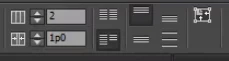
I just did an update and now the shortcut to create multiple columns in a text box has disappeared from my applications bar along the top. I know I can go into text frame options and change from there but I am really missing this shortcut! Anyone know how I can get it back??
    This topic has been closed for replies.
    Correct answer Michael Bullo

    #1

    Do you have the InDesign interface open narrower than previously? The icons might be there but just unable to fit within the display.

    #2

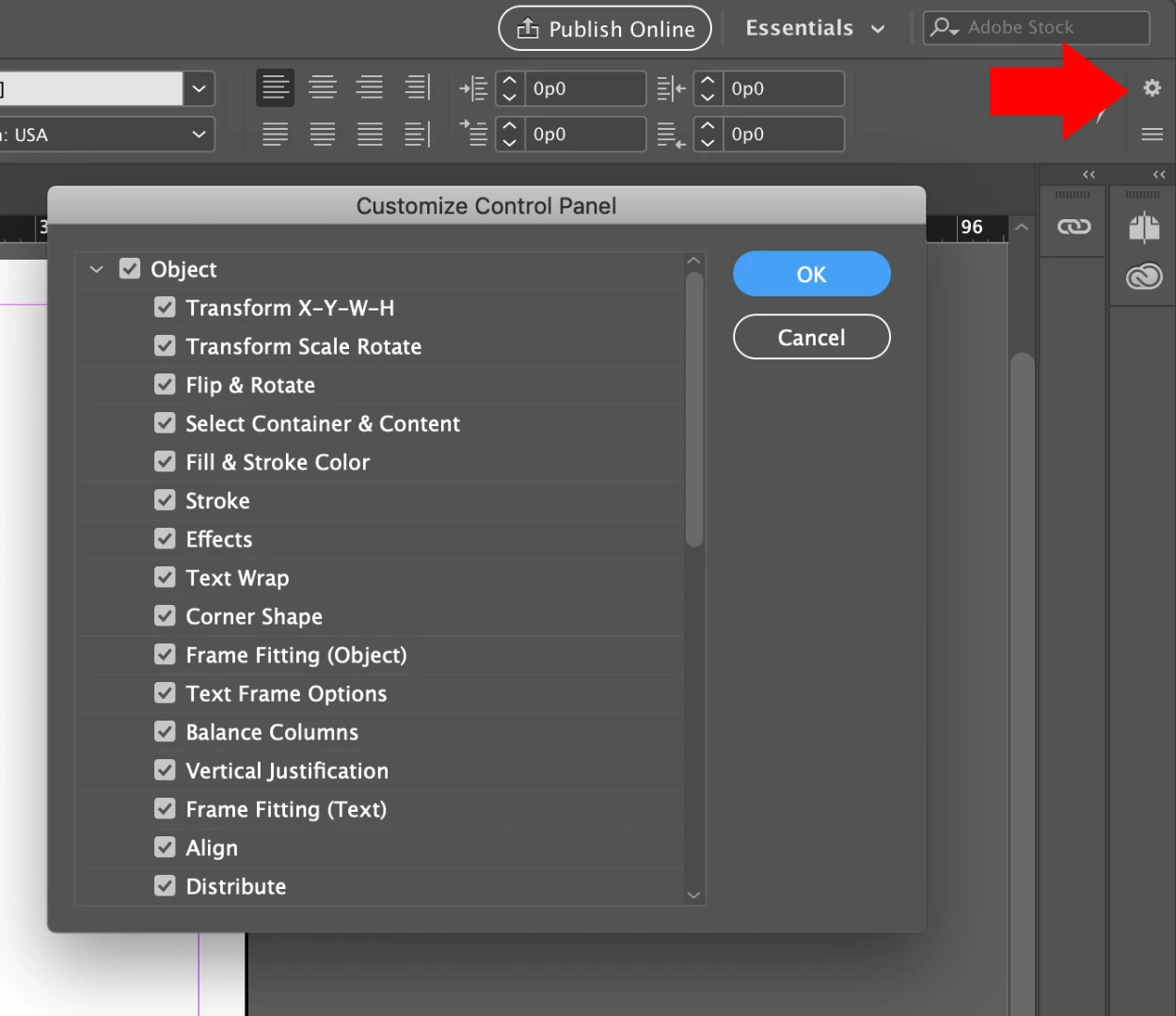
    In the upper right corner of the InDesign interface is a cog. Click on it to open up the Customise Control Panel. Check that the sections you want are visible. You can also turn off other sections that you don't want or are potentially pushing options you want off the screen.

    2 replies

    Barb Binder
    Community Expert
    March 22, 2019

    Hi Janaya:

    They are actually in your screenshot! The "2" is the number of columns and the "1p0" is the gutter between them. You are missing the Align and Distribute buttons, however.

    ~Barb

    ~Barb at Rocky Mountain Training
    JanayaAuthor
    New Participant
    March 22, 2019

    Hi Barb,

    The screen shot is actually what I am missing (I just took a screen grab of someone elses), these are the functions I used to have and am now trying to get back

    Michael Bullo
    Michael BulloCorrect answer
    Community Expert
    March 22, 2019

    #1

    Do you have the InDesign interface open narrower than previously? The icons might be there but just unable to fit within the display.

    #2

    In the upper right corner of the InDesign interface is a cog. Click on it to open up the Customise Control Panel. Check that the sections you want are visible. You can also turn off other sections that you don't want or are potentially pushing options you want off the screen.

    JanayaAuthor
    New Participant
    March 22, 2019

    Hi Michael,

    Thanks for your reply, unfortunately I am still not having much luck

    1. Same setup I have been using previously so my screen size hasn't adjusted, do you know how to adjust the view so I can make it smaller so more options show up?

    2. I have all the settings ticked and always have done, I have tried removing some to see if I would get some others to show instead but still cant seem to get the ones I want to show

    Michael Bullo
    Community Expert
    March 22, 2019

    Hi Janaya

    #1

    I was mainly checking that you were displaying InDesign as wide as possible to see if any icons were effectively "dropping" off the right side of the screen

    #2

    Could you show a screen capture of your entire Control (options) bar.