


creating space between table of contents entries and page numbers
I'm making a list of figures using the table of contents tool and wanted to keep the text from going all of the way to right side so that the page numbers are seperated from the text. In the paragraph style for the TOC entry I added a right indent of 1" with a last line indent of -1". This worked for most of them(like figure 12) but for a couple of entries(like figure 11) the last line of text ended up running really close to the page number.

I saw one thing about adding a second right indent tab in the TOC styles but when I did that it created the space between the text and page number but also ended up adding a line of dot leaders to each entry like this.
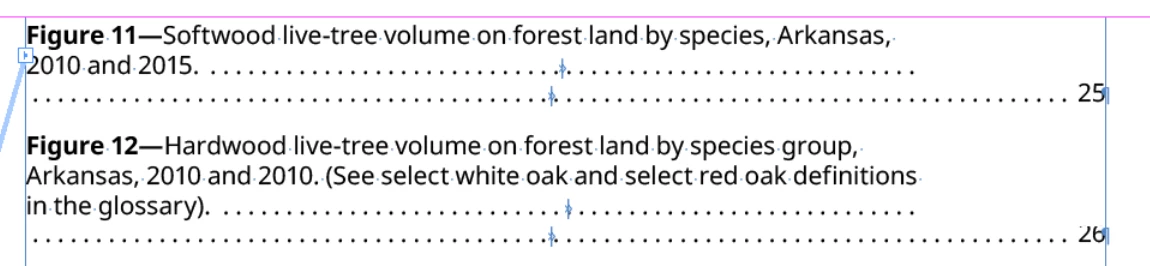
Are there any other ways to automate making there be a minimum distance between the text for the entry and the page number without adding the second row of dot leaders or manually adding soft returns to the entries that aren't working correctly?
Thanks
 AdChoices