


June 4, 2012
Question

Data Merge Multiple Records Per Page Greyed Out

  • June 4, 2012
  • 5 replies
  • 54104 views

I am using InDesign cs5.5. I am attempting to create a catalog with the data merge option. I am attempting to do a data merge from the Master Page.
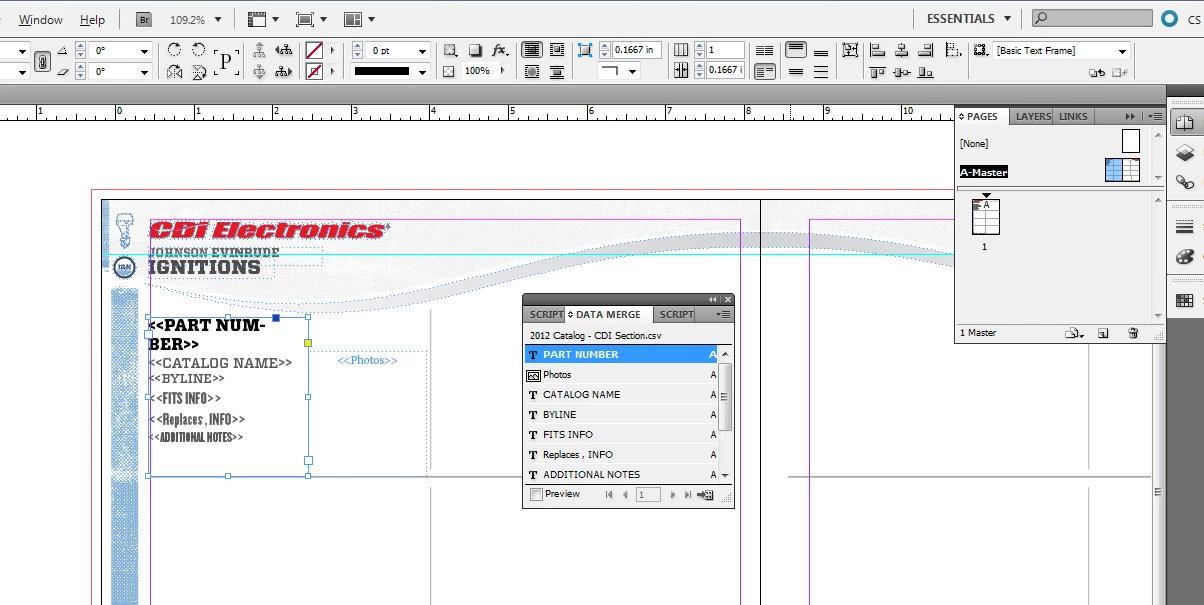
As you can see in the image, I have inserted my fields from the data source file. All images, original file, and data source file are in the same folder. I am inserting this info on the left sheet of the master file. When I select "Create Merged Document" the "select multiple records per page" is greyed out, however, there is plenty of room on the page for the 8 records I want it to show. See image below.
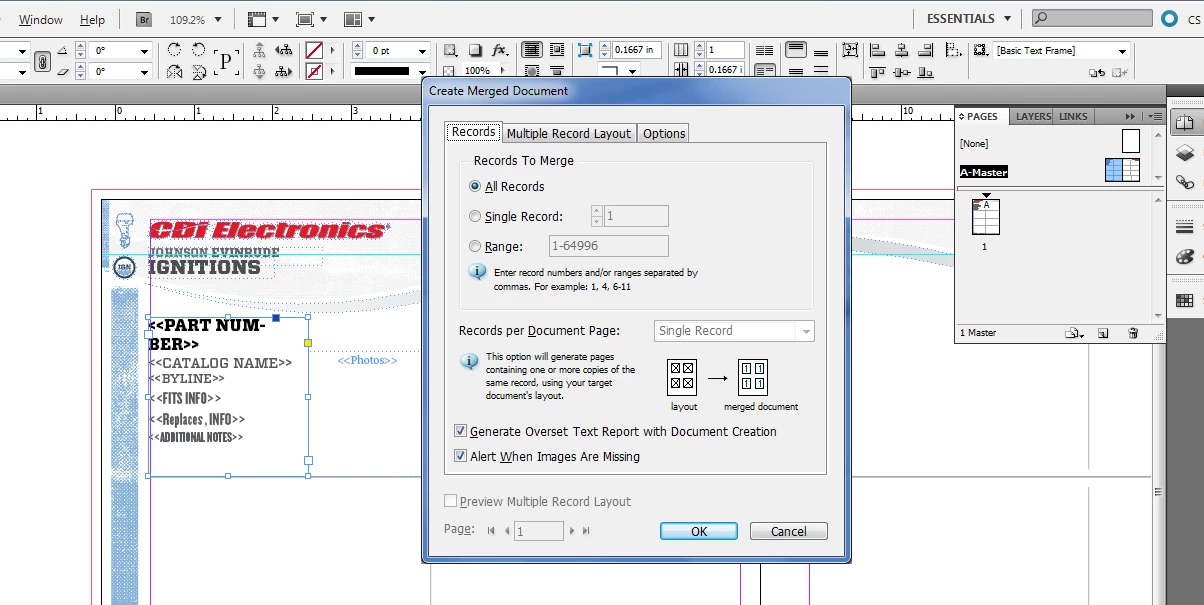
After watching tutorials, reading, etc. I made sure that my document does not have facing pages. I deleted my "page 2" to avoid that conflict. I made sure that the placeholder "allows overwrite from the master". I also deleted my "cache"/settings" by doing "ctrl, alt, shift" when reopening the program. I read that it may be because the files need to be on the right hand sheet of the master, however, when I move my info to the right sheet, I get the following message.
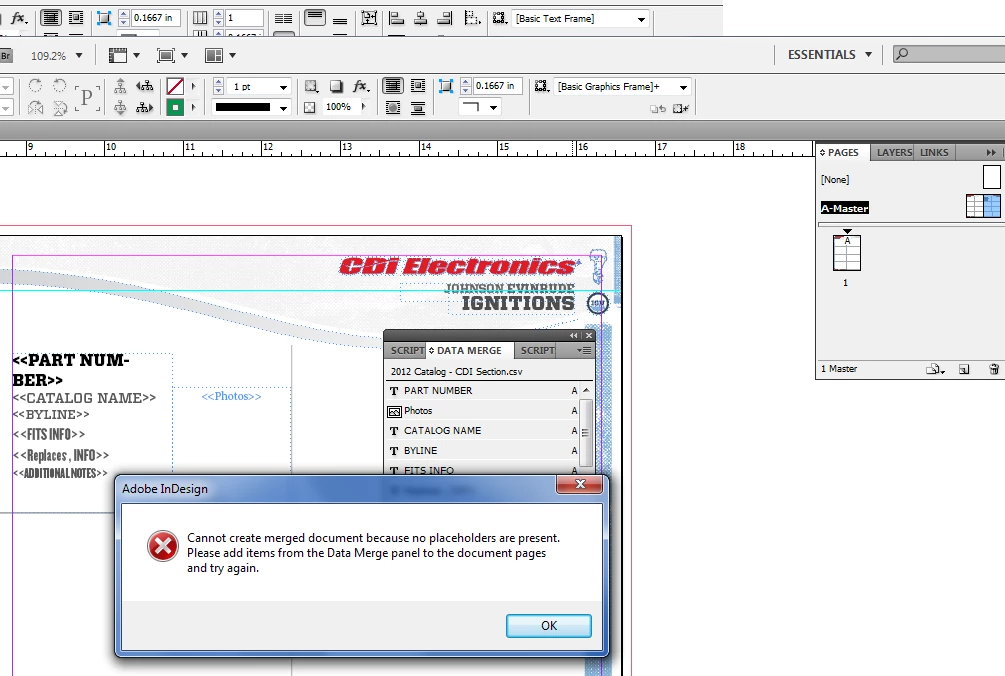
I have watched the tutorial videos, read the entire help section regarding data merge, and have correctly created my data source file. I've tried everything I've seen on the forums, apart from uninstalling and reinstalling. Please tell me that someone can help me figure this out as soon as possible. I'm in crunch time!

Thanks a lot.

5 replies

Participating Frequently
July 10, 2016

I used datamerge many many times but I was about to get crazy because of this multirecord problem. Thanks God i found the solution.

Participant
January 7, 2016

HELP!?!  I've done everything mentioned in this post and still cannot get the Multiple Records options available to me.  I went so far as to create a brand new 4 page document, not with facing pages, master only has 1 page, 1 layer, all options mentioned above set, and when clicking to Create Merged Document, the 'Preview Multiple Record Layout' box is grayed out.  When going to the 'Multiple Record Layout' tab it says at the top "These options are disabled because Single Record is selected for Records per Document Page."  But on the 'Records' tab it won't allow me to select anything other than 'Single Record' because it's grayed out.

The preview of my data merge looks good for the single record that it shows, but I cannot get the Multiple Record option for anything I've tried.  Please Help!

Peter Spier
Community Expert
Community Expert
January 7, 2016

For multiple records per page your template document must be one page, not four.

And if you choose to preview, immediately Undo afterward and before running the merge or you may corrupt the template (this is a bug).

kraegan
Participant
February 2, 2015

I've solved an issue related to many of the questions above and documented in the thread below.
Those seeing a perfect preview and then getting the wrong results should read it.

Multiple Data Merge - Problem Resolve... Sort Of

Participant
December 6, 2012

I was recently under a tight deadline to get a document together using data merge. I needed to have two of the records show up per page and no matter what I did, I could not figure it out.

Today, I'm pulling up another document based on that previous file I used. It's a completely different layout (just need to get photos of people set up on a sheet, nothing fancy) and it the multiple records option still didn't work.

I found out why! I had a hidden layer that I used as a guide for what I wanted everything to look like. That hidden layer took up the space needed in order for my records to show up multiple times per page.

If anybody else is having troubles with the multiple record data merge option not working properly, check your layers! =)

creativeadvantech
Inspiring
October 28, 2024

I have only one layer. still show two of the same records on one page.

Peter Spier
Community Expert
Community Expert
June 4, 2012

Multiple record merges are limited to one page layouts. Your master still seems to have two pages. I think if you start with a single page master you'll be able to do your merge, and you can apply a different master to the merged file when finished.

June 5, 2012

Thanks Peter. That helped me un-grey the multiple records. I was able to complete a data merge, however, this is what happens.

As you can see in this image, I have the margins setup the way I prefer, and the data merge previews correctly.

Once I click to merge, this is the new document I get - it's only putting one record per page (even though the multiple records per page is selected), and it inserts this layout, not onto actual pages in indesign. It looks reall odd.

And when you scroll down,

Any suggestions on fixing this?

Also, my InDesign freezes up when I try and do a merge of my entire sheet (182 items). The images above are when I tested doing just records 1-32.

Thanks in advance and thanks for being so prompt yesterday. Very helpful.

Community Expert
June 5, 2012

It looks like your problem is with the banners and grid. In my experience, Data Merge will repeat everything that is on your page. Set up a document with a one-page master containing ONLY your repeating elements and fields. Then add the rest of the elements to the meged document afterwards.