


Data Merge Picture Location Issues – Can't Find Photos Due to File Path Error
I don't know what is happening. I was able to pull photos in a data merge in the past without issues. But now it's not working correctly.
When it goes to pull the photo location to place the pictures, it keeps popping up that it can't find them because of the source file. It brings up this error:
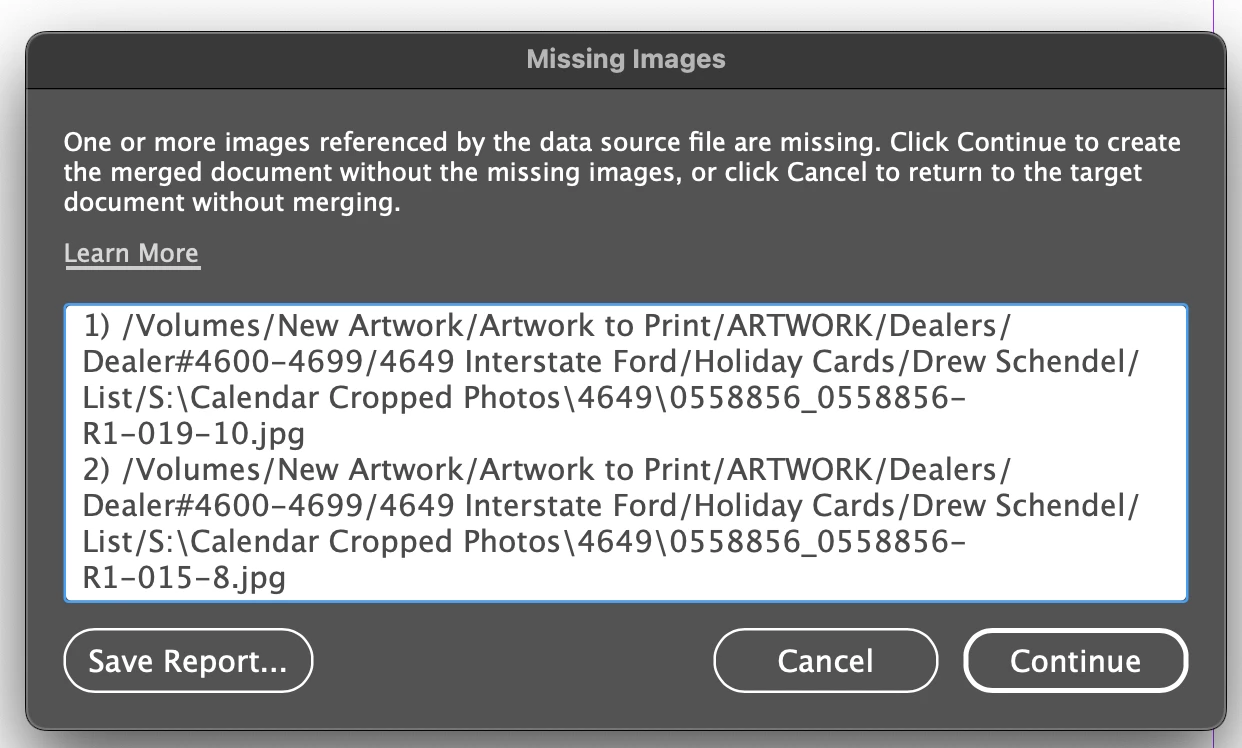
The first half of that location is where the .csv file is saved.
/Volumes/New Artwork/Artwork to Print/ARTWORK/Dealers/Dealer#4600-4699/4649 Interstate Ford/Holiday Cards/Drew Schendel/List/
and the second half is where the picture is saved.
S:\Calendar Cropped Photos\4649\0558856_0558856-R1-019-10.jpg
I don't know why it keeps thinking that they need to be together. I've checked the original Excel File and the CSV file to make sure they were written correctly and they are.
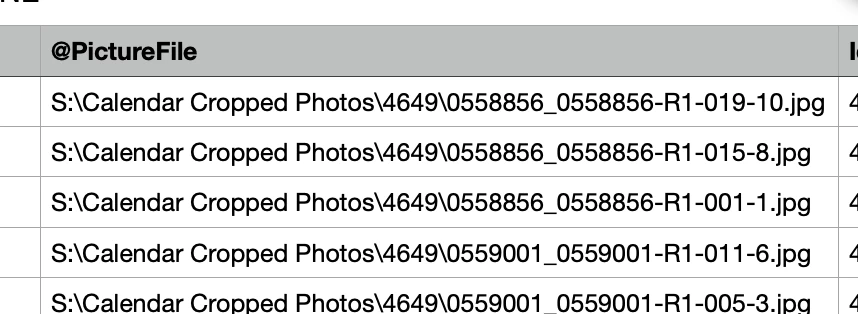
I've even made brand new files and put all the information in brand new. And this is still happening.
We work on a really big server and different things are saved in different areas of the server. It is not realistic to move the photos to where the rest of our stuff is. That would take hours to go grab them. I've done this easily with other things, however, the list and the pictures were within close proximity (still not in the same folders though). I had no issue before.
How do I get it to pull correctly?
Let me know if you need more information at all.
<Title renamed by MOD>


 AdChoices