New Participant
April 29, 2024
Answered

Data merge referencing incorrect file path for images.

  • April 29, 2024
  • 3 replies
  • 3282 views

I've been using this template for years without a hitch, but today referenced file paths in data merge for images is referencing the incorrect folder. Text paths are completely OK. I have looked at merges from years ago and tried to re-run them and the same thing is happening. 


For example I have a CSV with a path to folder SVG Company Logos, but the missing images are pointed to the folder where the INDD file is saved. In this case I set up a folder called "temp" since I started from scratch. If I put the images I'm referencing in that "temp" folder, it works, but I have always been able to reference a separate folder (SVG Company Logos).
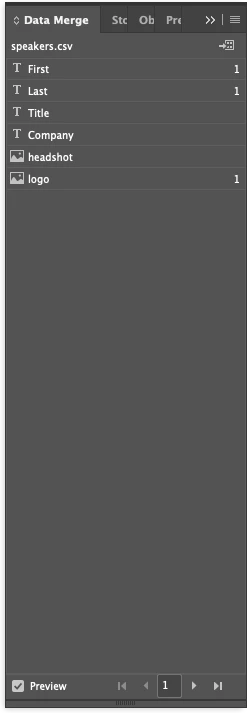
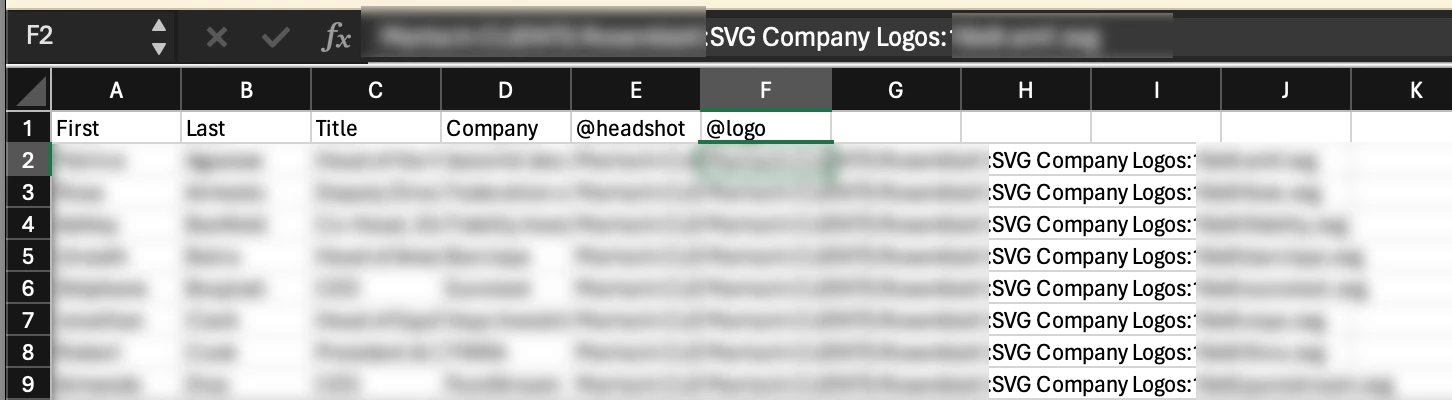


Any thoughts on what has changed here? It's quite frutstrating as the workaround is not exactly conducive to the intention of data merge.

This topic has been closed for replies.
Correct answer leo.r

InDesign 19.4 doesn't support HFS paths by default anymore (the ones with colons).


You need to change them to POSIX or disable default POSIX paths, see here:


https://helpx.adobe.com/indesign/kb/data-merge-not-working-absolute-paths-macos.html


https://community.adobe.com/t5/indesign-discussions/data-merge-issues-when-upgrading-to-indesign-19-4/m-p/14588028/page/2#M572308

3 replies

leo.r
leo.rCorrect answer
Braniac
April 30, 2024

InDesign 19.4 doesn't support HFS paths by default anymore (the ones with colons).


You need to change them to POSIX or disable default POSIX paths, see here:


https://helpx.adobe.com/indesign/kb/data-merge-not-working-absolute-paths-macos.html


https://community.adobe.com/t5/indesign-discussions/data-merge-issues-when-upgrading-to-indesign-19-4/m-p/14588028/page/2#M572308

Inspiring
June 24, 2024

Why oh why have they removed such fundamental functionality of data merge?? The fact that there is - for the moment - a relatively straightforward workaround is beside the point.


Presumably there is some alternative benefit that makes this change an upgrade somehow? Have the colons been replaced with a different character?

leo.r
Braniac
June 24, 2024
quote

The fact that there is - for the moment - a relatively straightforward workaround is beside the point.orementioned workaround.

Have the colons been replaced with a different character?


By @MTPmedia


The HFS path support in the data merge has been dropped. POSIX paths should be used instead.


HFS (legacy style) paths use comma as the path separator, while POSIX paths use forward slash "/". There are other, differences, too.


In theory, all you'd need to do is replace HFS paths with POSIX paths in your data source files. 


However, due to a bug introduced in 19.4, it may not help:

https://indesign.uservoice.com/forums/601180-adobe-indesign-bugs/suggestions/48340601-data-merge-not-working-for-absolute-paths-on-macos


So until this bug is fixed, you'll have to use the aforementioned workaround of editing certain resource files.

Inspiring
April 30, 2024

Naja, mir ist anhand der Screenshots nicht ganz ersichtlich, wie der genaue Dateipfad aussieht.

Aber Du könntest das Datamerge-File in den Ordner legen, indem die Logo sind. Dann brauchst Du in der Excel-Tabelle nur noch den genauen Dateinamen anzugeben. Pfadangaben sind dann nicht mehr nötig

Inspiring
April 30, 2024

Sorry, I forget the translating.


Well, I can't quite see what the exact file path looks like from the screenshots.


But you could put the Datamerge file in the folder by the logo. Then you only need to enter the exact file name in the Excel spreadsheet. Path information is then no longer necessary

Braniac
April 30, 2024

Data merge can only get the folder of images it's directed to.


There's a script here
https://creativepro.com/import-folder-full-pictures-page/#:~:text=Setup,download%20and%20install


This will create the CSV file with the correct path to the folder of images