


Participating Frequently
January 22, 2018
Question

'Data out of range' when exporting to Interactive PDF

  • January 22, 2018
  • 1 reply
  • 786 views

Hi all

I have a 100+ page document with 7 equal-ish sections. Each section starts with a bookmark. Ideally I wanted to export to interactive PDF and then split the PDF in separate document via the top level bookmarks. But annoyingly the page to page links in the resulting PDFs do not longer work. Infuriating. That is surely a bug? Any ideas there?

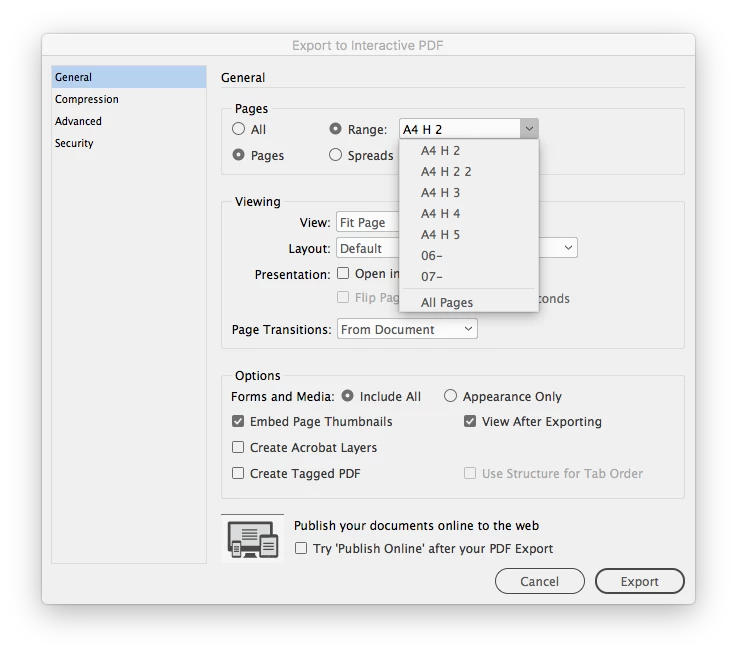
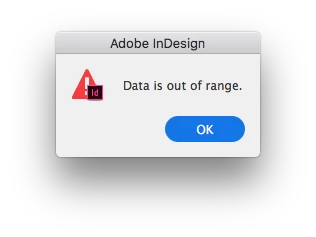
Anyway I digress! As a result I am having to export each section separately to PDF. When I choose 'Range' in the export dialogue box, the first 5 sections in the drop down list are listed with a prefix 'A4 H'. The final two simply have the number of the section '06' and '07' for some reason. And when I try to export these sections I get a dialogue box saying 'Data is out of range'. See images below

Indesign seems very buggy these day - banging my head against my desk is a regular occurrence now.

Any thoughts, or solutions or even work-arounds, much appreciated.

Cheers
This topic has been closed for replies.

1 reply

Community Expert
January 22, 2018

Hi Nicholas,

a workaround could be to use absolute page numbers for export.

Like +1-+10 for the first 10 pages of your document or +11- for page 11 of your document to the end of all pages.

To see the absolute page numbers in your Pages panel you could change the preferences:

General > Page Numbering > View: Absolute Numbering

BTW: Will "All Pages" work?

Regards,
Uwe

Participating Frequently
January 23, 2018

Many thanks for your reply Uwe - even if I view absolute pages in the pages panel, it only gives me the section options in the page range option in the export dialogue box. I need the sections in there because when I split the resulting PDF I need each PDF to be numbered from 1,2,3 etc.

Yes 'all pages' exports fine but when I split the PDF the page links disappear. I've tried extracting each section individually from the PDF but despite selecting the pages I want to export, it gives me a pop up alert saying 'Please enter a valid page range'.

Absolutely infuriating.