Participating Frequently
April 16, 2024
Answered

Deleting 1 page and 1 spread, causing ripple effect of damage.

  • April 16, 2024
  • 2 replies
  • 5329 views

Hi - could use some help with deleting or even knowing what is wrong.
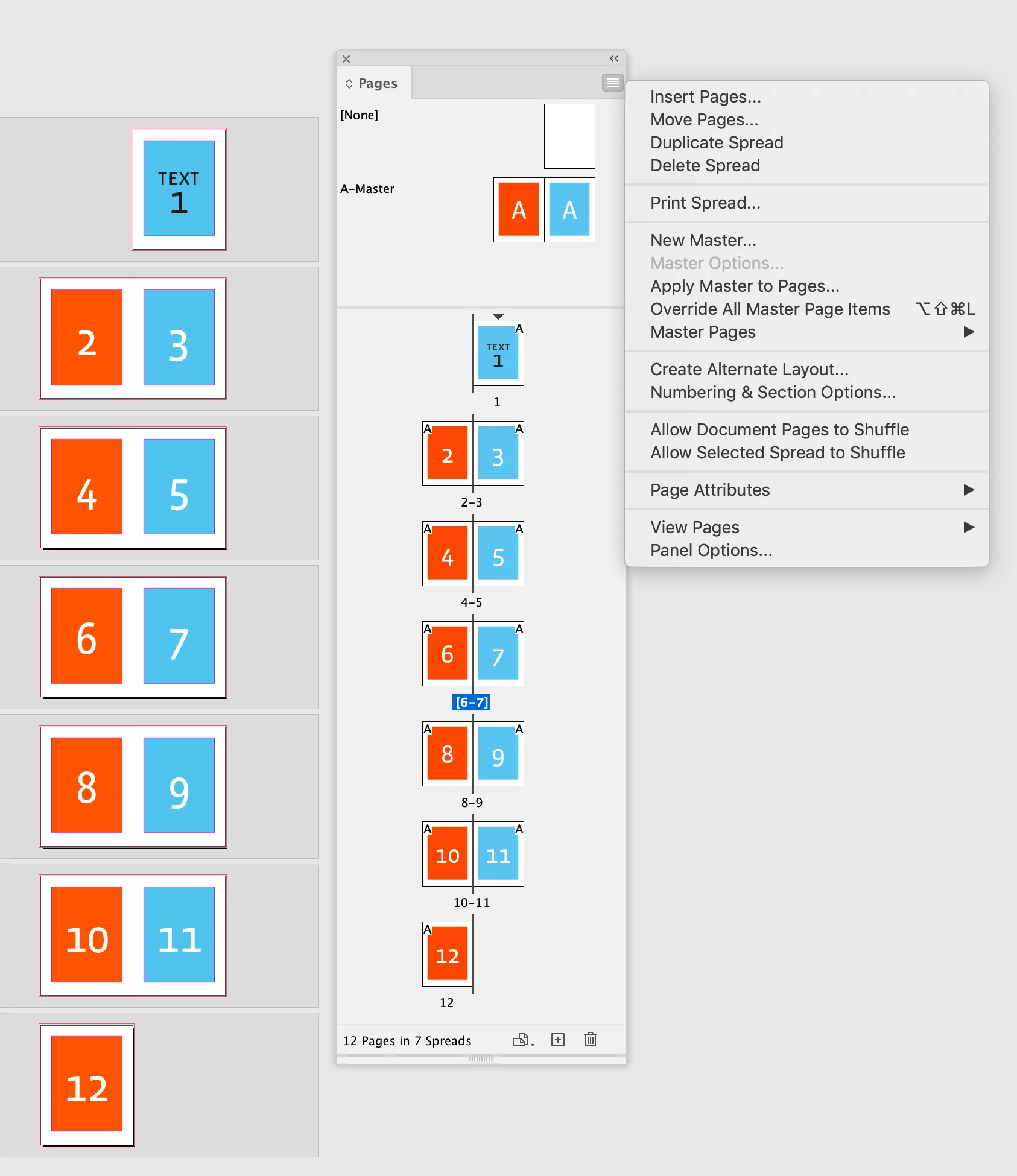
I want to delete Child page 1 and also child pages 2-3 (spread).   As soon as I delete them, the rest of the pages of the book begin to appear very strange.  I'd like to just remove 1, 2-3 and start over with those pages, but afraid it will impact all other pages.  Any idea why this is happening? Thanks so much.
I can upload the in-design file if needed.   Screenshots attached.    Thanks so much. 
This topic has been closed for replies.
Correct answer rob day

Hi Robert
Just before seeing this notification, I had tried this and was able to delete the stubborn page 1.
I unchecked both Allow document pages to shuffle and allow selected spread to shuffle.  
I was then able to delete only page 1 without messing up the rest of the file.

I will test out your solution too - on a prior saved file (from this morning) just to see how it will work out.
Thank you again and again.


I unchecked both Allow document pages to shuffle and allow selected spread to shuffle.
I was then able to delete only page 1 without messing up the rest of the file.


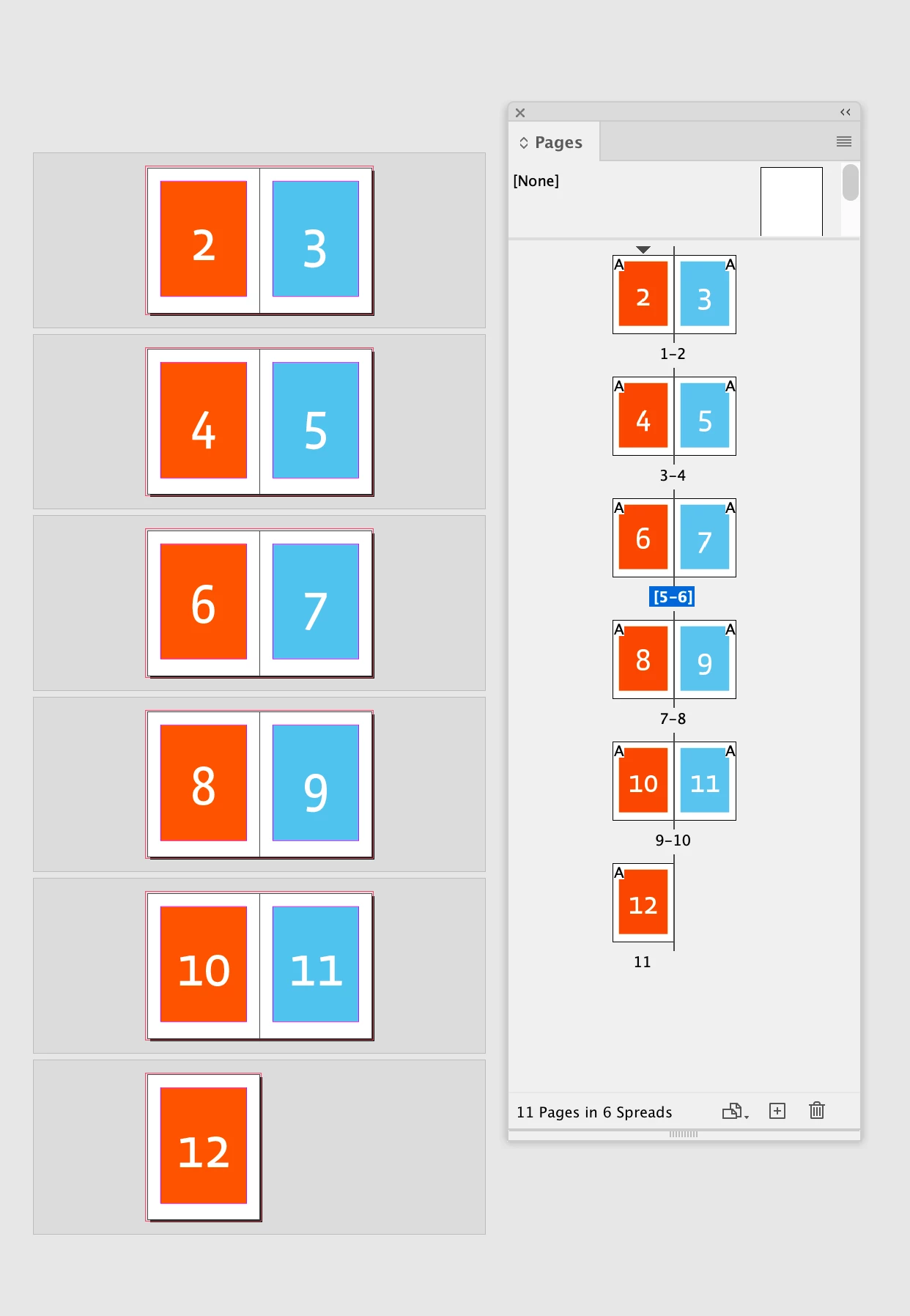
It sounds like you are trying to have the first page of the document start to the left of the spine like this?


If you do that, where is the page that backs up to the starting page, which is now to the left of the spine? In my example the document started with 12 pages, and after removing page 1 there are now 11 pages. It would be impossible to bind a book with 11 pages—every sheet has a front and back.

2 replies

Robert at ID-Tasker
Legend
April 17, 2024

@luciaa17409449


You should just delete contents of those pages and apply different Masters if you need.


Then add new contents.


Participating Frequently
April 17, 2024

Hi Robert- thanks again for your help.    I had deleted the contents - but it left me with a sort of skeleton/not a page. I must have done more than just removed the contents...?   What I'm still struggling with is why the page doesn't have a "page" appearance and what is missing? Inserting a new page would be a pretty little blank white page.  This page 1 (olddoc.jpg) that I will be keeping is not a normal page.. at which point did i screw it up hahaha and how do i get ot back to function like a newdoc.jpg page?
Adding new content to the current page 1 is definitely not right either (1-adding-new-content.jpg)
What would adding contents to that page would consist of?
Thanks so much.


rob day
Community Expert
rob dayCommunity ExpertCorrect answer
Community Expert
April 17, 2024

Hi Robert
Just before seeing this notification, I had tried this and was able to delete the stubborn page 1.
I unchecked both Allow document pages to shuffle and allow selected spread to shuffle.  
I was then able to delete only page 1 without messing up the rest of the file.

I will test out your solution too - on a prior saved file (from this morning) just to see how it will work out.
Thank you again and again.


I unchecked both Allow document pages to shuffle and allow selected spread to shuffle.
I was then able to delete only page 1 without messing up the rest of the file.


It sounds like you are trying to have the first page of the document start to the left of the spine like this?


If you do that, where is the page that backs up to the starting page, which is now to the left of the spine? In my example the document started with 12 pages, and after removing page 1 there are now 11 pages. It would be impossible to bind a book with 11 pages—every sheet has a front and back.

Participating Frequently
April 16, 2024

Update, made progress but not quite completely.   I was able to successfully remove pages 2-3., but not page 1.  
Then, I went to Page 1 and assigned it to a new Parent Page.  I also removed any content (text boxes) in page 1.
Tried to delete Page 1.   A ripple effect of damage to the remaining pages takes place at that point.  Is there a way to delete Page 1 without causing damage to other pages?  Thanks.

Rishabh_Tiwari
Community Manager
Community Manager
April 16, 2024

Hi,


Thank you for reaching out. Please try the suggestions shared in this discussion and let us know if this helps or if you need further assistance.


Thanks

Rishabh

Participating Frequently
April 16, 2024

Hi, thank you so much.  I followed his steps and they didn't work for me. I think the concept of what he is doing is correct, but since my page situation is a bit different, I wasn't sure what to do differently.  Any help is appreciated. 🙂 
@Jeff Witchel, ACI Thanks for your great response in your help provided by @Rishabh_Tiwari .
I would love a little bit of guidance on my situation- very similar to the one that you helped out with, but didn't work and my 100 plus pages were impacted still.  
Thank you both so much!