



Jos van Roij
Inspiring
February 1, 2019
Answered

Deleting text from multiple textfields in one action or key combination.

  • February 1, 2019
  • 3 replies
  • 3953 views

It would be nice if InDesign could provide us with a key combination to delete text from multiple textfield in one single action. Now you have to select the text from each single textfield to delete its content.
    This topic has been closed for replies.
    Correct answer Laubender


    Hi Jos,

    if all the "cells" are text frames of their own, you could remove all ther contents this way:

    1. Select all text frames

    Note: The following will not work with a group.

    Ungroup if you selected a group of text frames.

    Or select all members of the group inside the group if all the members of that group are text frames.

    2. Do a GREP Find/Replace action

    Find pattern ( derived from winterm 's find pattern in reply #6 ):

    \A.+\Z

    Replace: Nothing

    Do that on: Stories.

    FWIW: winterm already gave you some good hints how to do that.

    Regards,
    Uwe

    3 replies

    winterm
    Brainiac
    February 1, 2019

    Staying in InDesign, it still may be possible using standard Find/Change capabilities, but we need to know more about your actual situation. Is there any other text in your document, or only text fields to be cleared? All text fields should be cleared, or just certain ones? How could you tell formally one from another: by applied style, manual text formatting, content?

    Steve Werner
    Community Expert
    February 1, 2019

    It sounds like you're working with PDF forms.

    Most people who work on forms, need to fine tune, finish, and distribute their forms using Acrobat Pro. You would be using the Prepare Form tool. There is a command in that tool to Clear All which clears all the fields of data.

    BobLevine
    Community Expert
    February 1, 2019

    If you have a feature request, file it here: Adobe InDesign Feedback

    I suggest posting more detail than you have here. I'm not really sure what you're referring to.

    Jos van Roij
    Inspiring
    February 1, 2019

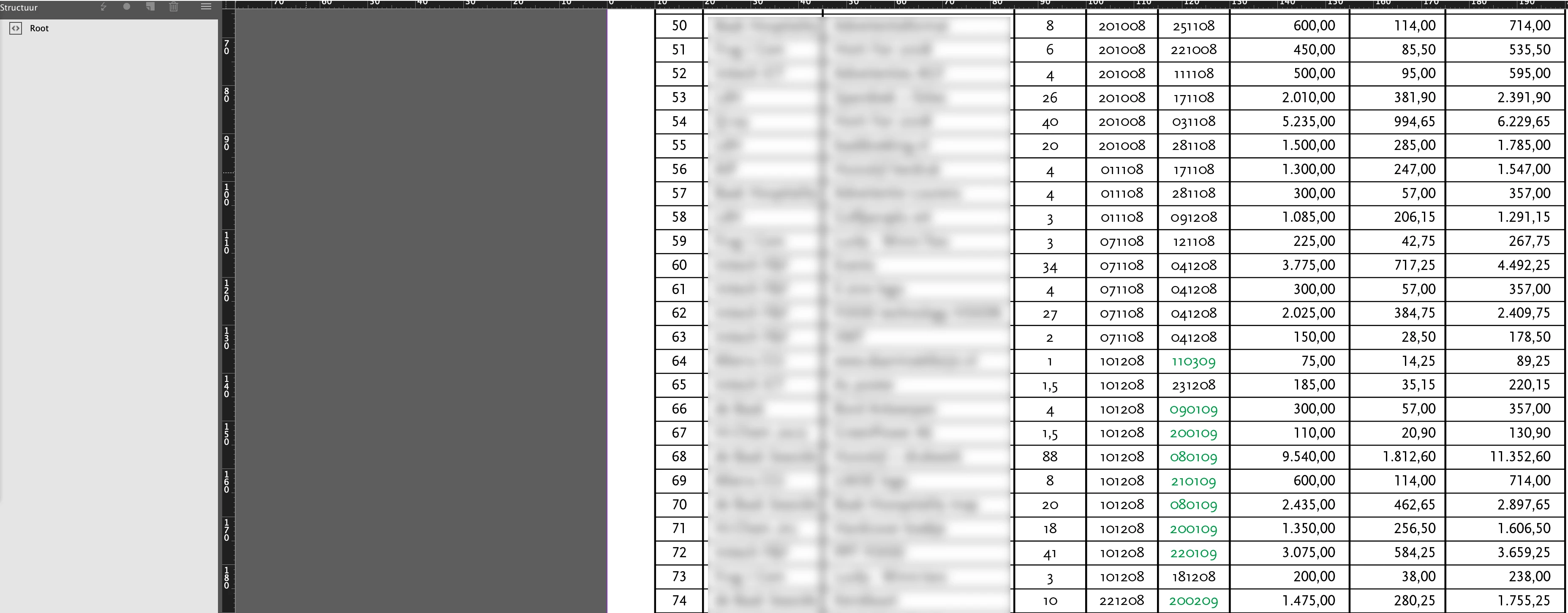
    It's a single A4 page in InDesign with about 400 separate small text fields.

    Jos van Roij
    Inspiring
    February 1, 2019

    Here is one of possible approaches: if your longest text field is still shorter then the shortest story of a 'regular’ text, you can use this regex:

    \A.{1,20}\Z

    in this case, to locate any text story (effectively: text field) ranging from 1 to, say, 20 characters long, and change it to nothing, using F/C dialog GREP tab.

    However, it's a shot in the dark, you should elaborate.


    It looks like an excel sheet but is build in InDesign.

    I blurred some fields with private information.

    I want to reuse this document and clear all text fileds with one action.

    Op 1 februari 2019 om 16:26 schreef winterm <forums_noreply@adobe.com>:

    Deleting text from multiple textfields in one action or key combination.

    created by winterm https://forums.adobe.com/people/winterm in InDesign - View the full discussion https://forums.adobe.com/message/10906497#10906497

    >