


Participating Frequently
February 28, 2019
Answered

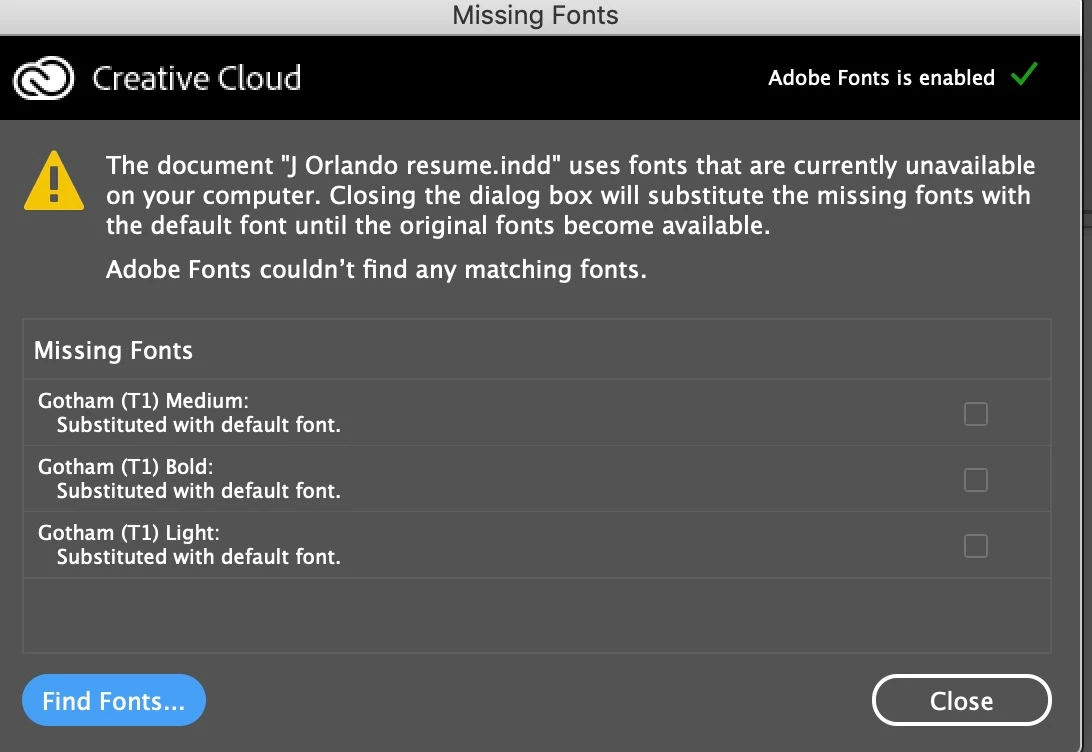
Document uses fonts that are currently unavailable on your computer

  • February 28, 2019
  • 1 reply
  • 11491 views

I am redesigning an InDesign document from another designer, and I am unable to use the fonts he used, so I am replacing the fonts on my computer with the ones he used.  He used Gotham Bold, Medium and Light. I added them to my Mac in Font Book and that did not work, so then I added them directly to Adobe InDesign CC 2019 Font Folder. However, it still shows them as not available. What else can I do? Thanks for your help.
    This topic has been closed for replies.
    Correct answer Steve Werner

    He used PostScript Type 1 fonts. This is an older format which can have a couple issues: (1) They are platform specific. That is, if the designer was using Windows, you would need the Mac set of fonts (completely different). (2) If he/she was working on a Mac, they would need to give you both parts of the fonts. They require both a "screen font" and a "printer font." If only one of the components was installed that would not work.

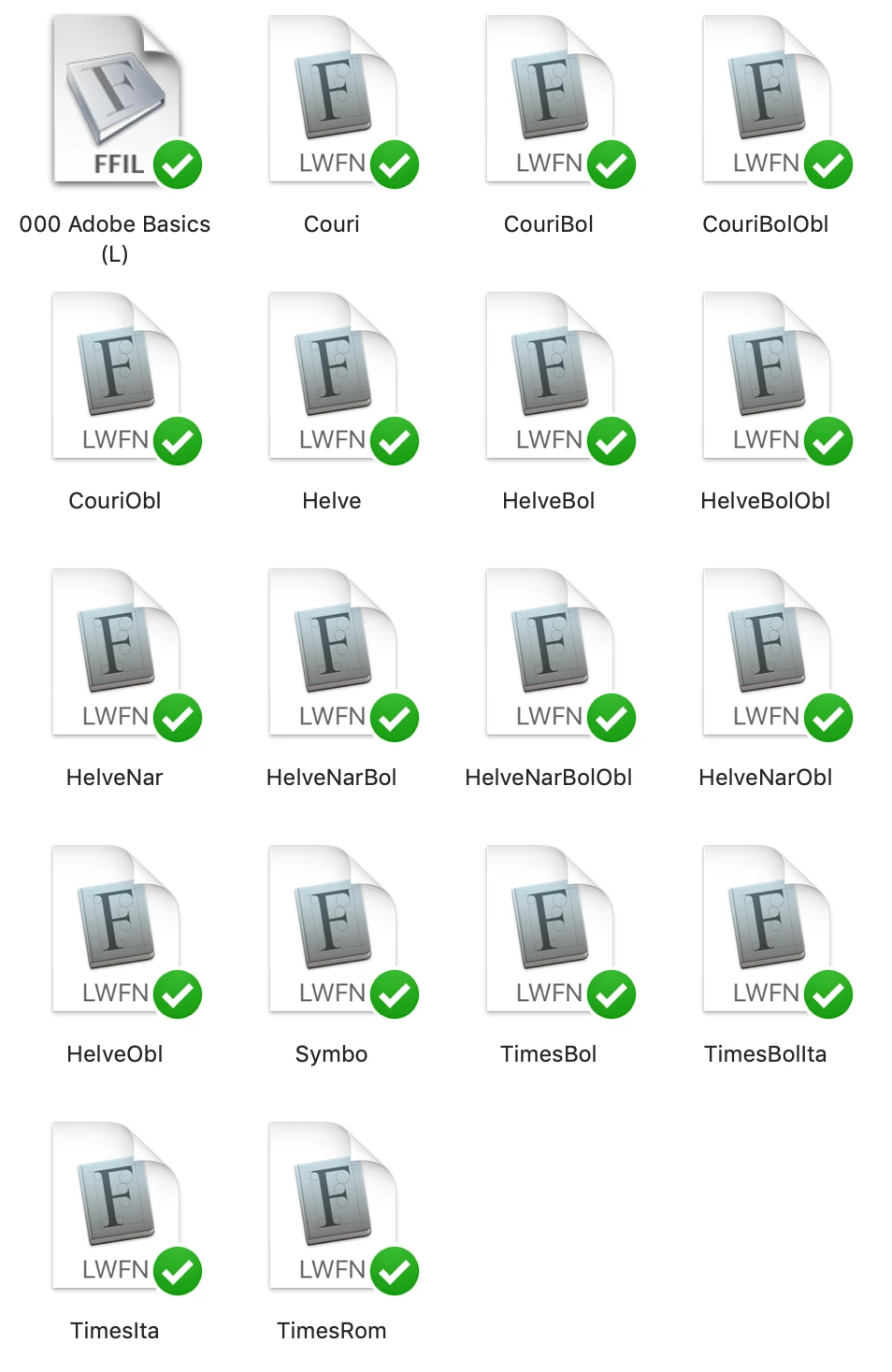
    Below is a picture of an old archive of Type 1 Mac Fonts (more than 25 years old!). You wouldn't see the green checkmarks (that's a Dropbox thing because I store them on Dropbox). But the screen fonts are stored in the FFIL file type and the printer fonts are stored in the LWFN file types.

    1 reply

    Steve Werner
    Community Expert
    Steve WernerCommunity ExpertCorrect answer
    Community Expert
    February 28, 2019

    He used PostScript Type 1 fonts. This is an older format which can have a couple issues: (1) They are platform specific. That is, if the designer was using Windows, you would need the Mac set of fonts (completely different). (2) If he/she was working on a Mac, they would need to give you both parts of the fonts. They require both a "screen font" and a "printer font." If only one of the components was installed that would not work.

    Below is a picture of an old archive of Type 1 Mac Fonts (more than 25 years old!). You wouldn't see the green checkmarks (that's a Dropbox thing because I store them on Dropbox). But the screen fonts are stored in the FFIL file type and the printer fonts are stored in the LWFN file types.

    Participating Frequently
    February 28, 2019

    Thanks, Steve. He was using a Mac. But what you are saying is this would be really complicated for me do and it should really be done by the original designer? Or he needs to give me the screen and printer fonts?

    Thank you so much for taking time out of your busy day to respond to me. I have been trying to do this for hours.

    Steve Werner
    Community Expert
    Community Expert
    February 28, 2019

    He needs to give you both the printer and screen fonts for the Mac. They should be stored in the same location. See if that works.