Inspiring
October 4, 2018
Answered

drop caps using whole word instead of initial cap

  • October 4, 2018
  • 1 reply
  • 4777 views

Hi everyone,

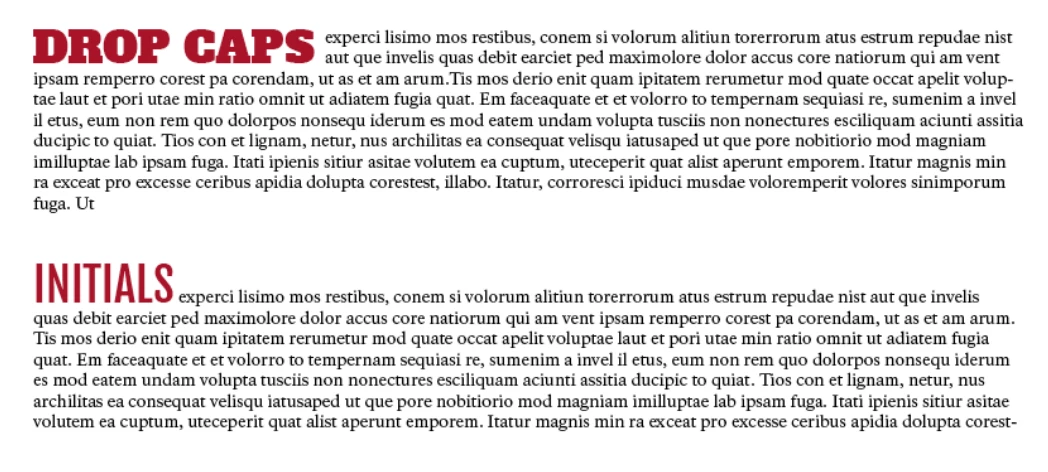
I'm trying to create a drop cap using either the first word or two words in a paragraph (like in the image below). I wondered if somone could tell me how I could achieve this effect in Indesign?

Would really appreciate any help.
    This topic has been closed for replies.
    Correct answer Barb Binder

    Hi gwhPoster:

    Is this a limitation of Indesign?

    Yes. You can use a nested style to add a character format to a particular number of words, but they won't be able to drop into the paragraph.

    In your situation, I would set up two styles:

    1. a character style to control the typeface, weight and color, and
    2. a paragraph style to control the drop (how far and initially how many characters).

    Add the character style to the drop cap paragraph style and then you'll just have to count characters and override the initial number.

    ~Barb

    1 reply

    lo21
    Participating Frequently
    October 4, 2018

    A drop cap is a paragraph attribute. You apply the settings to a specific number of characters, at the beginning of the paragraph, and it will go down, into the paragraph a specific number of lines. The number of characters will be set according to the paragraph settings.

    If you want just the word like in your screen shot "initial" to be a different color, font and size, and NOT dropped into the paragraph, that can be done by setting up a Nested Paragraph Style.

    First make a style for your body text called Body with Red first words.

    Then make a CHARACTER style to make the word Red, bigger - call it Red Word

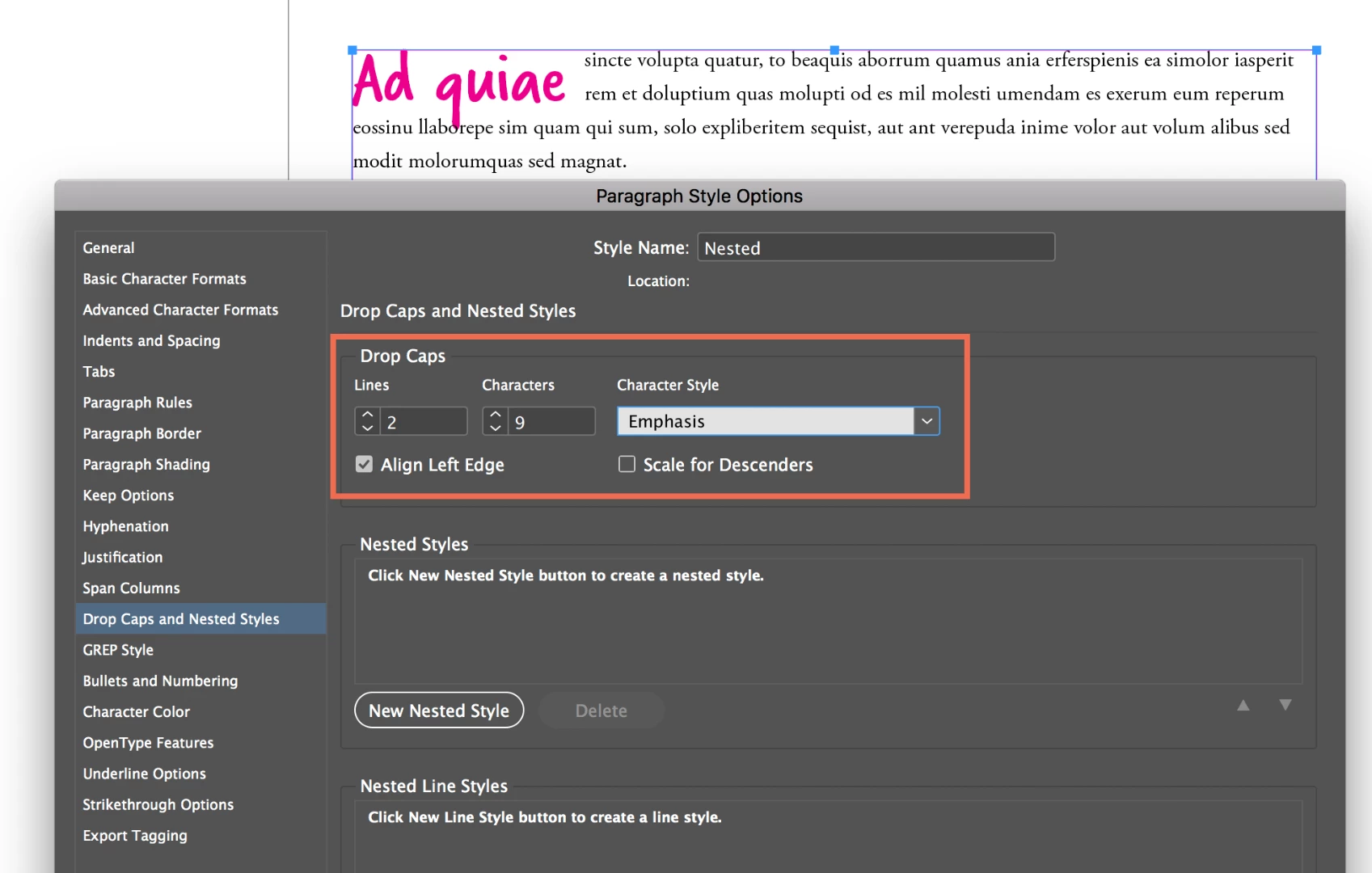
    Then open up your Paragraph Style (body with red first words) and on the list on the left, choose Drop Cap and Nested Style.

    You have to define a Nested Style here, NOT a Drop Cap.

    Click New Nested Style Button.

    Choose your Character style Red Word from the list

    Choose "through"

    Choose how many Words (1 or 2 or 3)

    Choose what you want the Red Word character style to stop at, if you picked 2 above and Words from the fourth position, this will always apply the red character style to the first 2 words, when this paragraph style is used.

    Confusing I know. get more info by looking up a video on using Nested Styles

    If you know that you ALWAYS want 1 or 2 characters dropped down 3 lines into your paragraph you can set it up in the top part of the dialog shown here, but the problem is when you want one paragarph to have 2 words, then another to have 4 words and the number of characters is different for each instance.

    JKA@4153Author
    Inspiring
    October 4, 2018

    Thanks for the reply. I knew about the nested styles but it wasn't producing the effect I was after. I need for each first word in the paragraph to be larger, a different colour and font and also to drop down two lines. As each of these first words will differ in the number of characters that it continas I don't see how to do this?

    Is this a limitation of Indesign?

    Barb BinderCorrect answer
    Braniac
    October 4, 2018

    Hi gwhPoster:

    Is this a limitation of Indesign?

    Yes. You can use a nested style to add a character format to a particular number of words, but they won't be able to drop into the paragraph.

    In your situation, I would set up two styles:

    1. a character style to control the typeface, weight and color, and
    2. a paragraph style to control the drop (how far and initially how many characters).

    Add the character style to the drop cap paragraph style and then you'll just have to count characters and override the initial number.

    ~Barb