
New Participant
February 20, 2023
Question

Dynamic, flowing, inline list of lecturers

Hello everybody,
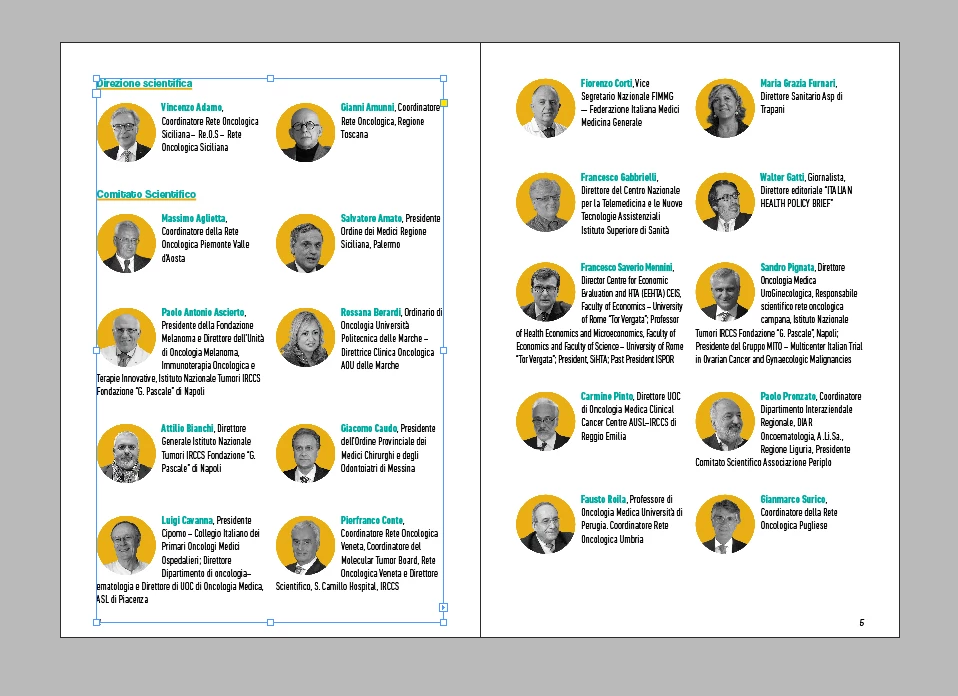
as you can see in the picture, I have to lay a list of lecturers with photo and title: I would normally set up a table, since the titles can differ much in lenght from one another; the problem is: I must update the list almost daily and copy-pasting every lecturer in the following or preceding cell takes too much time.

  • Pasting multiple text frames inline won't work because the frames should be aligned on top, while inline frames (with different heights) lie on the bottom edge;
  • Data merge doesn't help either: that would produce text frames with the same heights;
  • I tried the script CSVtoTables but it only works with the antire row, and I need the data to be repeated in every cell.

Any help would be very appreciated!
Ce sujet a été fermé aux réponses.

1 commentaire

John Mensinger
Community Expert
February 20, 2023

I think your "inline frame" theory is worthy of pursuit.

I would do it with a 2-column text frame on each page, with an anchored text frame for each lecturer. I would set up an Object Style for the anchored frames that sets the Anchored Object Options to "custom" with the reference point at top-left, relative to the column edge...


...and the Auto-Size options set to Height Only, top-down.


New Participant
February 20, 2023

Thanks for the quick reply.
That won't resolve my issue (already tried): I would need a blank paragraph every row to span the columns and create a new line (the lecturers go left to right, top to bottom); furthermore, the text frames would overlap themselves after the first two.
That's similar to what I'm doing right now:

Loic.Aigon
Brainiac
February 20, 2023