New Participant
August 24, 2021
Answered

Editable text as image mask with Background image? - In InDesign!

  • August 24, 2021
  • 1 reply
  • 2203 views

Hello!

I'd love to make my workflow more efficient. Therefore I need editable headlines with a pattern on it, BUT have the freedom to have an image in the background. 

For example: I need a blackboard background and a headline with a chalk pattern.

This is client CI, so I can't use another font. 

This is easy to handle in photoshop by using a clipping mask. I have all my workarounds but would love to do it in InDesign, without always opening a PSD to change a Headline, or to vectorize the Headline in ID. 

Is there any way to do this? 😄 Thanks!
This topic has been closed for replies.
Correct answer jmlevy

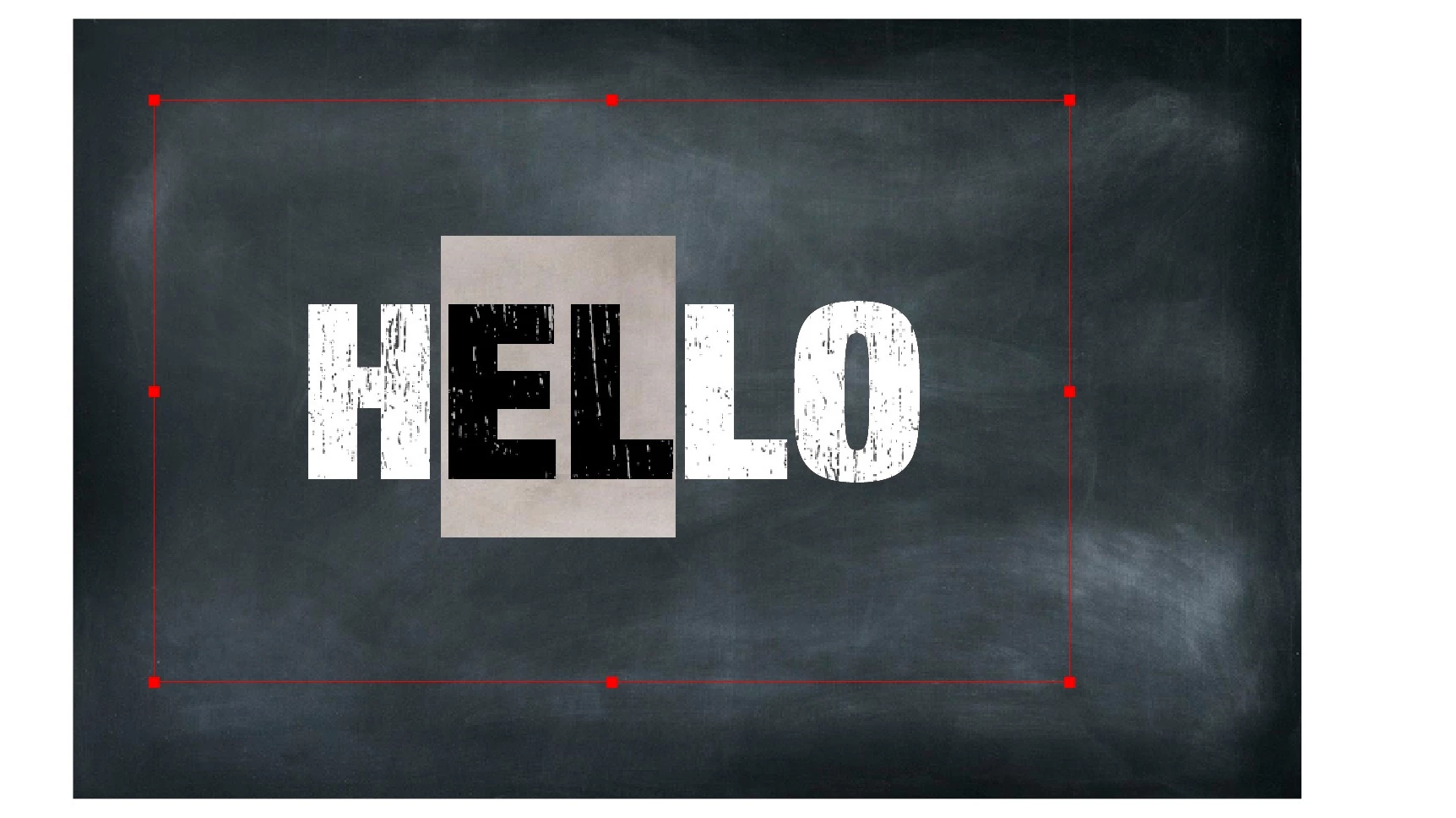
I'd love to be able to have the blackboard in the background, the chalk pattern on the type, and the font still editable. First picture with my elements, second with the result (via vectorized text)


It was more difficult as I thought but it is doable

Here are the steps:

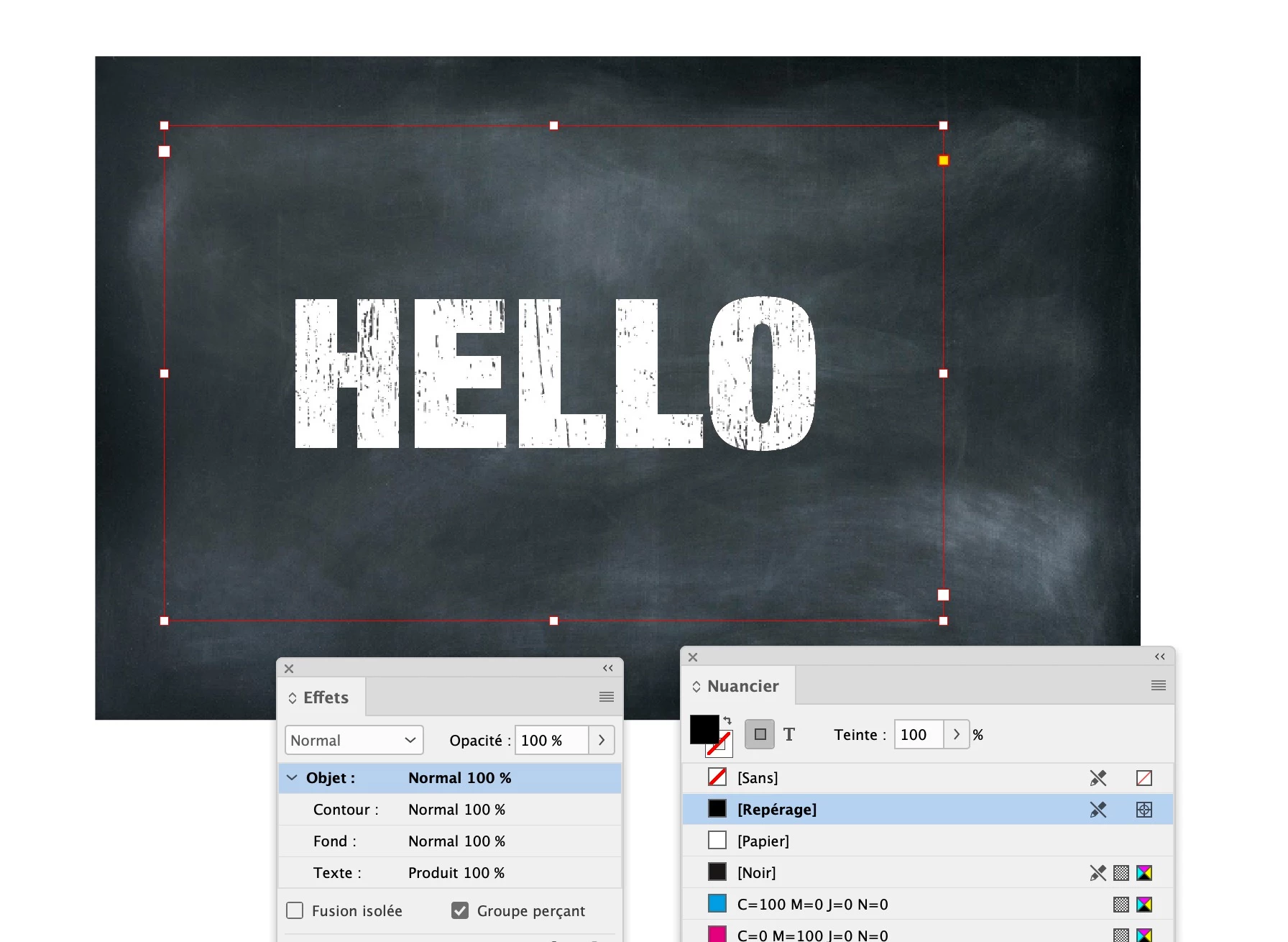
To make the process easier, the background image (the blackboard) is on a separate locked layer. On a top layer I have placed the chalk pattern image, then I have created a text frame over it with the same dimensions. The text is set in [Paper] and the frame is filled with [Registration].

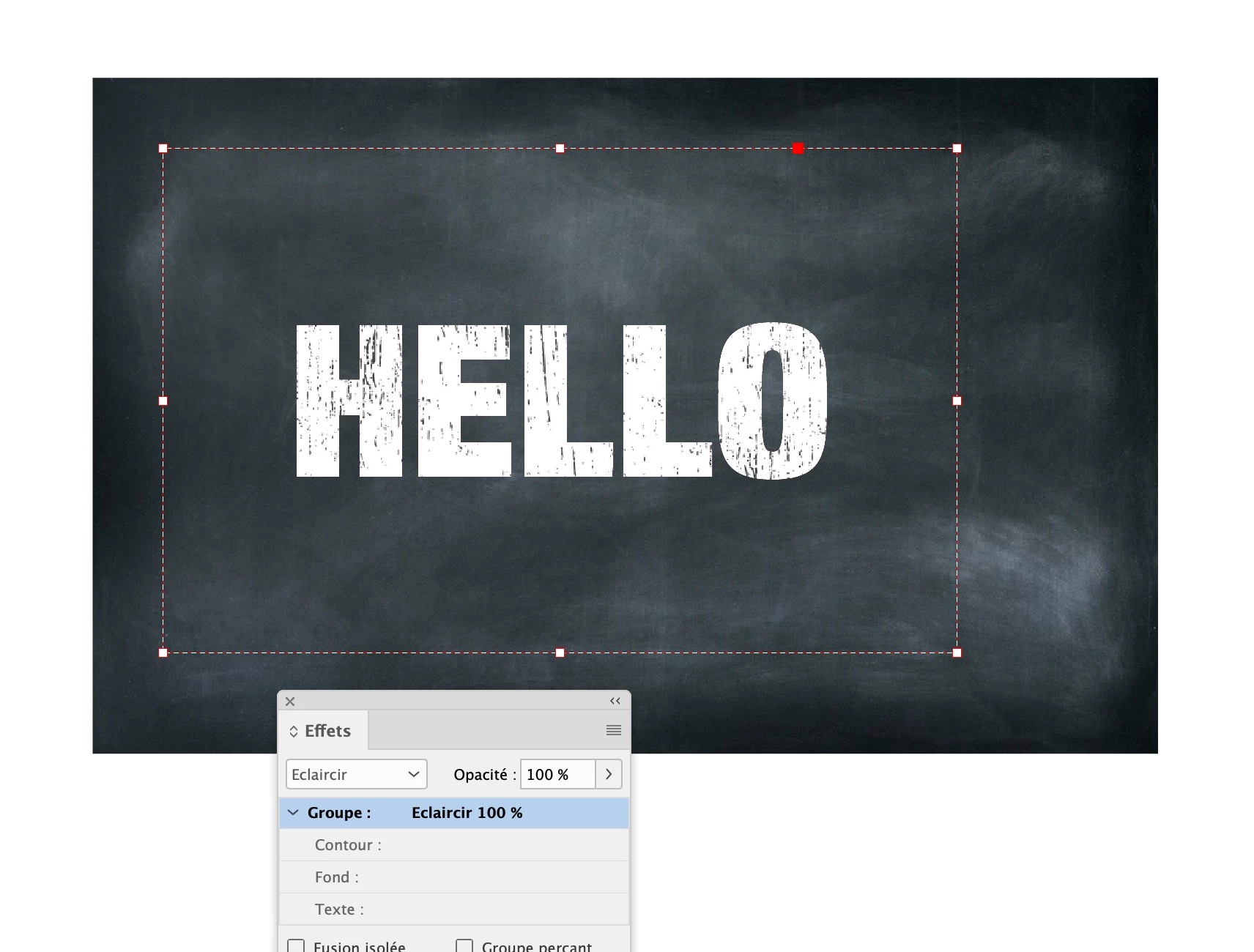
In the Effects panel, for the text frame, see the settings below in French. I think that “Produit” is “Multiply” in English. It is important to select the “object” line before you tick the “Groupe perçant (knocked out group)” checkbox.

Then select the text frame and the chalk pattern frames and group them and choose “Lighten” in the Effects panel for the group

1 reply

Jens Trost
Inspiring
August 24, 2021

Hi Anna,


look into knockout groups or see

https://creativepro.com/creating-see-through-text/

New Participant
August 24, 2021

Hey Jens!

Yes, I tried this one. But it only works with solid background colors, I need an image in the background.
I'm trying to find a way to get a picture on the text, and on the background 😞

jmlevy
Community Expert
August 24, 2021

Can you post a screenshot of what you want to do?