


Inspiring
September 1, 2023
Answered

Empty table of contents/ pages getting deleted

  • September 1, 2023
  • 5 replies
  • 1361 views

Hi, there. I have a book in InDesign 2023 with 4 documents in it. When I create the book's table of contents it's empty. And it gets worst, when I try to update it, file pages get deleted and all files's page numbering gets twisted.When I generate a single document file it's generated empty too.  Can you hep me fix this?
This topic has been closed for replies.
Correct answer Juan Mutante 26

UPDATE!


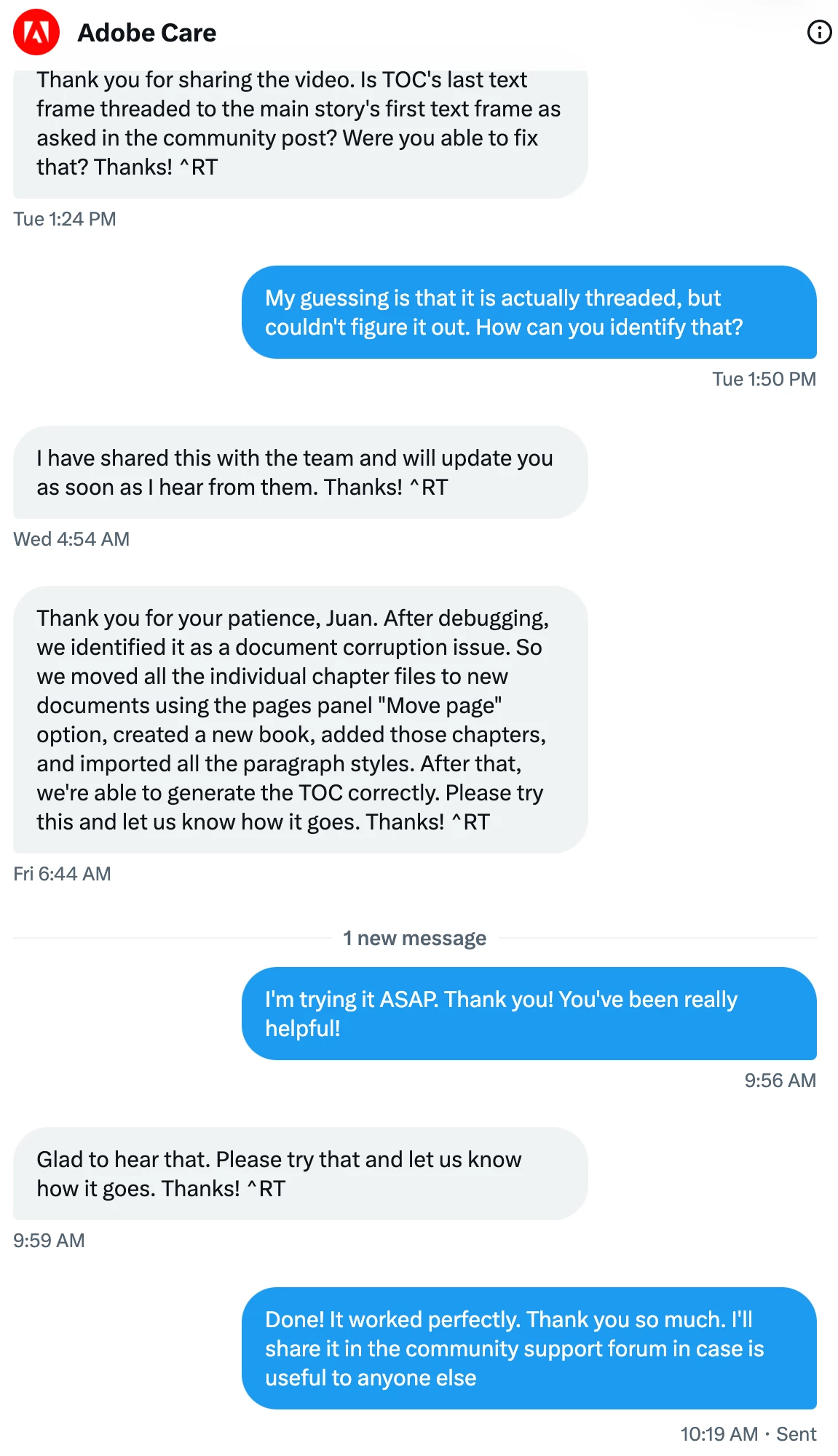
I contacted the Adobe support team via Twitter/X and shared my files with them. After their analysis, it turned out that my files where corrupted and they offered this solution:


"So we moved all the individual chapter files to new documents using the pages panel "Move page" option, created a new book, added those chapters, and imported all the paragraph styles. After that, we're able to generate the TOC correctly."


I just tried it and worked perfectly!


I'm keeping Laubender's answer as the correct answer because I believe threading TOC frames to text frames and then trying to generate new TOC was the cause of the file corruption. 


Thank you all for your help and I hope this info will be helpful in the future.


5 replies

Juan Mutante 26AuthorCorrect answer
Inspiring
September 18, 2023

UPDATE!


I contacted the Adobe support team via Twitter/X and shared my files with them. After their analysis, it turned out that my files where corrupted and they offered this solution:


"So we moved all the individual chapter files to new documents using the pages panel "Move page" option, created a new book, added those chapters, and imported all the paragraph styles. After that, we're able to generate the TOC correctly."


I just tried it and worked perfectly!


I'm keeping Laubender's answer as the correct answer because I believe threading TOC frames to text frames and then trying to generate new TOC was the cause of the file corruption. 


Thank you all for your help and I hope this info will be helpful in the future.


Community Expert
September 18, 2023

Great. Thanks for the update.

Community Expert
September 5, 2023

Hi @Juan Mutante 26 ,

an empty TOC and an empty main story of text frames threaded throughout a document could happen if you update the TOC when the TOC's story's last text frame is threaded to the main story's first text frame. So the main story's story becomes the TOC's story. Please check, that the TOC's story's text frames are not threaded to the main story.


NOTE 1:

The following happens if you update a TOC with the menu command:

[1] The TOC's story will be deleted.

[2] The new TOC's contents will be generated.

So if the TOC's story in [1] is actually the main one that is threaded from page to page and it will be deleted in step [1] of building an updated TOC, there is nothing to generate in step [2], because all contents is removed.


NOTE 2: Pages will be removed if they do not have any contents ( empty text frames ) on them if your preferences are set by default for automatically adding or removing pages depending on length of the contents that is running through the document.


Regards,
Uwe Laubender
( Adobe Community Expert )

Inspiring
September 4, 2023

I want to thank everyone for ther contributions on this issue. Unfortunately, I couldn't solve it and the document's delivery deadline was friday. As hyperlinks or pdf markers where dispensable, I created the TOC in the oldest fashion way by typing everything. I contacted Adobe's support team via X/Twitter and as soon as they help me solving this I'll share it here in case it's useful to anyone else.

James Gifford—NitroPress
Legend
September 4, 2023

Let's back up anyway and start with a basic question: have you ever successfully created a Book TOC? Or is this your first project using one?


I just suggest that because it could lead to an assumption on one end or the other that is masking an obvious problem. Many times, these frustrating discussions come down to one wrong setting that the OP didn't know to check and the expertise here didn't think to ask about. 😛

Inspiring
September 4, 2023

I've being designing books for almost 13 years, generating TOC and some indexes when needed, and this is the first time something like this has happened to me.

Peter Spier
Community Expert
Community Expert
September 1, 2023

OK, we now have two threads here on the forum with this problem.

I wonder if you've found a bug.

What OS and version of InDesign?

Waht happens if you roll back a version?

Inspiring
September 4, 2023

I'm using InDesing 18.5 on Ventura 13.3.1. Just tried it on InDesign 17.3 and got the same negative results.

Community Expert
September 1, 2023

In the TOC generation window, did you check the 'Include book documents' checkbox?

Inspiring
September 1, 2023

Yes I did, several times I tried. The only thing included in the table of contents is the title. I'm thining it is somethint related witha hidden frame with aniother table of contents like in this thread https://community.adobe.com/t5/indesign-discussions/table-of-contents-not-generated/td-p/10782826 Is there a way to find it?

James Gifford—NitroPress
Legend
September 1, 2023

Have you tried re-placing the TOC frame? Delete what's there (which should take care of any phantom or 'lost' frame as well), and re-drag the TOC frame at the time of update?