


Participating Frequently
November 23, 2017
Question

Error code 4 all docs created with CC 2018

  • November 23, 2017
  • 33 replies
  • 20754 views

Hey Guys

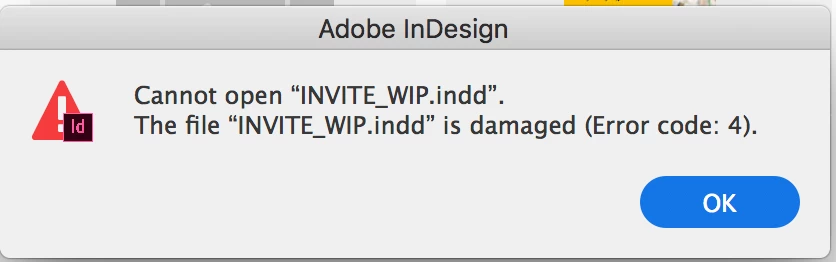
Please help me understand why I cannot open any InDesign documents I create with the new InDesign 2018. All the files I make or save with the new software give me the same error on opening: "Cannot open "INVITE_WIP.indd". The file "INVITE_WIP.indd" is damaged (Error code: 4).

Please help me! I am paying this does not mean I have lost all the work I have created with InDesign CC 2018.

- Sarah
This topic has been closed for replies.

33 replies

New Participant
January 15, 2018

SAME issue ... High Sierra. Expected fix ??????????

PaulaStrand
Participating Frequently
January 15, 2018

I sent the InDesign files to my work computer, which is an older iMac (Late 2015). My home computer is a customised iMac (Late 2017). They open on my work computer. I hope this information helps solve the issue. Thank you.

PaulaStrand
Participating Frequently
January 14, 2018

I am having the same problem, and it is very serious as a job needs to go to print. It's an Art Book designed a year ago, but the client is now looking to complete the project. A fix is needed immediately! Please help (And of course I mean 'please help fix this, Adobe people!')

garyr93739538
Known Participant
January 14, 2018

ADOBE! Are you not listening or just stupid and ripping your users off?

This is a serious industry-wide problem. We are professionals and it is time you acted professionally too.

DEAL WITH IT!

ibou
New Participant
January 13, 2018

I'm having the same problem after upgrading to High Sierra.

Adobe InDesign CC 2018 (13.0.1)

Participating Frequently
January 9, 2018

Still getting this error almost every day... Can a staff member please answer us with a solution or update on when it will be fixed?

garyr93739538
Known Participant
January 9, 2018

Did anyone see my comment to update Java. It works!

Gary Rowland

[personal info removed by moderator]

Participating Frequently
January 11, 2018

I tried this, updated my Java yesterday but just got the error again this morning... So I don't think it's related to that.

garyr93739538
Known Participant
January 3, 2018

Yes, this is a nightmare! I also keep getting prompts to update Java, and just did it so hopefully this will help too?

Pathethic Adobe!

Abambo
Adobe Expert
January 20, 2018

Jave is not a responsability of Adobe.

ABAMBO | Hard- and Software Engineer | Photographer
New Participant
December 21, 2017

Same issue here with CC 2018

robbomcm
New Participant
December 20, 2017

This is a joke that there's no clear solution since November. Same issues.

ondřejk52748505
New Participant
December 13, 2017

I am faceing Same issue. On OSX High Sierra.

New Participant
December 12, 2017

I am having the same problem too along with InDesign crashing at least once a day. Generally, after a crash, the error code appears. I know the error code disappears on the file once I close InDesign and reopen BUT a more permanent fix is needed - this is VERY annoying.

piadorer2107
Participating Frequently
January 5, 2018

So annoying - wasting so much time and hours with this issue. We pay a lot already and think how many people pay worldwide! It's January and I still have this issue.

New Participant
January 8, 2018

I updated my Sierra and had this same problem. I restarted my computer and it seems fine now.