Known Participant
December 10, 2024
Question

Export HTML5 or Publish online > export html5 package in CC2025

  • December 10, 2024
  • 2 replies
  • 932 views

I am an InDesign Plugin developer and in the new release of InDesign CC 2025 I found a new feature which export a document as an HTML5 package using as follows

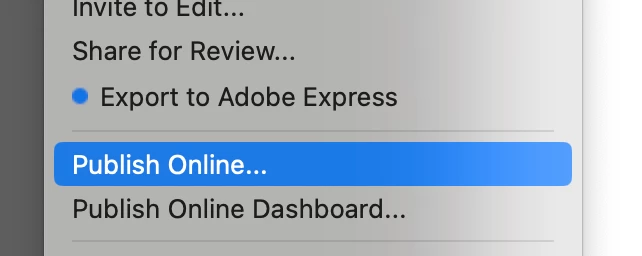
Export as an HTML5 or File > publish online > export html5 package
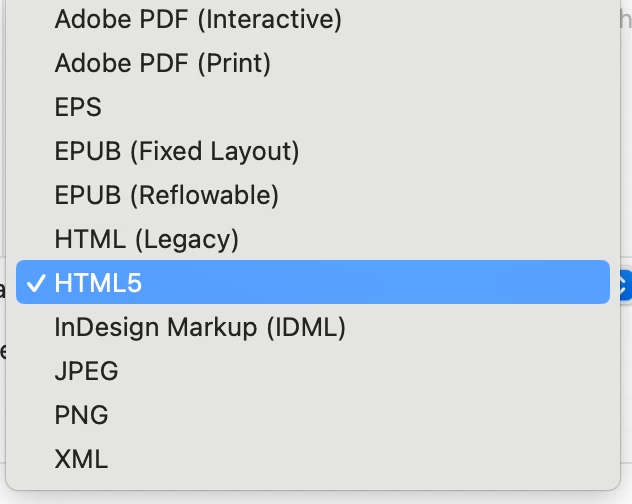


But I could not find any documentation in InDesign SDK or in scripting api how we could export a document as an HTML5 package.


Looking input either using scripting api or some service that we need to handle in sdk plugin

Any help here will be appreciated. 

This topic has been closed for replies.

2 replies

Brainiac
December 15, 2024

There is a dedicated "InDesign developers prerelease" program in the prerelease site. Ask there. Maybe they're just behind on SDK + documentation or slashed them to cut hours until someone speaks up. Make sure you also mention scripting support.


In the meantime I would try some experiments first, if I had the time:

- add cheap plug-in based drawing, e.g. watermark via draw event. If it shows in the manually produced HTML5 package, you know that the service is local.

- even cheaper - pull the plug on your internet while performing an export. If it still works, it is local.

- set a few breakpoints and look around at the call stack. File requests to add headers to relevant facades to the SDK.

- if it is cloud based, watch out for obscure separate web service SDKs in the developer site.

Alam5EC6Author
Known Participant
December 14, 2024

I could not find a solution or documentation on HTML5 export - If someone has found anything then please share here

Brainiac
December 14, 2024

Hi, not all the new shiny things made it to the SDK or the scripting world.


I suspect that you could do an ePub export and then expand the .epub package to access the HTML files for processing.


P.

James Gifford—NitroPress
Brainiac
December 14, 2024

Would you like to offer a solution to the question?


I'm not a Script Guy™. 🙂


I'd suggest that manual export is not a difficult or time-consuming task and doesn't need to be scripted, at least until this oversight is corrected. (HTML5 export, in fact, bypasses all but one technical setting, so even export settings or a preset aren't needed.)


My entire focus was that EPUB is not any kind of good intermediate format for eventual HTML use, even if it does have a script hook.