New Participant
October 20, 2021
Answered

Export Presets in InDesign

  • October 20, 2021
  • 2 replies
  • 524 views

Hello,
Might anyone be able to assist me in understanding why these buttons will not publish with the icon on them AND be a clickable button that take you to the URL? I can get one without the others. Either the link is clickable without an icon as shown below or the icon is visible with the button and the text (last image) but then the button no longer works. 
Thanks in advance for any assistance. 

 

This topic has been closed for replies.
Correct answer Laubender

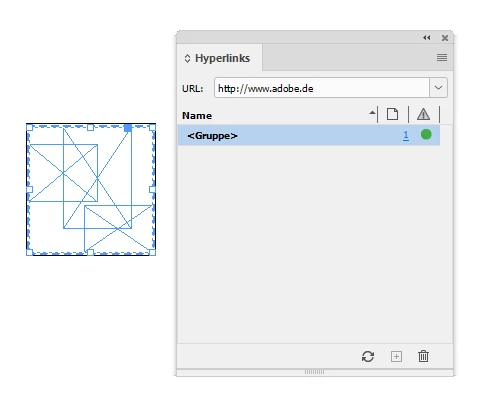
Either you build an InDesign button object out of this group of objects or you apply a hyperlink to the group of objects.

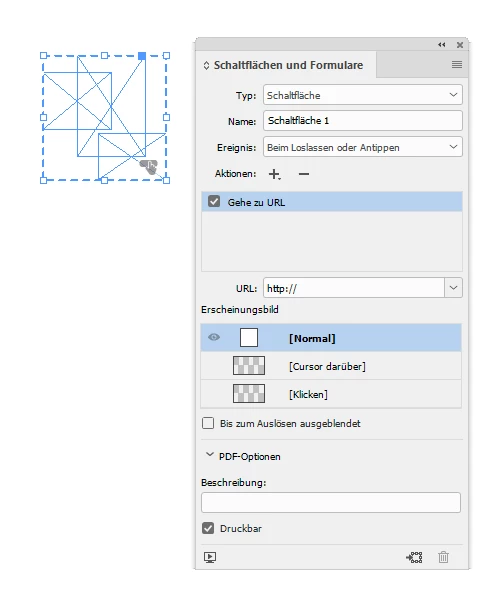
If you try to solve this with a button object you need to export to PDF Interactive to maintain button functionality.


See screenshots from my German InDesign below.


Button state "Normal" contains a group of objects:


Group with a hyperlink applied:


Regards,
Uwe Laubender

( ACP )

2 replies

LaubenderCorrect answer
Braniac
October 25, 2021

Either you build an InDesign button object out of this group of objects or you apply a hyperlink to the group of objects.

If you try to solve this with a button object you need to export to PDF Interactive to maintain button functionality.


See screenshots from my German InDesign below.


Button state "Normal" contains a group of objects:


Group with a hyperlink applied:


Regards,
Uwe Laubender

( ACP )

New Participant
October 25, 2021

Got it! Thanks again! I just need to convert all my buttons back to objects and copy that link from the button into the hyperlink field. Working well. 

Thanks again for the suppport!

Braniac
October 21, 2021

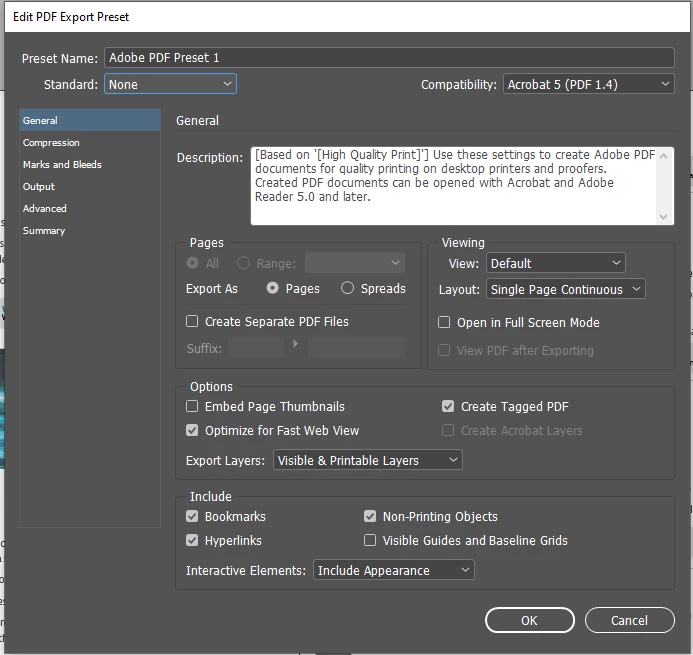
Buttons and all objects with states like MultiState objects will not export functional when exporting to PDF for print.

If you want a functional button you have to export to PDF Interactive. However, hyperlinks will work if you do not export to a print centric preset like any of the PDF/X sets and you enabled the checkbox for Hyperlinks.


Regards,
Uwe Laubender

( ACP )

New Participant
October 21, 2021

Uwe, 
Thank you for your quick response. I am able to to get those buttons to works as functional URLs but not with the icon on them. 

 ^ this one with the icon does not work as a link but the one on the right without the icon does. 

Should I be grouping the icon with the button to try and get it to both view and function how I need it to? 

BobLevine
Braniac
October 21, 2021

Interactivity will always come to the top. Group the icon with the text before converting it to a button.