


Inspiring
February 25, 2021
Answered

EXPORTATION JPEG GESTION DES COULEURS

  • February 25, 2021
  • 7 replies
  • 10499 views

Bonjour

L'exportation jpeg à partir d'Indesign ne tient pas compte des pseudonimes du gestionnaire des couleurs.

C'est très important pour avoir des visuels conformes aux résultats souhaités.


Cordialement
This topic has been closed for replies.
Correct answer guillaumes83311920

 but can only work if the layout is done in Indesign, but not with a linked file (Illustrator or pdf).


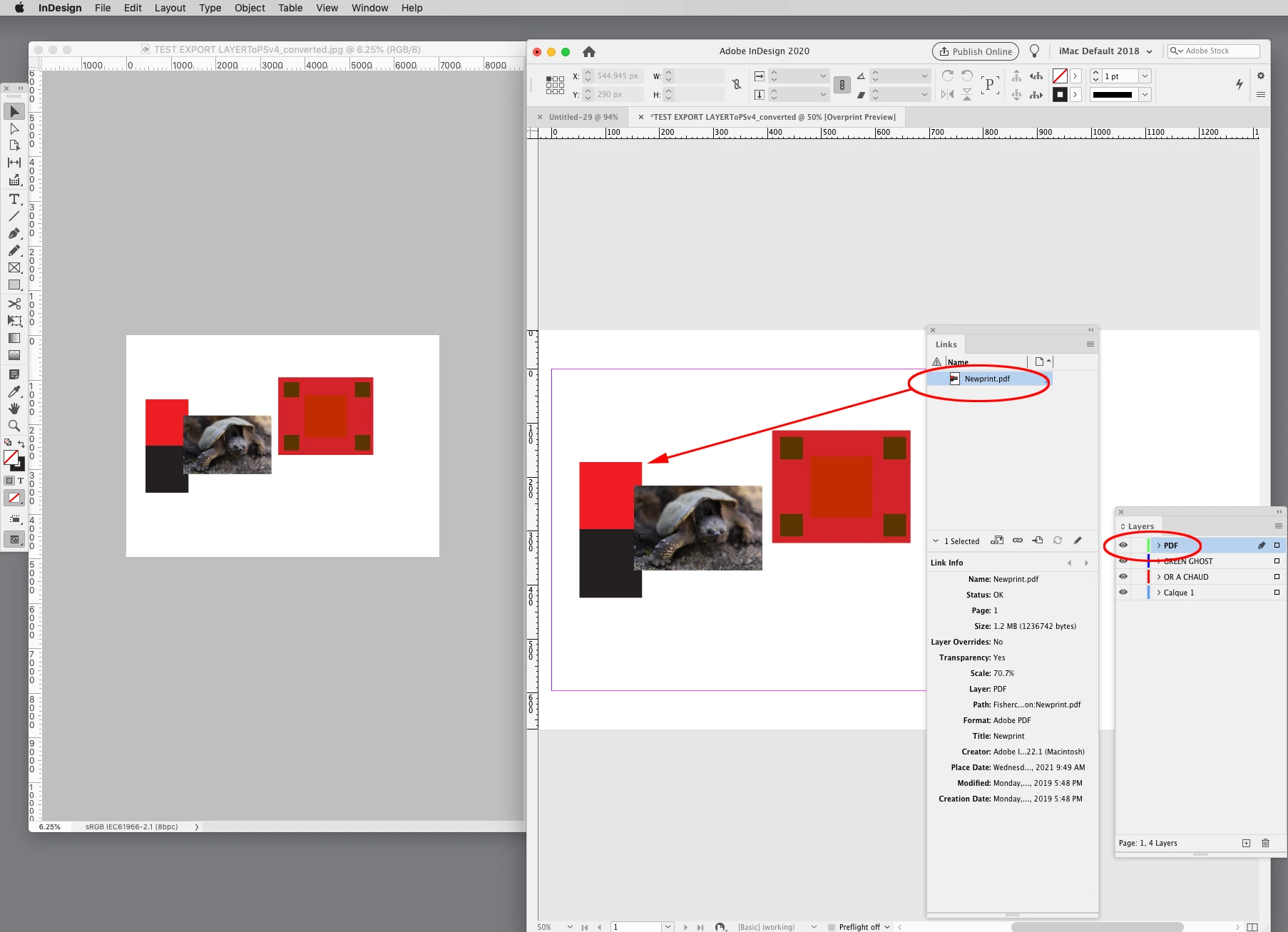
An Illustrator .AI or PDF placed in InDesign should export:


Bonjour

Je viens de poster une demande de correctif à Adobe

https://indesign.uservoice.com/forums/601180-adobe-indesign-bugs/suggestions/42961404-exportation-jpeg-gestion-des-couleurs


Merci de votre aide, votre script m'est très utile.

Cordialement

Alain

7 replies

rob day
Community Expert
Community Expert
March 5, 2021

I’m wondering if exporting the InDesign layers to a layered Photoshop file would be better. I posted a Photoshop Layer script awhile back and you can get the JS and AS versions along with usage details here:


https://community.adobe.com/t5/indesign/indesign-layers-to-photoshop-js-version/td-p/11484245?page=1


The script exports InDesign layers to corresponding Photoshop layers. Here I have the background fill, text and stroked oval on separate layers:


The scripted Photoshop file:


The Color layer set to Multiply:

Inspiring
March 10, 2021

Bonjour

je suis désolé pour ma réponse tardive, j'ai énormement de travail en ce moment et je n'ai que peux de temps disponible.

Votre solution est très intéressante, mais ne peux fonctionner que si la mise en page se fait dans Indesign, mais pas avec un fichier lié (Illustrator ou pdf).

J'ai trouvé plusieurs problèmes a votre script

- aucunes informations de surimpression n'est prise en compte

- les calques masqués sont traités de la même manière que les calques actifs.(pièce jointe)


Le script export jpg est plus proche de ce que je souhaite, il faudrait juste ignorer les informations de surimpression des objets (contour et fond) utilisant une teinte de type "opaque".


Cordialement

Alain

rob day
Community Expert
Community Expert
March 10, 2021

If you want to export with Overprints make sure you check Simulate Overprint, with it checked the JPEG should match InDesign‘s Overprint Preview:


With it unchecked:


The "GREEN GHOST" layer exports when it is visible:


rob day
Community Expert
Community Expert
March 5, 2021

Seraît t'il possible que le script tiennes compte du type d'encre utilisée pour chaque encres ?


No, the ink manager Type has some affect on  InDesign’s built-in trapping when you print separations with trapping turned on, but ink Type does not have an affect on the displayed appearance of a spot color. 


There is not accurate color management for spot color tints and overprints—full color management depends on device color profiles and are limited to process RGB and CMYK.


Pantone’s Solid Ink Spot color libraries are defined with measured Lab values, and the soft proof of the 100% value on white paper is reasonably accurate if you are viewing on a calibrated and profiled display. Tints, overprints, and mixed inks are not necessarily accurate, because there are no spot color profiles that will take into account the halftone dot gain and the ink’s transparency. With process CMYK, a CMYK .icc profile can capture those properties from a press profile target proof.

Inspiring
March 5, 2021

Merci pour votre réponse

Ce n'est pas une couleur exacte que je recherche, cje voudrais que l'exportation jpeg ne tienne pas compte de la surimpression seulement sur les objets qui ont une teinte de type opaque.


Comme en pièce jointe.


Cordialement

rob day
Community Expert
Community Expert
March 5, 2021

It would not be easy. The script would have to check the fill and stroke of every object and character in the document, change the overprint setting depending on the ink type, make the export, and reset everything back to its original state.

rob day
Community Expert
Community Expert
March 5, 2021

il n'y a pas de 872, seulement de l'OR A CHAUD


The PANTONE .ACB libraries are no longer being updated in the CC apps. Try the New Pantone Connect panel (Window>Find Extensions on Exchange). 


Inspiring
March 5, 2021

Vous avez mal compris, c'est un problème de traduction, désolé

(pièce jointe)

rob day
Community Expert
Community Expert
March 5, 2021

Ce qui est très dangereux, quand on a affaire à un fichier complexe et que l'on traite plusieurs dossiers en même temps.


Unchecking the script’s Simulate Overprint should solve the overprint problem. Here I have the text with PANTONE 872 set to OverPrint with Overprint Preview on and the JPEG exports with the text knocking out without setting the Overprint Attribute.


Inspiring
March 5, 2021

Merci

Cela ne fonctionne pas (voir pièce jointe erreur script)

l'aperçu des séparations ne tiens pas compte des encres opaques, l'exportation JPEG non plus.

Seraît t'il possible que le script tiennes compte du type d'encre utilisée pour chaque encres ?

(pièce jointe : capture encre opaque)

rob day
Community Expert
Community Expert
March 5, 2021

That‘s a language problem–the script is looking for the english version of the "[High Resolution]" flattener preset. Try this version:


https://shared-assets.adobe.com/link/61c31413-4654-4222-5535-bbeedbbacc37


If you want colors you have set to Overprint in the Attributes panel to export as not overprinting, you’ll have to uncheck Simulate Overprint.

rob day
Community Expert
Community Expert
February 26, 2021

What Operating System are you using? If it is OSX the AppleScript I posted will automate the JPEG export via PDF

Inspiring
February 26, 2021

W10, je n'ai pas de problèmes pour ouvrir un pdf dans photoshop


Cordialement

Luke Jennings3
Community Expert
Community Expert
February 26, 2021

You have brought up several issues, I want to add my 2 centimes.

You can make a feature request to fix the jpeg export/Ink manager issue, I agree it should work as expected.

As an alternative to the Ink manager, you can delete and replace the unwanted spot color from the swatches panel, or use Find/Change, although either method won't work with spot colors originating from placed graphics.

Opaque inks can be added as PDF layers (export to a layered PDF) and turned on or off in the Acrobat layers panel. 

You can export to jpeg from Acrobat (File> Export> Image> jpeg) or use the Action Wizard tool to create an action to save as a jpeg. You can also use Acrobat to map spot colors to other colors, or non-spot colors to other colors, using a preflight profile.

Overprinting white can be detected using an Acrobat preflight profile.


jmlevy
Community Expert
Community Expert
February 25, 2021

C'est très important pour avoir des visuels conformes aux résultats souhaités.

Quel est le résultat souhaité ? Je n'arrive pas à comprendre l'intérêt de la manip, surtout pour un export en jpeg…

rob day
Community Expert
Community Expert
February 25, 2021

@guillaumes83311920 is aliasing the Nouvelle couleur 2 swatch to Nouvelle couleur via Ink Manager, so the print output should be this where I have Overprint turned on:


The InDesign JPEG export ignores the alias and exports this:


PDF will honor the alias

Inspiring
February 26, 2021

L'intérêt est qu'il n'est pas normal que le rendu de l'exportation jpeg ne soit pas identique à l'exportation pdf.

Je me sers de l'exportation jpeg pour les rendus 3D, du pdf pour la validation par le client et de l'exportation pour l'impression offset, je ne vois pas l'intérêt de créer un visuel qui ne correspond pas au résultat attendu.

(voir fichier joint qu'il m'a fallut retoucher avec photoshop avant l'envoi au client).

Il y a beaucoup d'améliorations à faire sur les tons directs :

- Il n'est pas possible de visualiser des "couches" opaques comme pour le marquage à chaud

- la convertion des tons directs en CMJN ne respecte pas les informations de surimpression

- le conversion des tons CMJN et ton direct ne rend pas correctement la trasparence "produit"

- il n'est pas possible d'attribuer plusieurs tons direct à un même objet, ce qui oblige à avoir plusieurs objets surperposés en surimpression, qui rend difficile les manipilations, ou de travailler en fausses couleurs avec des teintes quadri (je m'en sers beaucoup pour les noir direct en deux passe).

Cordialement

rob day
Community Expert
Community Expert
February 25, 2021

Try saving the page to a PDF/X-4 and open that into Photoshop. If you are using OSX try this Applescript:

https://shared-assets.adobe.com/link/fb769d12-d208-49a5-6f03-bdd37a6b9006