


Inspiring
September 1, 2021
Question

Exporting Reflowable Epub - encryption

  • September 1, 2021
  • 4 replies
  • 4161 views

Hi,


I am trying to export a reflowable epub from InDesign (CC2019). 


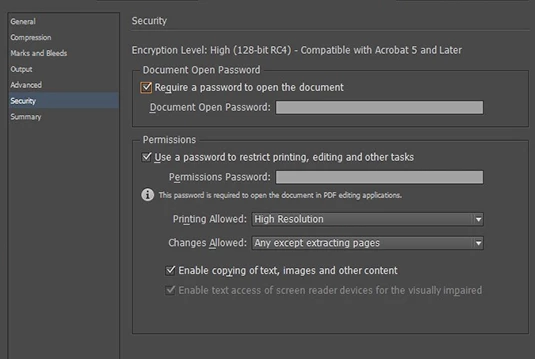
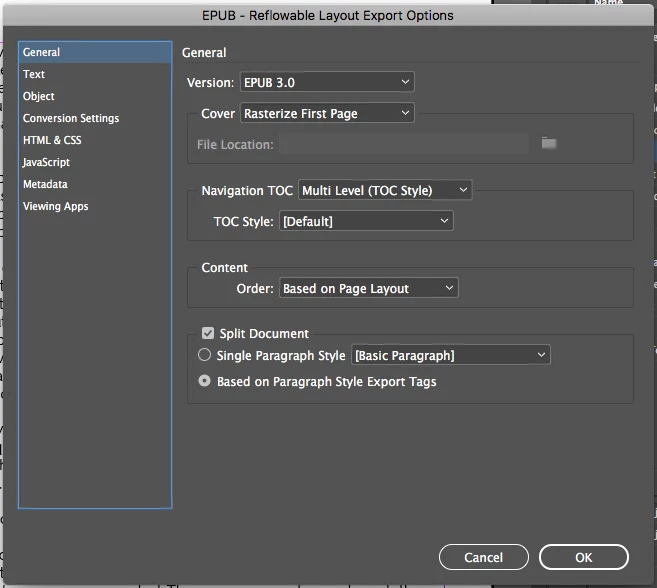
When I upload it onto Draft2Digital's website it warned that it was encrypted. I contacted them and they sent me the following pic of the export options. There is a security tab. When I export the epub that security tab does not appear (see pics below). Oddly enough, few, if any, of the options are shared, so I don't know how he's exporting the file.


How can I export an non-encrypted epub file?


Any help would be appreciated. It has to be reflowable, I don't want a fixed epub.


Thanks.


Mark


Mark
4 replies

Participant
November 21, 2024

Actually, it is simplier than this. Instead, on the export options screen, uncheck embed fonts when outputting epub for draft2digital files (it’s located on the html & CSS options page - 5th down)

James Gifford—NitroPress
Legend
November 21, 2024

Yes, I gave that advice in this thread and am adamantly against embedding fonts in reflowable EPUB for many reasons, technical and esthetic. Not embedding fonts reduces file sizes and completely bypasses technical/validation problems like the one in this older thread. Embedding fonts means... some users can choose a slightly different view, if they even know it's there.


But there's always a faction who will lie awake nights if their book isn't being read in Copperplate Gothic or such. 🙂

Participant
September 2, 2021

I had the same thing happen today. Did you figure it out? I have no security tab either. I wonder if this is new. It says it only affect Scribd.

Known Participant
December 8, 2022

I am facing same problem please help...


Brito Haroldo
Inspiring
December 19, 2022

Hello guys. I agree with the folks: InDesign doesn't really encrypt the epub. BUT there's a catch there! It does encrypt the fonts used in the conversion. If you look at the .epub "package" (which is a zipped file) there are two important folders: the first "META-INF" which contains the "encryption.xml" file, which deals with compression, and the "OEBPS > font" there are the project fonts that if not encrypted are not the original font files either. It is even observed that the size is much smaller than the original font files.


I've been trying for days to make Kindle show the fonts I determined for the project and nothing. After much searching, trying here and there, I came to this discovery.


So, it was enough to exchange the fonts that are inside the package exported by InDesign for the original files of the fonts and the thing was solved.


So, I believe that the issue of encryption goes through these two points: the "encryption.xml" file and the project source files that are, if anything, a version of the original source files. But in fact the epub itself is not encrypted but the assets, the fonts in this case, are.


Legend
September 1, 2021

For what it's worth, the first picture seems to be from the export options for PDF, not the export options for EPUB. 

Inspiring
September 1, 2021

That probably explains why the export windows are so different. Thanks for pointing that out. The bigger problem is determining if Adobe is encrypting the reflowable epub on export and if/how I can prevent that from happening.

Derek Cross
Community Expert
Community Expert
September 1, 2021

As I said earlier, InDesign does not encrypt a Reflowable ePub. 

Inspiring
September 1, 2021

Derek Cross
Community Expert
Community Expert
September 1, 2021

I don't think InDesign encrypts Reflowable ePubs.

Inspiring
September 1, 2021

Hi, here is the message I received after uploading my file.