



Alexandre Brandt
Inspiring
November 25, 2019
Question

Exporting spreads into sevral pages ?

  • November 25, 2019
  • 3 replies
  • 1120 views

Hello there !


I've got a document I designed for print. It's 447mm x 213mm, 2 pages in 2 spreads.

This corresponds to 3 x A5 paper side by side. My document setup is directly from the printer who provide a file template.

Below is a screenshot.
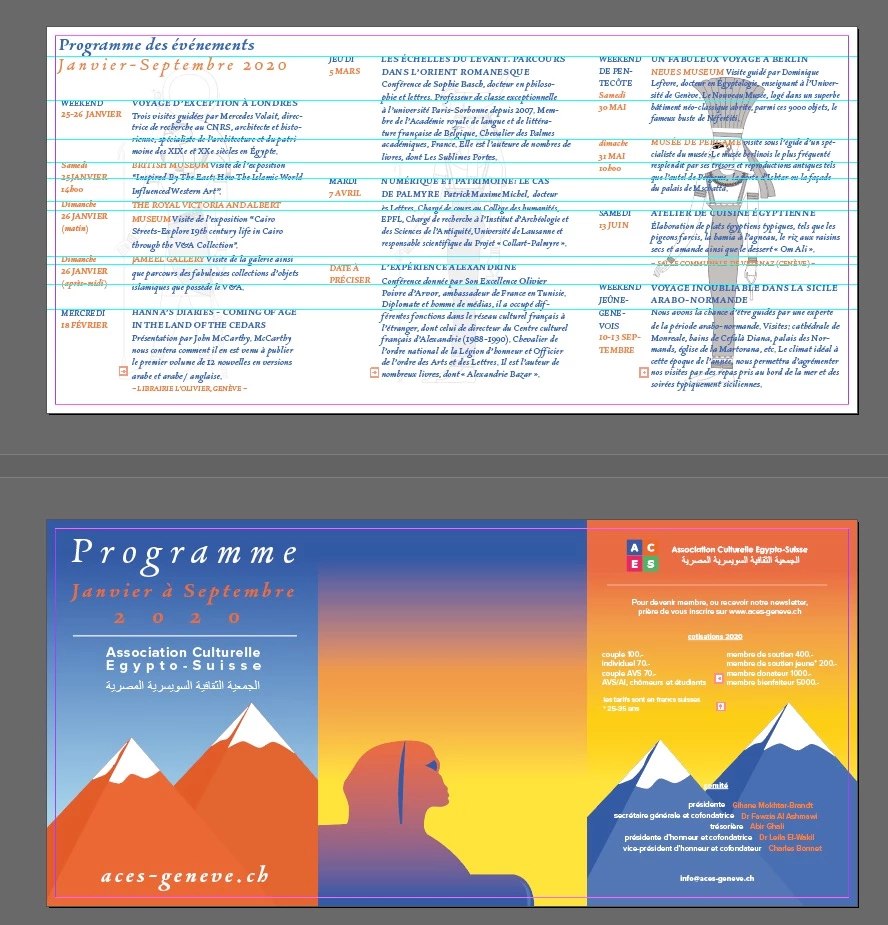


I'd like to create a version for the web with 6 individual A5 pages.

How would I go about doing that ?


Thank you !

This topic has been closed for replies.

3 replies

BobLevine
Community Expert
November 25, 2019

Create the three page spread document and place the PDF there. Export to a new single pages PDF.

Alexandre Brandt
Inspiring
November 25, 2019

Clever. 
But I guess importing like that on a 3 spread document won't get the page to be in the right spot right away.

I am probably going to have to manually place the large sheet into the A5 format of the pages, correct ?

macpawel
Participating Frequently
November 25, 2019

You can also try to crop (divide) your PDF file in Acrobat

Pawel

macpawel
Participating Frequently
November 25, 2019

I think it'ss impossible directly, but...

Try to prepare new A5 document with spreads and use Page Palette to move and arrange pages 3 x A5 and 3 x A5 again


trhen go to your original document (unlock aal if neeaded) and just select all and copy (Ctrl+A, Ctrl+C) then go to new document and Paste in Place your design (CTRL+ALT +SHIFT+V)

Use it on both spreads

Maybe it's the simplest way?

Pawel

Jongware
Community Expert
November 25, 2019

> My document setup is directly from the printer who provide a file template.


Just so you know, I would not recommend this setup and use regular pages instead. You may pass that on to your printer.

Alexandre Brandt
Inspiring
November 25, 2019

Hey. Yeah it make sens. I realize that now....