
Participant
February 20, 2024
Question

Failure to Publish Online Link - Error #18

  • February 20, 2024
  • 8 replies
  • 1527 views

Hi all,


I've been trying for days to solve an issue with publishing online links from INDD files.


Every time the export reaches 100%, I'm presented with a pop-up that states 'An error occured while uploading your document. Please try again. ERROR #18'


I understand that ERROR #18 refers to a failure to connect with the internet network, but I am 100% connected to the internet - it's just that Indesign fails to export the file. The file is not corrupt, and my INDD app is running smoothly otherwise.
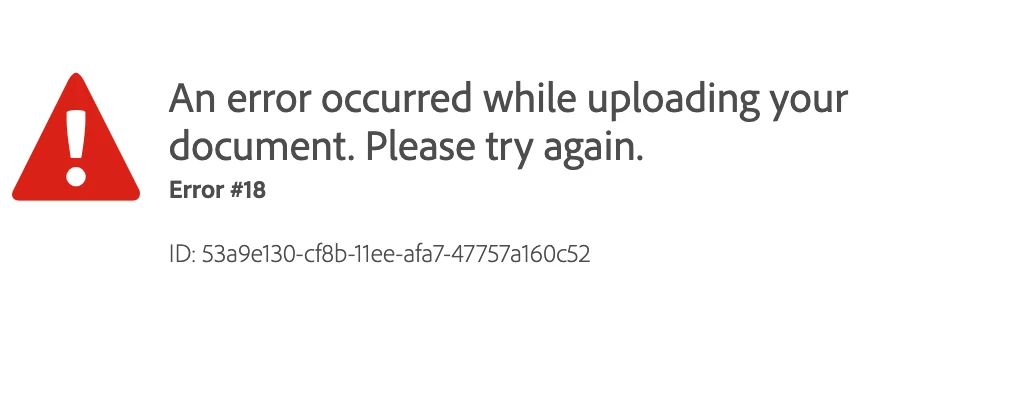
 

I've already tried:

- changing internet networks

- uninstalling INDD

- installing previous versions of INDD and trying to export

- uninstalling/re-installing entire Adobe CC system

- Using the Adobe Clean tool to clean INDD + other CC apps

- checking if the file is corrupt/saving copies of my INDD file to external hardrives

- restarting my laptop


I'm desperate to get this working as it's part of my job, so any help would be greatly recommended. I'm running macOS Monterey 12.1.


Thank you !

8 replies

Abhishek Rao
Community Manager
Community Manager
September 11, 2025

Hi everyone,


I understand how disruptive this error has been for your work. Could you please confirm if you are still experiencing the issue(error 18) when publishing online? This will help me check further with the team and assist you better.


Looking forward to your updates.

Abhishek

Participant
September 6, 2025

Can Adobe please help and advise on fixing our online published documents.


Despite thepublished links working perfectly just yesterday, they are now suddenly not loading for anyone, and when trying to republish the documentonline, it gives an error 18 - despite having plenty of storage space left on account, Indesign working perfectly in every other way, and definitely being connected to the internet. 


Urgent help please as it is for presentation today! Not sure if anyone is experiencing this? Thank you!

Derek Cross
Community Expert
Community Expert
September 6, 2025
Participant
September 6, 2025

All of my documents that I have published online have disappeared and I can't create a new one to replace them either, I get the below messages. I need help urgently as the event is taking place right now. Thanks

Participant
September 6, 2025

I have the same problem i'm trying to publish online it reaches 98% and then the same message pops-out. Same goes with all the published documents! this is a disaster

Participant
September 6, 2025

I know, the link I created days ago has disappeared it's a guide to the Italian grand prix which is happening now

Participant
March 17, 2025

same problem here, has anyone figured this one out??? 

HARSHIKA_VERMA
Community Manager
Community Manager
March 18, 2025

Hey @otissssss,


We are sorry to hear you're having trouble publishing the link. Error 18 generally occurs when the connection is lost while publishing. Would you mind checking your network connection and try again?


You may also try switching to a different network and let us know if that helps.


We will be happy to assist you further.


Thanks,

Harshika

Participant
September 6, 2025

I am having the same issue , I have try different computers and nothing. I could lose my job because of this and no help by Adobe

Participant
February 2, 2025

I have this same issue since 3 days. Impossible to publish online. Have tried ALL the suggestions but nothing seems to work. This has happened once before, Adobe could not fix it so i had to create a new account. I do hope it's not the same as last time and it can be fixed this time.

Robert at ID-Tasker
Legend
February 2, 2025

@LK_gleam3207


For some helped making extra free space - by deleting some old documents.


Recently, someone posted, that it helped to turn off firewall: 


https://community.adobe.com/t5/indesign-discussions/can-t-publish-interactive-pdf/m-p/15126733#M608846


Participating Frequently
December 29, 2024

In the same place. Tried everything you listed in your post. Reached out to the customer support team. They said they'd call me back within 24 hrs. It's been 3 days. This happened a year ago and the problem just went away on its own after a few weeks. Currently need this function for work and it's seriously screwing me over. 

Abhishek Rao
Community Manager
Community Manager
December 30, 2024

Hi @Dylan R35699255sktd,


I'm truly sorry to hear about the ongoing challenges you're facing with the "Publish Online" feature and the delay in getting support. I completely understand how frustrating and disruptive this must be, especially when it’s impacting your work.  

I’ve flagged your case to the on-call support team and am checking its status for you. I’ll ensure they prioritize this and get back to you as soon as possible.  

Thank you for your patience-hang in there, and I’ll update you as soon as I have more information.  


Best,
Abhishek  

Participating Frequently
December 31, 2024

Thank you!

Steve Werner
Community Expert
Community Expert
February 20, 2024

You can also look at this list of Publish Online error codes:


https://helpx.adobe.com/indesign/kb/troubleshoot-publish-online-errors.html


This suggests there could have been a network connection error and to try again.

Barb Binder
Community Expert
Community Expert
February 20, 2024

Have you seen this page? 

https://helpx.adobe.com/indesign/kb/upload-error-publishing-indesign-document.html


It includes the following instruction:

... send an email with your InDesign document package to sharewithid@adobe.com with the title: "PublishOnline document-specific upload error


~Barb   

~Barb at Rocky Mountain Training