New Participant
August 14, 2019
Answered

Flow a list through specific table cells in calendar.

  • August 14, 2019
  • 2 replies
  • 726 views

The Task
I'm building out a new calendar template for a client. Each cell needs to include the date, the Julian date (ascending/descending) and then holiday/event info. In the past every single number was entered manually.


Thus Far

I've now rebuilt a template to allow the dates to automatically number throughout the year using paragraph styles with List Type set to Numbers and Mode set to Continue from Previous. Works great. I delete the cell info from the dates I don't need each month and restart numbering. Slick.

Now What?

Now I want to do the same for the Julian dates. I'll make a new layer with the same calendar table so I can place this new info in another area of each cell. I could easily just run 1–366 in a similar fashion, but I need it to also run descending. I don't know that you can do a descending numbered list, so my plan was to make a running list with the ascending and descending as a single unit (1/366, 2/365, etc.). But how do I take that list and flow it to each cell in the calendar (but only the cells that have dates of course).

I'm just stumped. Hoping someone can help! Thanks.
    This topic has been closed for replies.
    Correct answer Colin Flashman

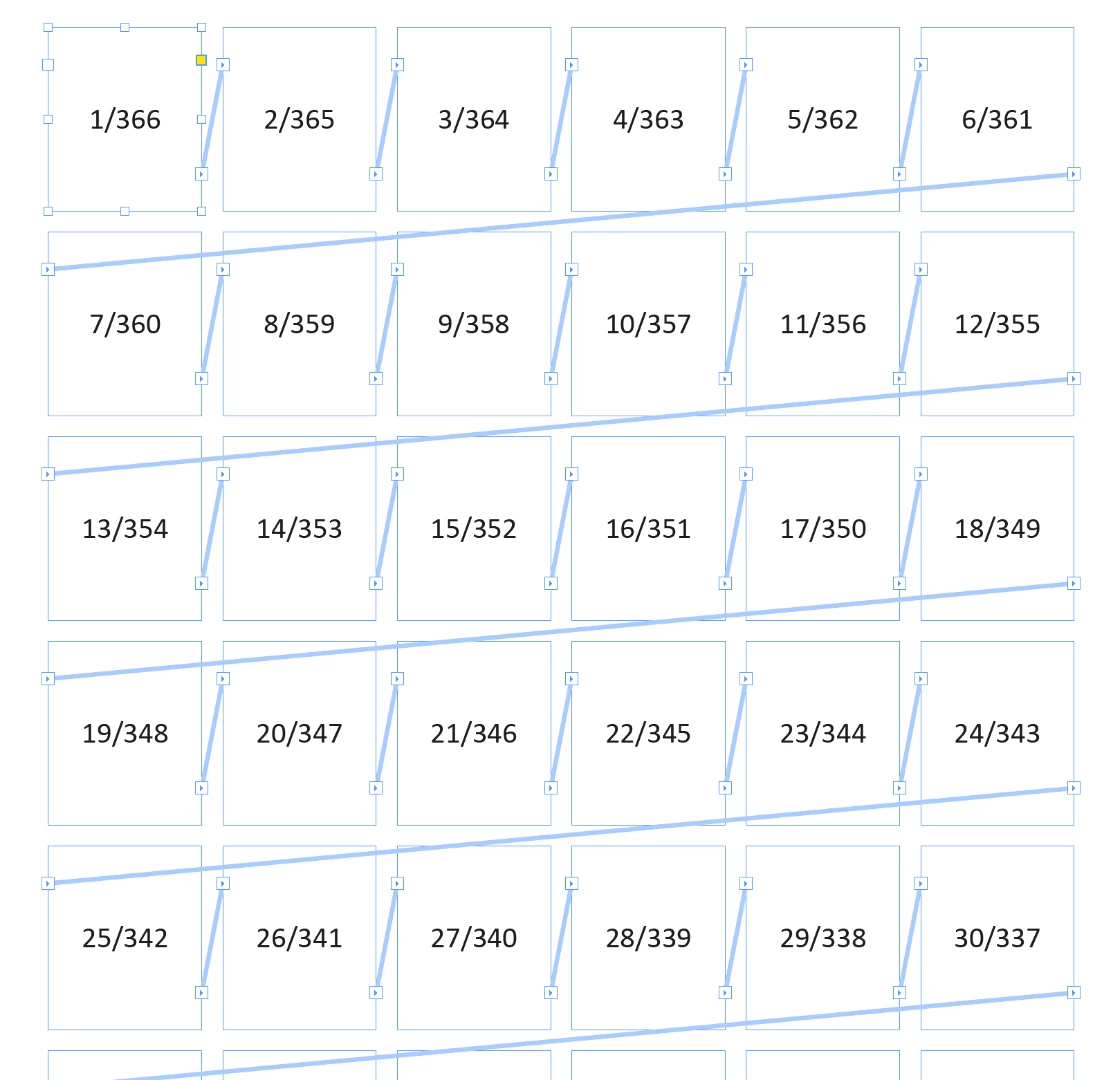
    Can't thread stories within tables, so I would use many threaded text frames.

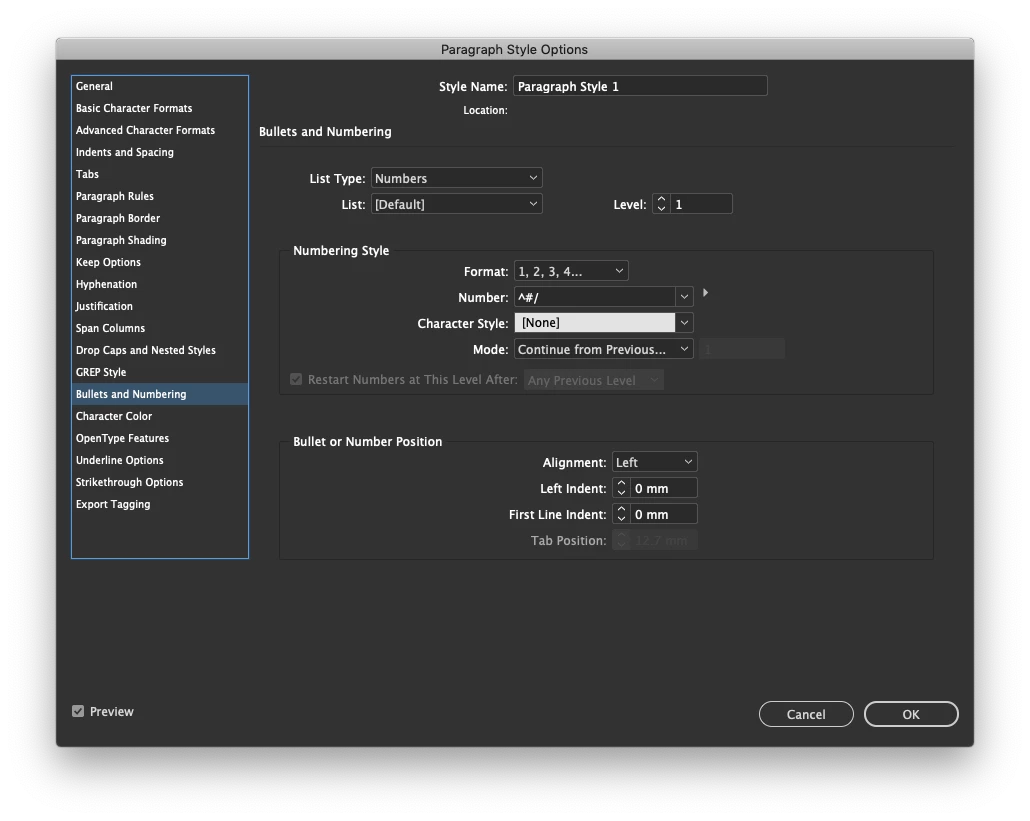
    Create a 366-1 list in Excel or any spreadsheet software so that you don't have to key the numbers in manually. Copy those numbers into InDesign and assign them a paragraph style that has bullets and numbering starting from 1 but doesn't separate the number with a tab, but a slash.

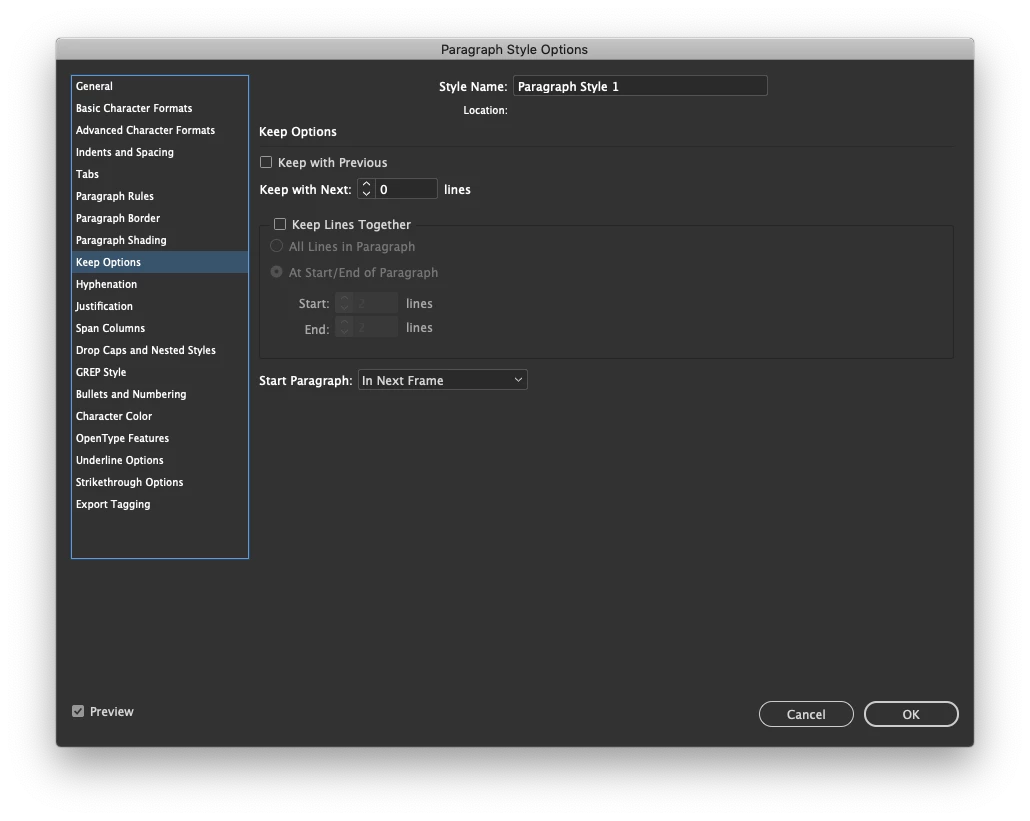
    In the keep options, make sure to start a paragraph in the next frame

    I was able to knock this up in a hurry:

    2 replies

    Colin Flashman
    Colin FlashmanCorrect answer
    Adobe Expert
    August 15, 2019

    Can't thread stories within tables, so I would use many threaded text frames.

    Create a 366-1 list in Excel or any spreadsheet software so that you don't have to key the numbers in manually. Copy those numbers into InDesign and assign them a paragraph style that has bullets and numbering starting from 1 but doesn't separate the number with a tab, but a slash.

    In the keep options, make sure to start a paragraph in the next frame

    I was able to knock this up in a hurry:

    If the answer wasn't in my post, perhaps it might be on my blog at colecandoo!
    ag54956Author
    New Participant
    August 15, 2019

    That works. Clever solution. I had the excel list ready, but was trying to shoehorn it into the table cells. Thanks!

    Anna Lander
    Inspiring
    August 15, 2019

    I'm not sure if I see the whole task well, but as you use 2 layers, you could try to work by Paragraph/Cell styles. E.G. Par Style Align text right, Cell Style Vertical-Align bottom. Or you want them to appear in the same line, just Aschended/Deschended? Could you please show at least 1 month table to see the task?