


Known Participant
July 12, 2021
Answered

Footnotes at bottom of paragraph rather than at bottom of page

  • July 12, 2021
  • 3 replies
  • 1539 views

Hi, does anyone know how I can get footnote #1 to show up with footnote #2 at the bottom of the page? I have "span columns" turned on. Thank you in advance!

This topic has been closed for replies.
Correct answer Barb Binder

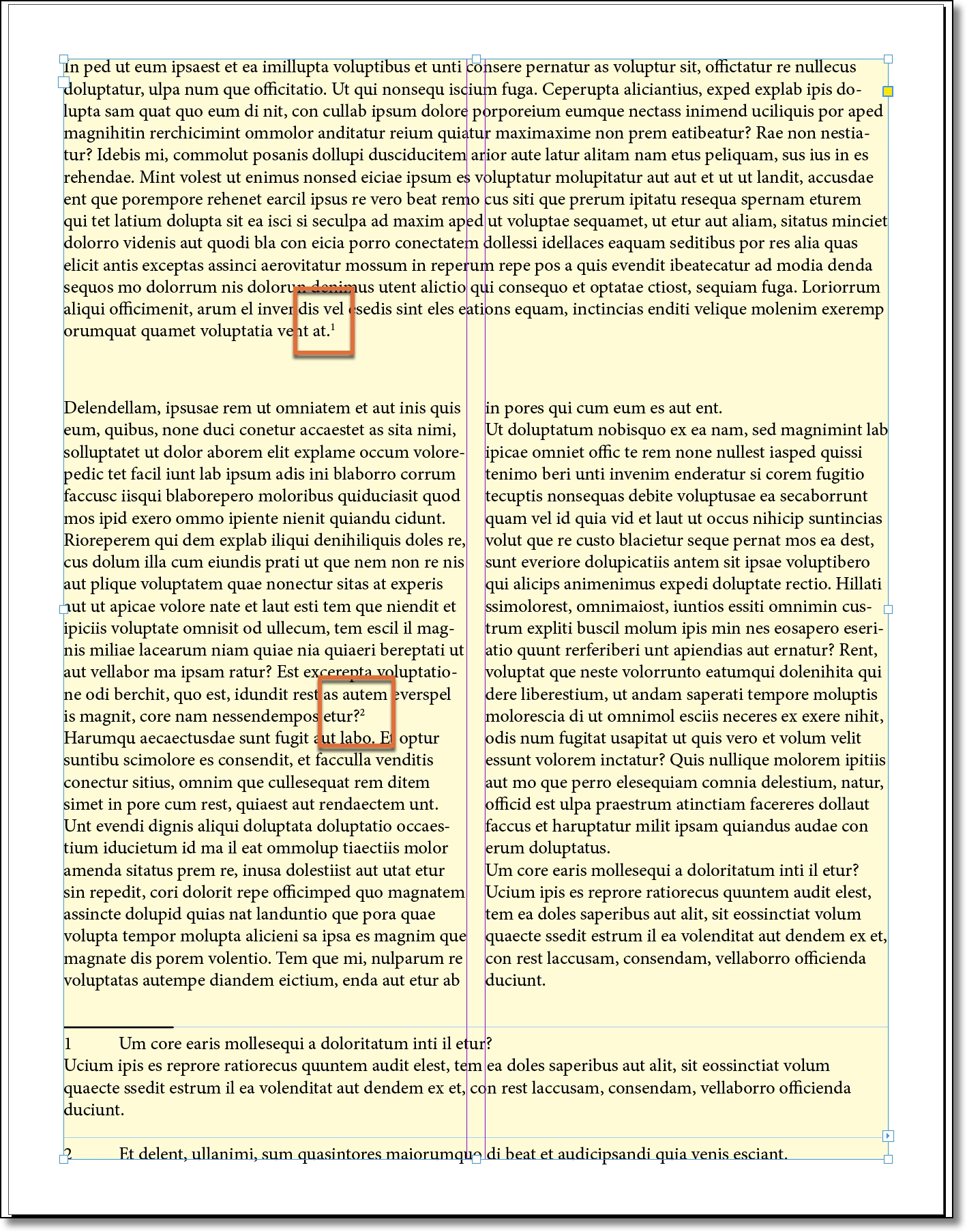
Wait. Why can't you set this up as a two-column frame with span applied to the first paragraph? In my example below, I have one text frame and I added a pale yellow background for clarity.


~Barb 
 

3 replies

Barb Binder
Community Expert
Community Expert
July 13, 2021

Hi Melissa:


That's how I'd approach this layout. If you have any additional questions about it, of course just ask us. 


~Barb 

~Barb at Rocky Mountain Training
Barb Binder
Community Expert
Barb BinderCommunity ExpertCorrect answer
Community Expert
July 13, 2021

Wait. Why can't you set this up as a two-column frame with span applied to the first paragraph? In my example below, I have one text frame and I added a pale yellow background for clarity.


~Barb 


~Barb at Rocky Mountain Training
Known Participant
July 13, 2021

Great tip! I didn't know this was a possibility. Thank you Barb!

TᴀW
Legend
July 12, 2021

With span columns on, you can't. That's just how it works, and it's pretty dumb.

Known Participant
July 12, 2021

Even with span footnotes checked off, the footnotes still stick to that text box rather than where they should go.... so frustrating

TᴀW
Legend
July 12, 2021

Well, why actually use a separate text frame for that (seeing as you're using span columns)?

Anyway, I think your best bet here is to fake the first footnote. Just put a superscript 1 in the top frame, and then add footnote 1 somewhere before footnote 2 in the main text and hide the footnote 1 reference...