


Participating Frequently
November 22, 2018
Question

FR: How to Disable "Learn More" Pop-Ups in InDesign

  • November 22, 2018
  • 51 replies
  • 34608 views

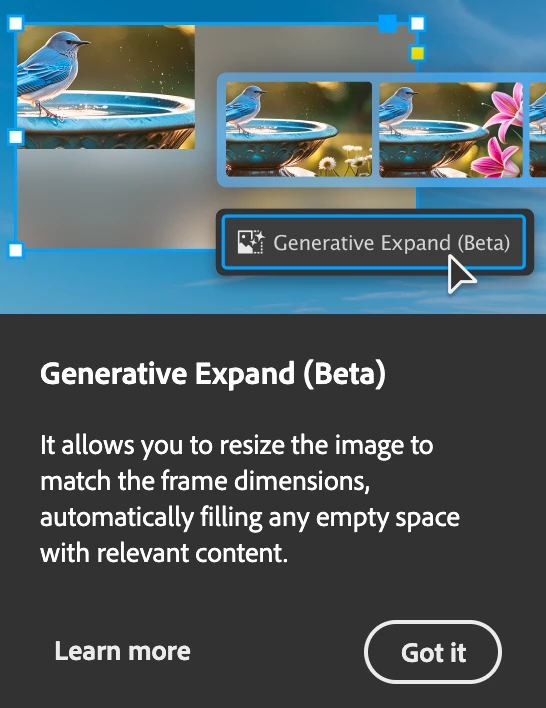
After a recent update, my InDesign is now showing all these stupid pop-ups the whole time.


Screenshot attached.  To be absolutely clear, I am talking about the entire dialogue box, not the tool-tip illustrateed in a section of the dialogue box shown.


How do I kill them off once and for all ?  I've looked through Preferences but canot spot anything obvious.


<Title renamed by MOD>

51 replies

Gavin at MRP
Inspiring
October 29, 2025

I'm sorry — I forgot to jump in this thread on October 8, 2025, to mark the ONE YEAR anniversary of this NOT being solved.

Blueberrysoup
Participating Frequently
October 29, 2025

Unfortunately your one year anniversary can be applied to many of Adobes annoying 'features' 😞 often hitting the 5 or even 10 year mark in some cases!

Blueberrysoup
Participating Frequently
September 30, 2025

Please for the love all that is holy in this world can this be removed?
Its been almost a year of this thread existing now and I cannot find any evidence of anyone that wants this feature to stay.

Legend
August 25, 2025

Hello!

Hasn't this been discussed and voted yet? At least I couldn't find a thread.

ID has started to annoy us with randomly appearing blue pop-up boxes with tips (?), which are usually placed in the lower part of the ID window. Since they're random, not everybody might be affected.

However, this, together with those other "Learn more" annoyances which have been discussed and voted and hopefully brought to Adobe's attention, is the next level of "let's see how we can annoy the user while our programmers have too much time to waste". Instead of fixing the hundreds of bugs listed on ID's uservoice page, they have time for this? Disclaimer: This rant was necessary. 


The actual question is: Any way to turn them off? I couldn't find anything in the prefs.

Legend
August 25, 2025

For everyone who is new to ID and/or has not yet seem them, this is one of the black tips (similar to "Learn more") pop-ups:


Legend
August 25, 2025

...and the blue one:


Known Participant
August 22, 2025

Almost a year later...

Participating Frequently
July 30, 2025

I just wanted to post a quick thank you to Adobe. You can't imagine how much I love having this ******* hideous black box pop up almost every time I click on my Pages panel. It's just a joy to look at, and it absolutely WILL NOT GO AWAY without clicking on it. It's not timed or anything, and there's no way to turn it off no matter how many times I've seen it, so it's perfect to really ruin my workflow and my mood multiple times a week! Thank you from the bottom of my heart!


And this isn't the only one! There are aggressive, anti-user-friendly boxes for ALL KINDS OF USELESS ****! Like when I export a file! That one's also really fun! I've only seen it about 17 million times, so I haven't had a chance yet to completely read through all the valuable information it contains, but I'm sure by the 34-millionth time I'll finally be able to absorb that critical message. *crosses fingers*


I'm so eager to continue to explore and find more fun easter eggs like this in the future as you continue to throw your waste-infected garbage directly into my face day after day. Yum!


It's high-quality products like this that I'm forced to use by my employer because of your wonderful monopoly that make me so glad I will eventually die. 


Thanks, Adobe! Top-notch work! Keep it up!


Participating Frequently
July 30, 2025

Well said, mate. 🙂 You said it funny, but otherwise it's incredibly annoying. I'm using InDesign 19.5.1, which doesn't have these stupid popups, so I don't even know what the current version is, and I don't care because some "very smart" manager doesn't want to stop showing his popups to show his life's work. When 19.5.1 stops working, I'm switching to Affinity.

Gavin at MRP
Inspiring
July 30, 2025

I use Affinity at home. Unfortunately, we still have to use Adobe at work, because of the stranglehold it has. But I encourage everyone I can to move to Affinity. I used Adobe for 30+ years, and really used to love and respect it. Now, they clearly care nothing for us long-time users.

Inspiring
July 7, 2025

Unfortunately, you cannot disable these disruptive pop-ups. You just have to live with it. Take a deep breath, cuss Adobe, close the pop-up window, and move on to the next pop-up. Adobe understands that this is disruptive, but they will not fix it (as evidenced in how long this thread is). Oh yea, now these pop-ups are also in Photoshop! Yay! 

Participating Frequently
July 7, 2025

That's why I use older versions where these pop-ups don't appear. But that makes paying for a regular subscription pointless for me. It’s probably time to say goodbye to Adobe.

Inspiring
June 2, 2025

I've found a fairly simple solution to this nightmare. It comes in the form of a startup script that selects your custom Workspace everytime ID boots up. When this happens, ID doesn't think you're new and so you won't see them anymore. But you havbe to set up a custom Workspace, which you should anyway, for this to work:


https://community.adobe.com/t5/indesign-discussions/forgetful-workspace-workaround/td-p/15351963

Participant
June 2, 2025

That's great. Nice work. It's reassuring to know that we can rely on the community to address Adobe's failures.

Mike Witherell
Community Expert
Community Expert
April 25, 2025

To tell you true, I was expecting a Preference switch in 20.3 about the pop-ups, but I don't see one. 

Also, I am still seeing pop-ups. Am I to expect to silence each of them at least once?

I would prefer a preference switch like the video tooltips. Helpful for the newbie, but I can turn it off in preferences.

Mike Witherell
Participating Frequently
April 25, 2025
Yes, that would be the only sensible solution. That's what everyone's been saying over and over again. But there's somebody at the top of Adobe who's obsessed with these popups. He thinks popups will increase profits by at least 50%. So when the question of whether to add a checkbox to the settings was decided at the meeting, he definitely forbade it. He thinks the solution is to keep the popups even if they were to lose most of their old customers. He said popups will attract more new ones.
Dave Creamer of IDEAS
Community Expert
Community Expert
April 25, 2025

"He"?


David Creamer: Community Expert (ACI and ACE 1995-2023)
danpinho
Known Participant
April 25, 2025

Updated todat and after a few tests, it seems is FINALLY gone. 

Zen Creative Agency
Known Participant
April 8, 2025

I keep getting that History pane tour coming up, it's SOOO ANNOYING!!!