


New Participant
June 17, 2021
Answered

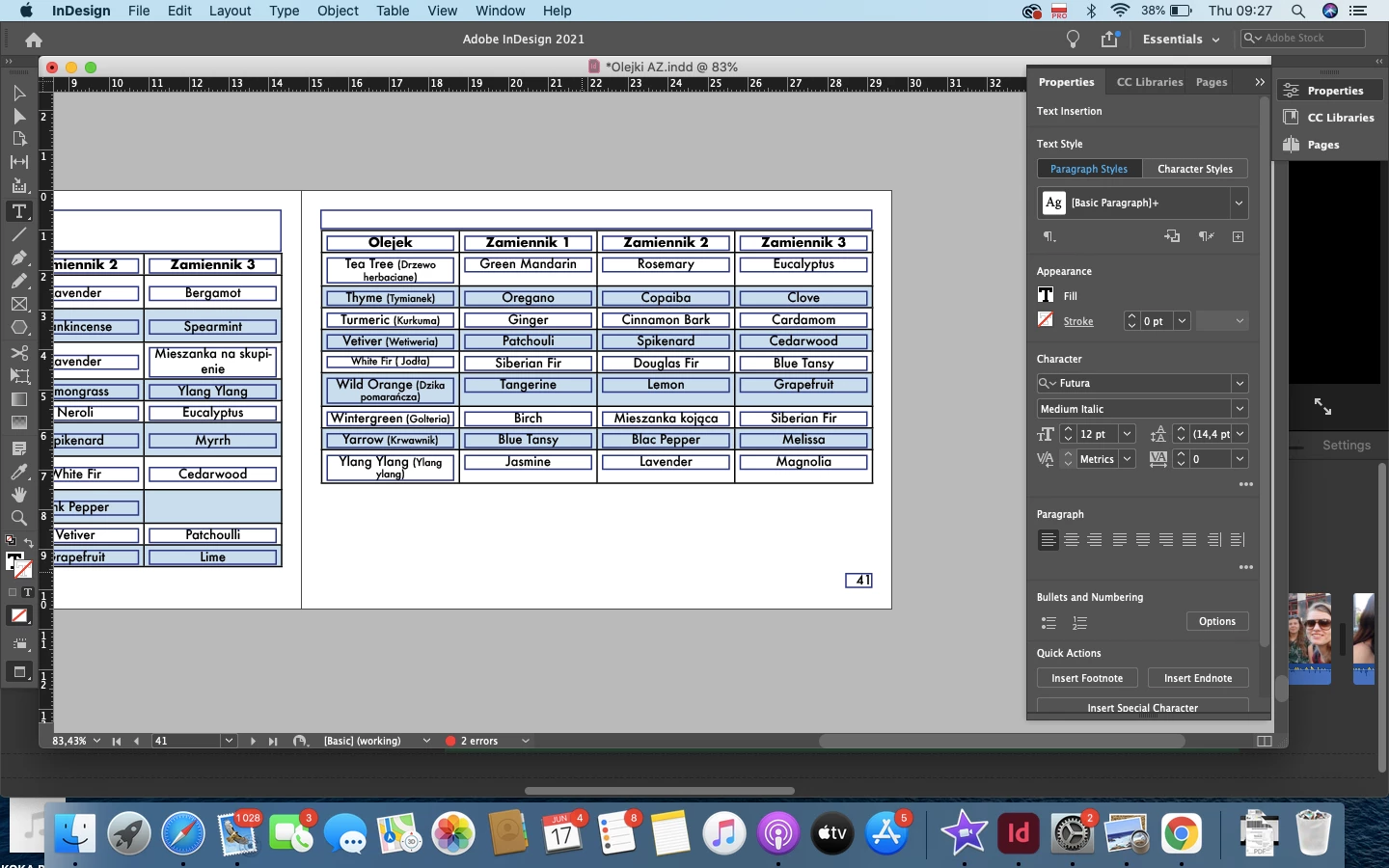
Frame around the text not disappearing - please help

  • June 17, 2021
  • 1 reply
  • 401 views

Hello everyone,

I have a problem with frames being created around every single text I add into the document. They don't dissapear even in the preview. It doesn't look like it's a stroke cause when I select the text it says 'none' in the stroke section. Here is a photo (the frame is even around the page number 😞


I wil appreciate any help!

Thanks in advance 🙂
 

This topic has been closed for replies.
Correct answer jmlevy

It seems that “paragraph border” has been enabled by default on all your paragraphs. See help here:

https://helpx.adobe.com/indesign/using/formatting-paragraphs.html

1 reply

jmlevy
jmlevyCorrect answer
Community Expert
June 17, 2021

It seems that “paragraph border” has been enabled by default on all your paragraphs. See help here:

https://helpx.adobe.com/indesign/using/formatting-paragraphs.html

New Participant
June 17, 2021

Yes, it was that! It's gone now. 

Thank you sooooooo much 😄 You are my hero today hahah


Have a great day!

Inspiring
June 17, 2021

Highlighted/selected styles and options when importing items are the cause of lots of issues like this. Immediately when something stands out as looking unexpected, I head straight to see what object/para style etc was highlighted when I imported it.