


Participant
April 1, 2019
Question

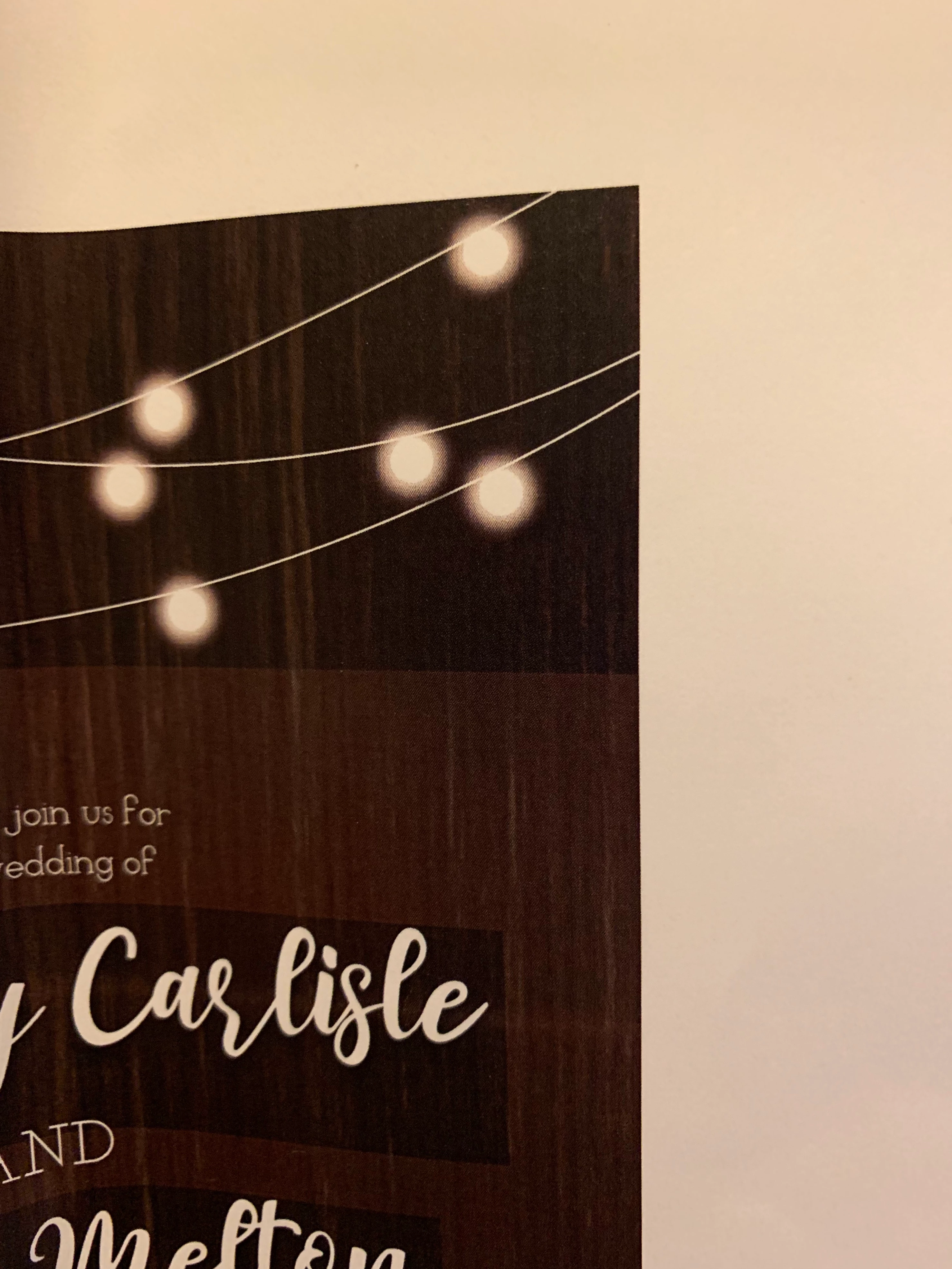
Gray box around text and images on file?

  • April 1, 2019
  • 3 replies
  • 962 views

I created an invite on indesign and it looks fine on the screen, but I saved it as a pdf and printed it and it has a box around the text and images. I made another invite on the same indesign file and it was saved with the same pdf file and printed as well and it looks fine. I even used the same images I created on both invites. You can see on the image I attached that the background is supposed to be wood and then where the "lights" are there is a darker color and around the names. Anyone know why?
This topic has been closed for replies.

3 replies

Bill Silbert
Community Expert
Community Expert
April 1, 2019

Did you use the same frames and type face on both versions of the invitation? It looks like the text frame you used on the one you've shown is curved. Is that true for both invites?

Participant
April 4, 2019

I used a different typeface on each invite, this one isn't curved it's tilted a little and also the paper its printed on got a little folded. As for the top part with the "lights" I just copied and pasted them on the other invite and the other one looks fine.

Anna Lander
Inspiring
April 1, 2019

Are the lights a part of the background image or a separate image with transparency? Did you use any blending mode for the lights and texsts? Did you warp the texts? Looks like some issues in pre-pressing process with such complex objects.

Participant
April 4, 2019

The lights I made with the pen tool and the circles have the glow effect. The text isn't warped, it's just rotated a little. There's other text on the invite and it prints out without the box.

BobLevine
Community Expert
Community Expert
April 1, 2019

What version of InDesign? What O/S? What were your export settings?

Participant
April 4, 2019

It's 2018, otherwise I'm not sure how to find out a specific version. And I'm using a Mac.