



GREP find/change combined with Data Merge
The attached InDesign file has a .CSV data merge source loaded. The .CSV data includes a column of alphanumeric strings that have been encoded for use with the attached IDAutomation2D.ttf font. My goal is to use the "Export PDF" command from the Data Merge pallete to export a merged 10,000 page PDF. My issue is that the encoded data has a bunch of "_r_r" line break information, and those "_r_r"s are supposed to represent line break characters. IDAutomation's solution for this is to use InDesign's Find/Change command and the GREP tab to replace all instances of "_r_r" with "~b~k". And it works, but it only seems to work once and only on whichever single record from the data source that's being Previewed at the time. For example, each record has 7 instances of the "_r_r" text. So when I do the find/change command, I was hoping to get a "replaced 70,000 times" since there are 10,000 records in the data source.
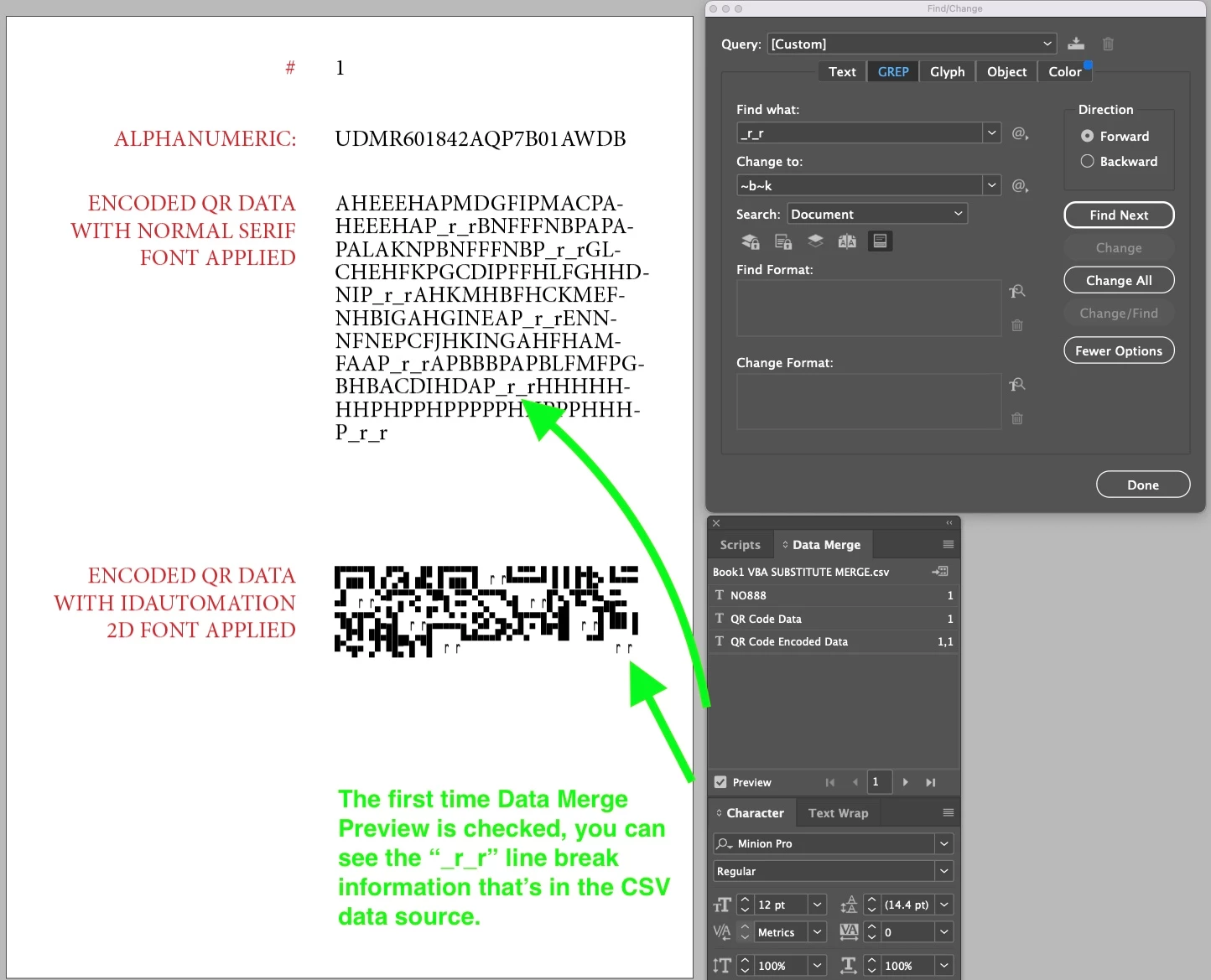 FIGURE 1: First time Data Merge Preview is checked, you can see all of the "_r_r" line break info from the CSV source.
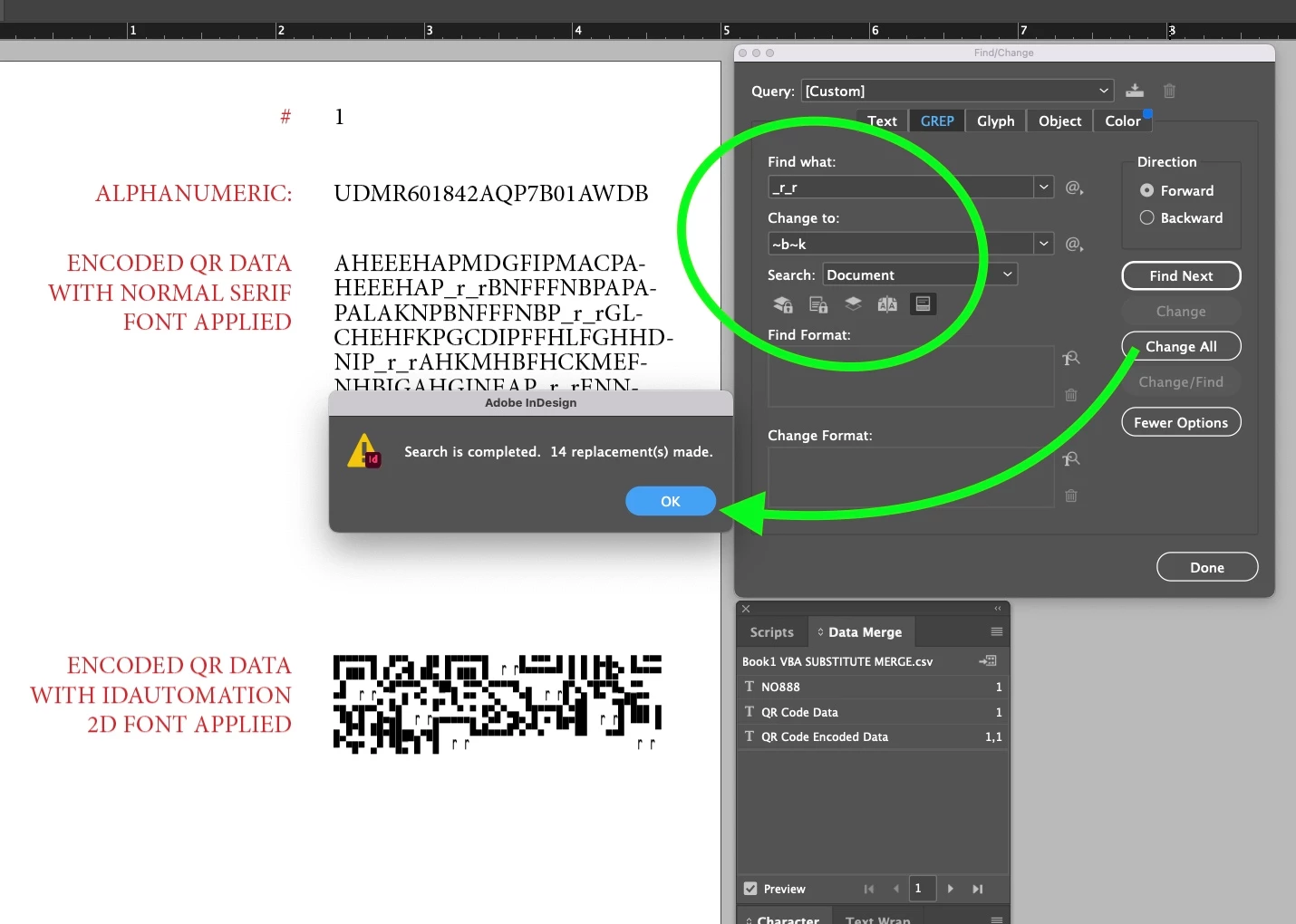 FIGURE 2: With Data Merge preview checked, I then do the Find/Change command. 14 Replacements made, which makes it seem like only the very first record's data was altered.
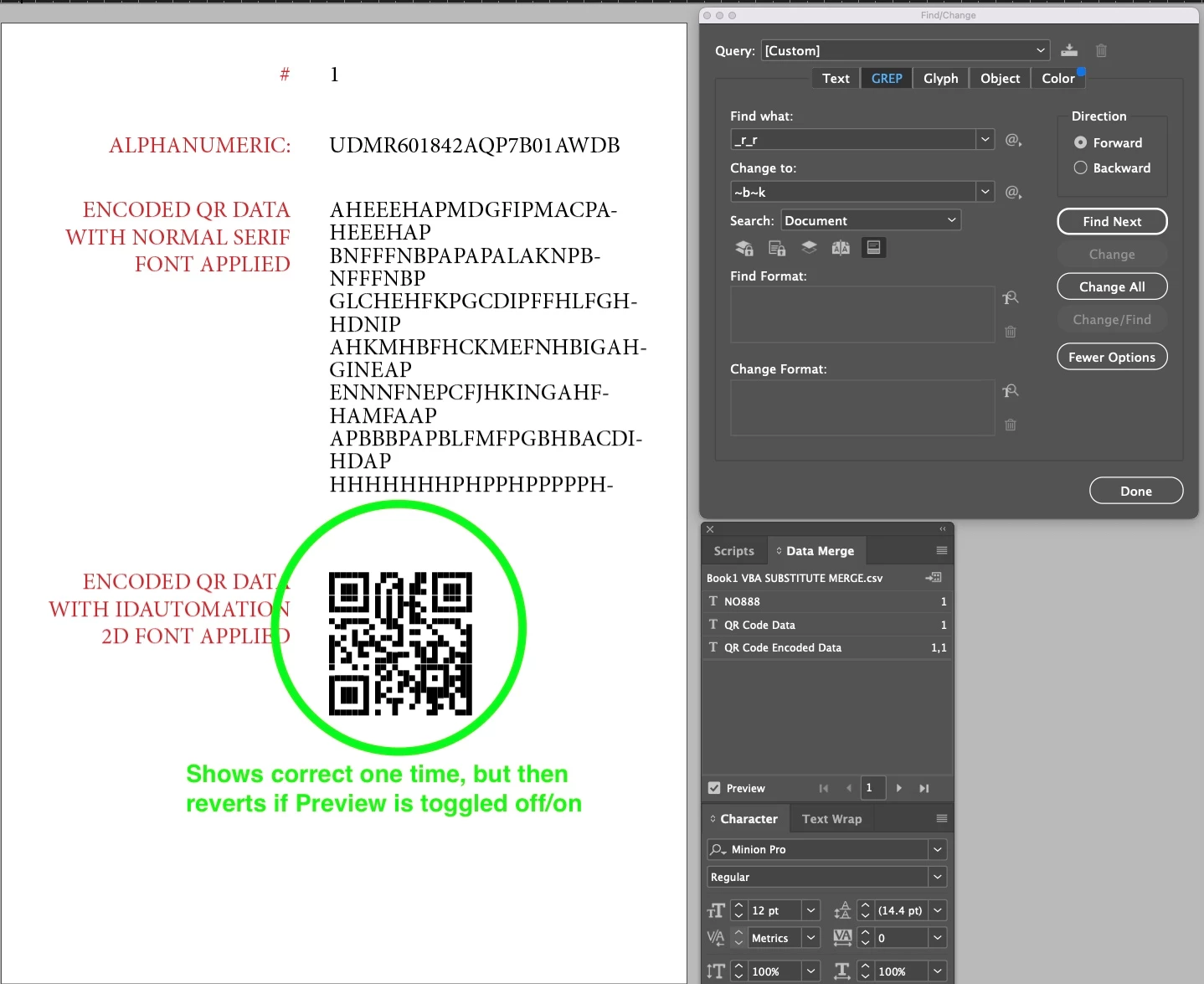 After Find/Replace, it will preview accurately one time, then reverts back to showing the "_r_r" data.
Is it even possible for the Find/Change GREP function to do a find/change on the data source? I know that I can create a "merged indesign document" which would then actually have all of the data flowed in. Then I could use Find/Change in a more straightforward manner. But the issue is there are 10,000 codes and I really just need to export straight to a merged PDF.
 AdChoices