Participant
February 7, 2024
Answered

GREP: Find paragraph after a specific paragraph style

  • February 7, 2024
  • 2 replies
  • 2953 views

Hey there,


today I’m looking for a solution in this case. I got a book with 500+ pages with hundreds
of headlines. This document contains just a paragraph style for the headlines and one for
following copytext of each chapter.


Now I want to apply a new paragraph style "subtitle text" to every first paragraph
after the headlines. The second one is normal copytext until the next headline.


I tried to:

  • Working with "next style" in the paragraph style option, but it is necessary to mark the paragraphs to utilize the function. This doesn’t work so smart, because I have to mark it for every occurrence.
  • Searching with GREP-styles (lookahead for example) combined with the paragraph
    "find-"selection


But nothing worked very well. Do you have an idea?
Correct answer FRIdNGE

Bad!


2 replies

FRIdNGE
Inspiring
February 7, 2024

Supposing 3 para styles:


"ps1" for headlines

"ps2" for sub-headlines

"ps3" for current-text.


and "ps1" and "ps3" alrready applied!


The question is:


How to apply "ps2" to each para following each para with "ps1" applied?


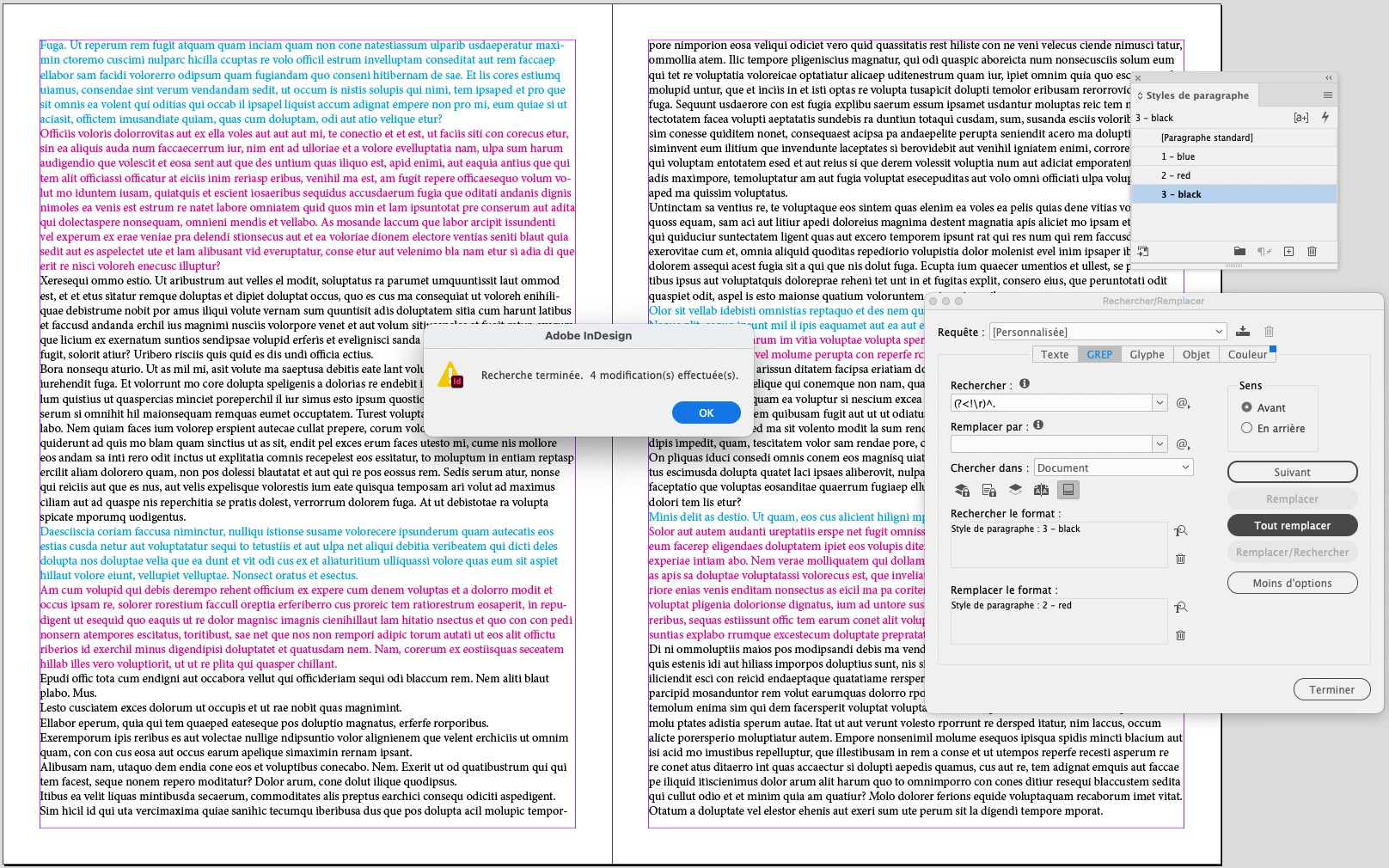
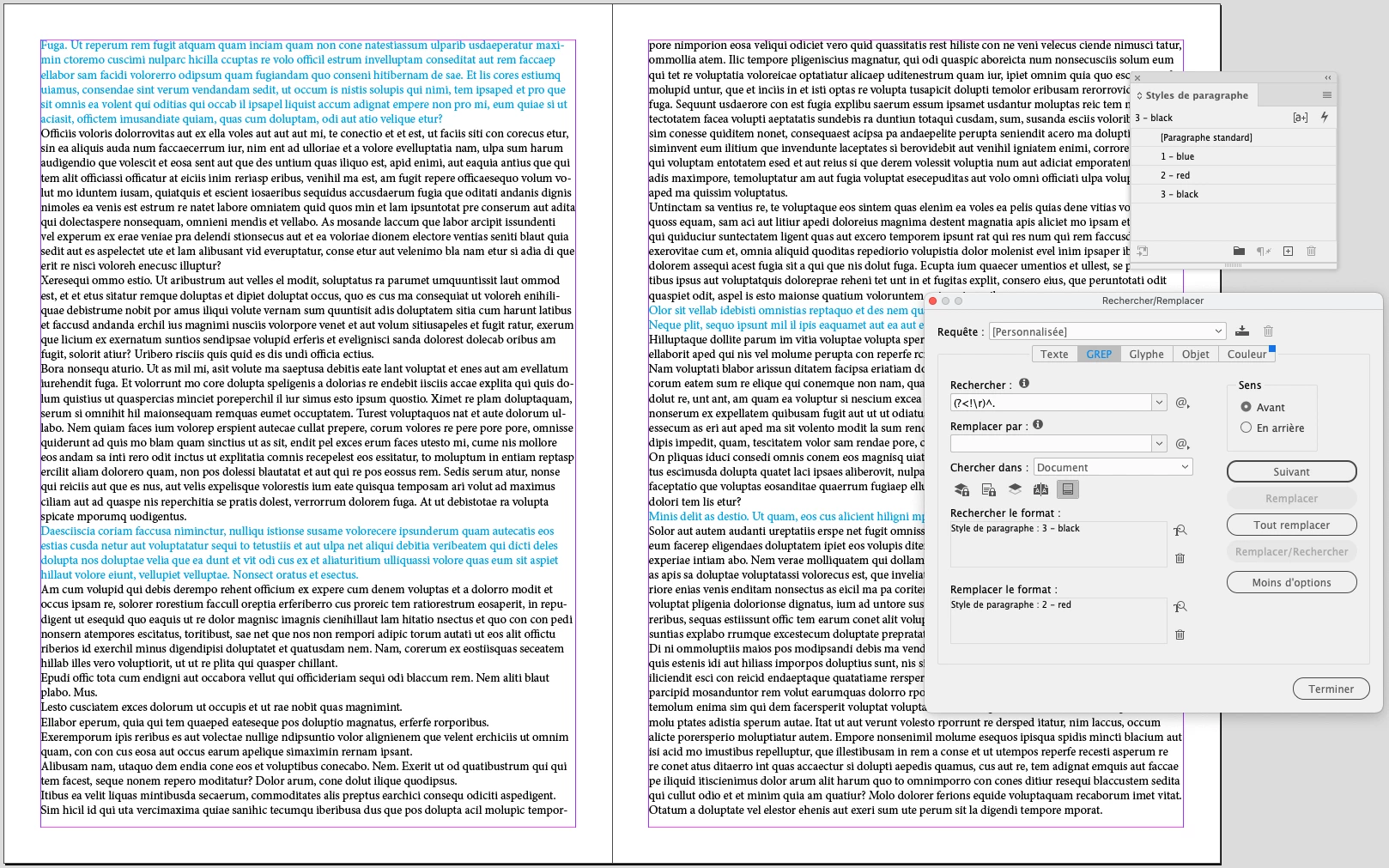
Simplistically with the Grep Find/Replace:


Find:  (?<!\r)^. + "ps3"

Replace by: "ps2"


(^/)  The Jedi

Participant
February 7, 2024

Thank you!


Hm, this doesn’t work in my case.

Do you have some documentaries of "how to include a specific paragraph style
in a grep expression" as you did? Looks interesting. Maybe I have to adjust something.

FRIdNGE
Inspiring
February 7, 2024

Hi @Julian26070731n4t5 ,

There is in fact no way to include a specific paragraph style in a GREP expression.

In the format boxes below you can specify to search for a specific style onle, and replace with a specific style.

@FRIdNGE's solution is very clever (see @Peter Spier's explanation for how it works). But it doesn't allow for explicitly searching for style B that is followed by Style A, rather only for Style B when not preceded by Style B. Useful in some cases, and definitely an answer to the original question.

There is, in fact, no simple way, though, to change the style of one paragraph based on the style of a preceding paragraph in InDesign.

The "Next Style" feature that @Peter Spier suggests would only work if the sequence of styles is entirely regular, one paragraph per style.

Failing that, the simplest way is to use a script, which would do the job with great flexibility in a click or two.

I would recommend my own (https://www.id-extras.com/products/change-consecutive-paragraphs/) and I think there are other scripts available out there as well.

In your case, the rule I would set up (with my script) is:

If (1) Headline is followed by (2) Copytext, replace (1) with (3) [ignore] and (2) with (4) Subtitle.

Click "Execute" and your 500 pages are done with a single click.

You can also save that particular query for future use (and once you've got a few different queries saved, you can chain them together with the batch editor and apply them all to your next book with a single click!)


Ariel


Ariel,


you're wrong (see my explanation) and, here, it's totally free!


(^/)

Peter Spier
Community Expert
Community Expert
February 7, 2024

I don't think you can do this with GREP, but next style is absolutley an option.

To use it, correct the style definitions to cycle as you wish, then you can select entire stories in one go (or the whole document if it's one long thread, and right click the headline style in the Paragraph Styles panel and choose Apply [headline stylename] and Next Style.