


Known Participant
May 31, 2019
Answered

GREP for Inserting Characters at the Beginning of Each Table Cell

  • May 31, 2019
  • 1 reply
  • 857 views

Sorry for the long title, but I wanted to be specific with my issue.

I am trying to manipulate multiple table cells as follows:

The number at the end of each table cell gets moved to the front, with a forward slash after it.

So, this:
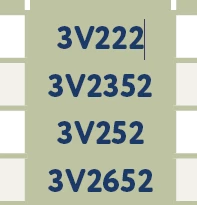
Needs to look like this:
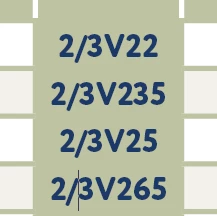
Seems easy enough, but I'm certainly no GREP wiz, so I was hoping one of you who is can help me out.

Thanks in advance!
This topic has been closed for replies.
Correct answer SJRiegel

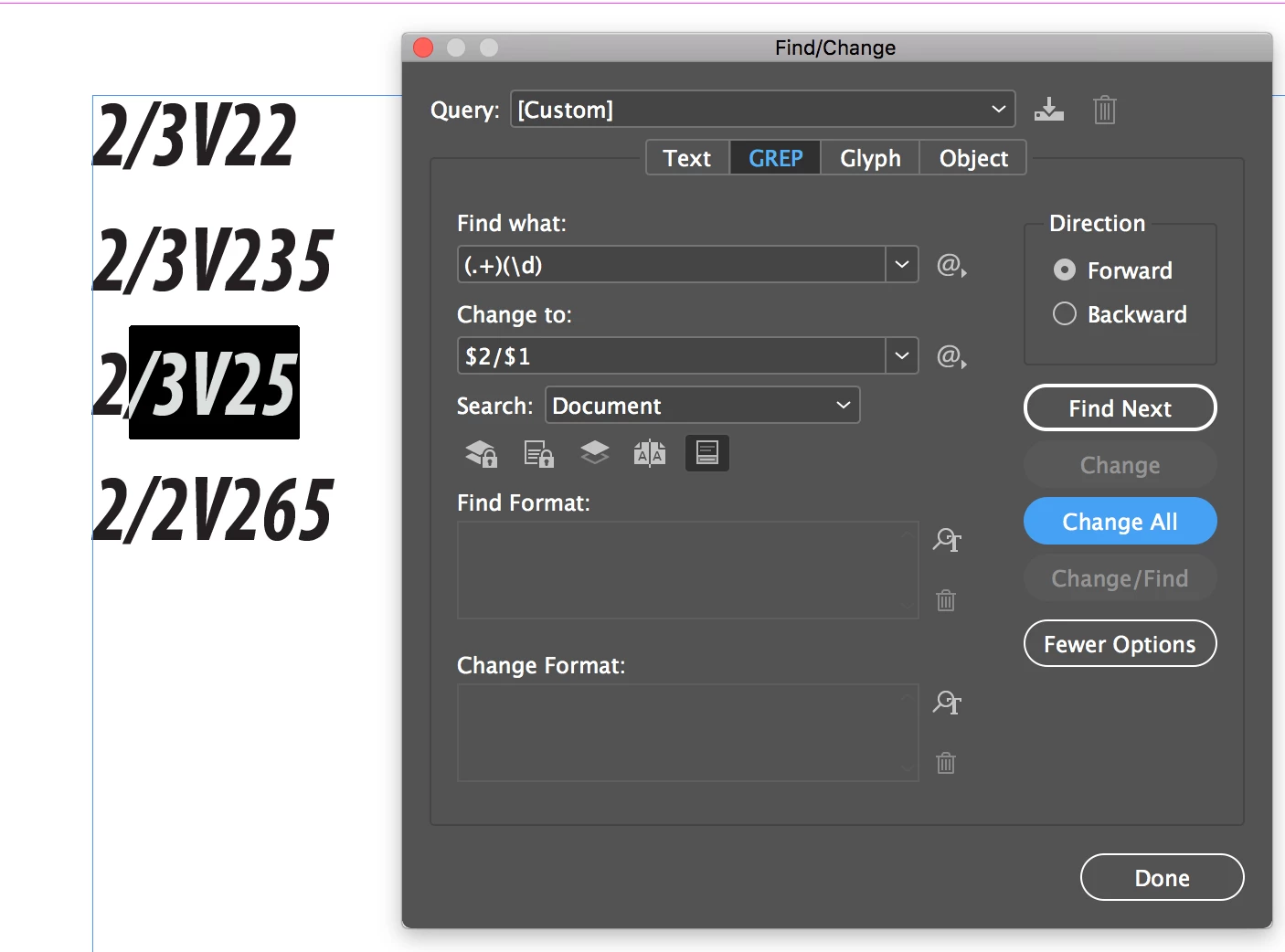
For all of the examples you showed here, this works

Find: (.+)(\d)

Replace with: $2/$1

1 reply

SJRiegelCorrect answer
Community Expert
May 31, 2019

For all of the examples you showed here, this works

Find: (.+)(\d)

Replace with: $2/$1

Andymc7Author
Known Participant
May 31, 2019

Wow, that was fast! Perfect, thank you so much!

Community Expert
May 31, 2019

Ok.. sorry, I got a bit excited there I think. How would it work if I need to move the last 2 digits to the front with a forward slash after it?


Find: (.+)(\d\d)

Replace remains the same as above: $2/$1