


Grey background showing in PDFs and in Print, even with fill color
Hello,
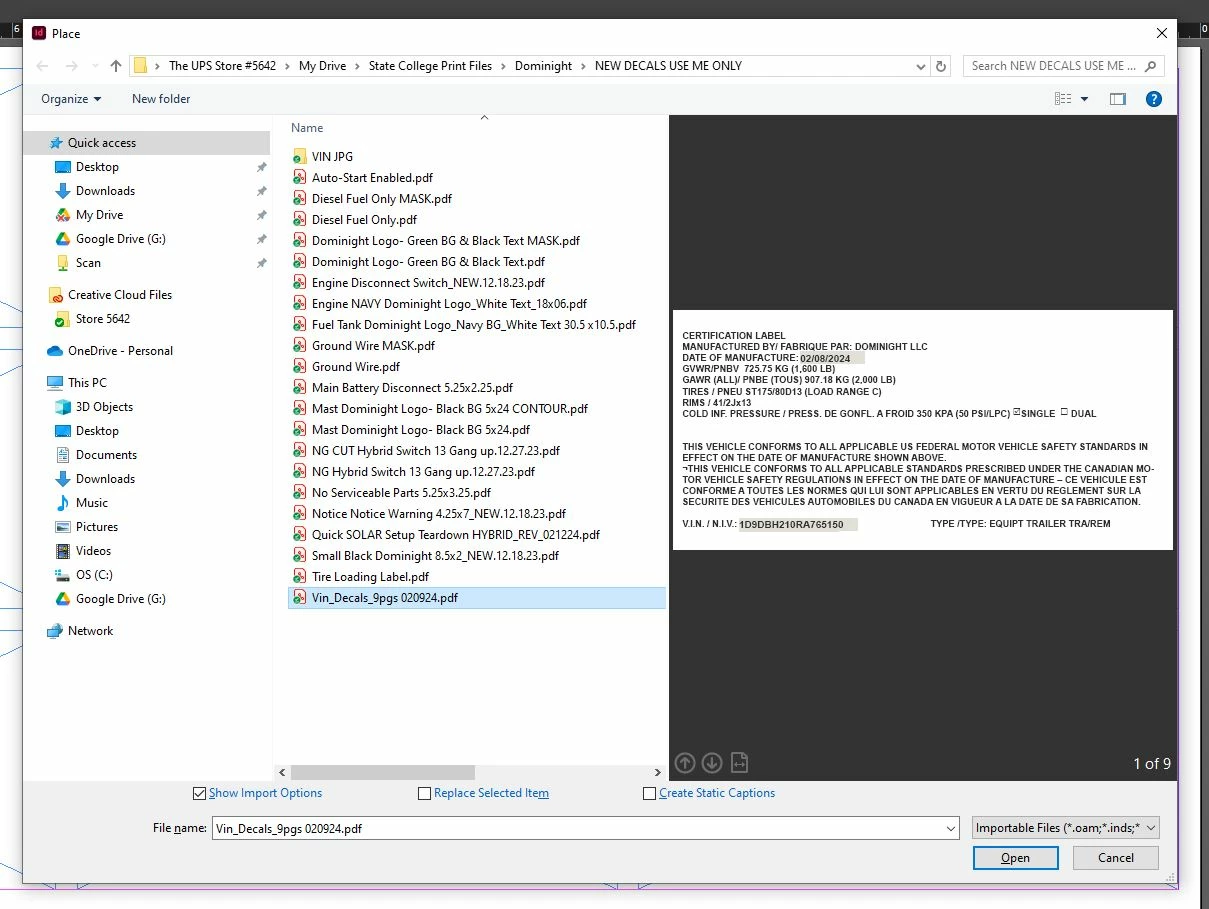
Wondering if anyone has a solution in this new issue I've only seen in InDesign 2024. As you can see below, the 1st image of a previewed file I created in InDesign is showcasing grey boxes where I have typed text. Unfortunately, when I send this off to my vendor, it's also printing that way.
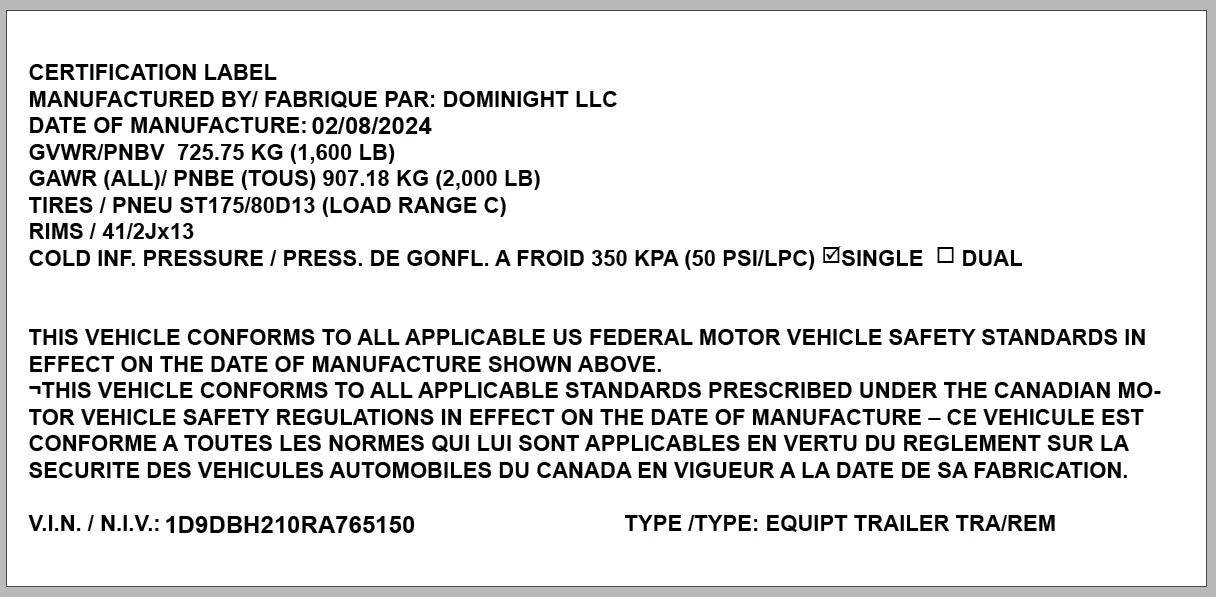
The 2nd picture, however, shows a white background as it is designed. At first, I did empty fill as I have no reason to fill the text boxes, but when the error occurred I decided to put in a fill in hopes that would resolve it. It has not, and I don't understand why I need to suddenly have a white background for a label that will be printing in white but those boxes show up when they are run through my vendors rip process.
And no, they do not display in the final PDFs. Which is frustrating. The rips on my machines in office do not have this issue. My printers don't rebuild the files with the grey boxes when they are process through a Fiery system.
Is there a new "feature" or setting I need to turn on / off to stop this?
When I export to PDF my presets are for CMYK. My transparency option is greyed out under Advanced, but it's not really something I have needed before.
Thanks so much for any suggestions or input.
 AdChoices