



Handling 'Different Page Size' Warning When Moving Pages Between InDesign Documents
I am trying to copy one page out of Document A to Document B.
Both documents, AFAIK, share the same page sizes?
Yet when I activate the Page > Move page command, after selecting my options and pressing the OK button, I get this warning (French UI):
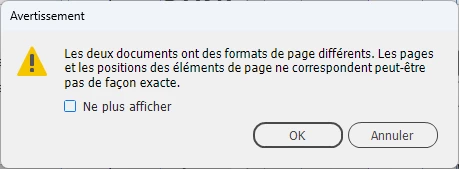
In essence, it's telling me that InDesign refuses to move the page to Document B because the page "format" is different from Document A.
I wish that command would let the poor user know what page format attribute is different?
It's not enough to reject the user needs without offering any kind of help. Have a heart, Mr Adobe!
FWIW, both documents are single page, Letter size with zero margins and no bleeds.
I could have 1) Select All, 2) Copy , 3) Paste the content into an empty Document B page manualy. I know.
In the end, I splitted the InDesign windows to two, vertically, so that I could see both document windows side by side : I dragged the page thumbnail from Document A page palette onto Document B window and release. And it worked.
<Title renamed by MOD>
 AdChoices