



Having trouble with Links keyboard shortcut (Ctrl + Shift + D)?
Windows 11 v18.4
I'm unable to summon the Links panel using the default Ctrl + Shift + D keyboard shortcut: nothing happens?
I can press the key combination till the cow comes home...
The shortcut is showing up normally in the Window > Links menu?
Regardless of the active keyboard layout, English US or English Canada or Canada Multilingual, it will not work.
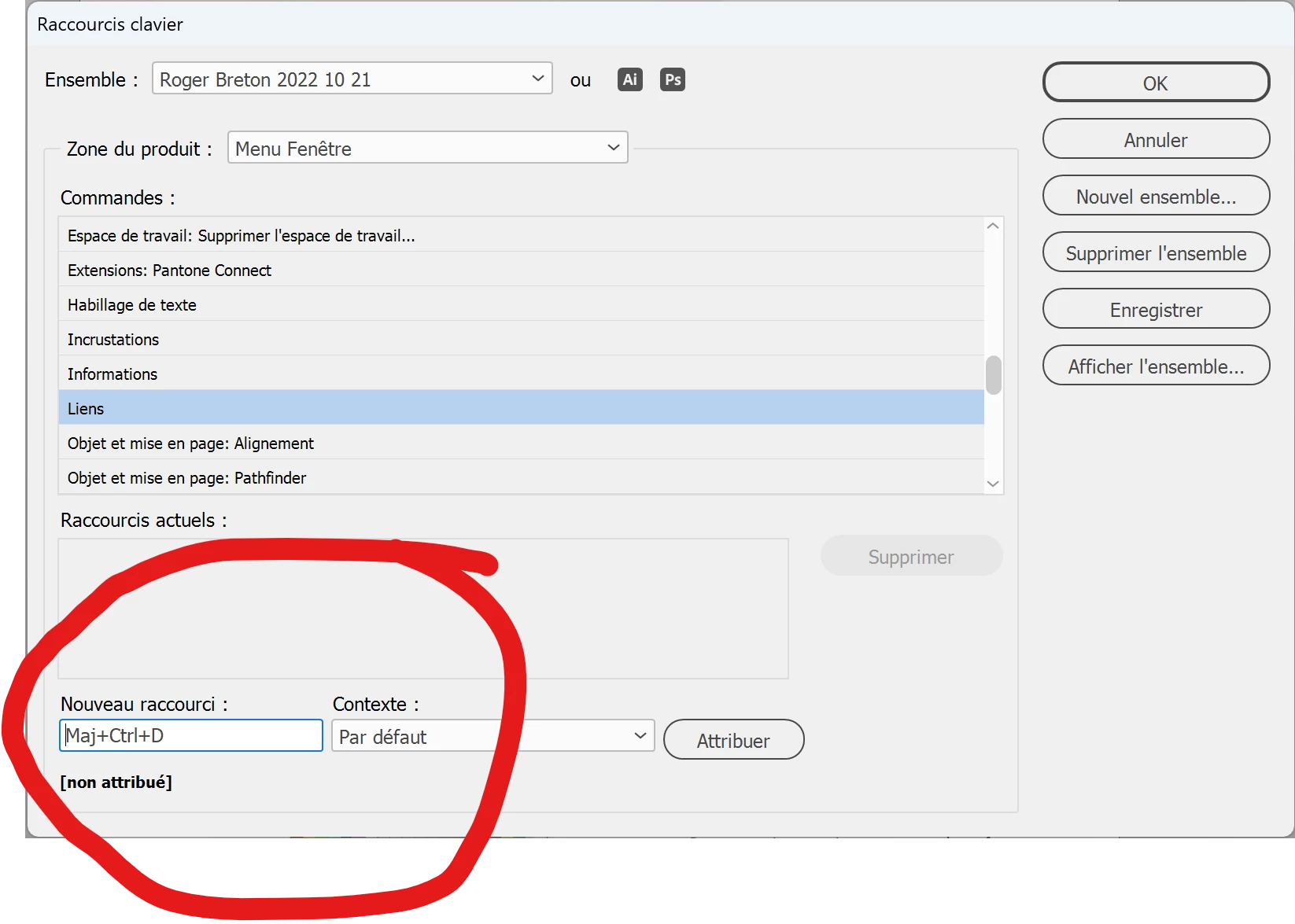
I tried to recreate the keyboard shortcut in the Edit > Keuboard Shortcuts dialog box many times to no avail?
InDesign lets me delete the keyboard shortcut but refuses to register a new one using the same keyboard shortcut? Logical? I don't know.
I figured it was wqorth trying?
I tried some other keyboard like "Ctrl + 2" and that was accepted but I can't work that way. Especially not in the classroom?
Funny how this keyboard shortcut has always worked for me, until I had to uinstall and reinstall lately to get to the French UI...
 AdChoices