



LynxKx
Inspiring
April 25, 2022
Answered

Help adjusting a script I found to change text frame object style based on paragraph style

  • April 25, 2022
  • 4 replies
  • 2513 views

I found this great script where you pick an assigned 'object style' and it will move all items of that style to the layer you pick. I'm trying to tweak it so it will instead change any text frames with a specified paragraph style and assign it with an object style.


I got the first part changed, but I need help with:

  • first part: language to include all items that are in folders within both paragraph and objects styles. right now it just pulls items that are not in folders
  • The second part: code originally moved item in first selection to layer in the second selection ... instead I want it to find all frames containing paragraph style from first selection and assign object style from second selection.


Any help would be great! Thank you!


//This script moves paragraphs with selected paragraph style to selected layer
var myDoc = app.activeDocument;

var w = new Window ("dialog", "Choose paragraph Style and Layer", undefined, {closeButton: true});
w.orientation = "row";
w.alignChildren = ["right", "center"];

w.add("statictext", undefined, "Assign all frames with");
var paragraphStyle = w.add("dropdownlist", undefined, myDoc.paragraphStyles.everyItem().name); // paragraph style list -- what do i adjust to include items within folders too?
paragraphStyle.selection = 0;

w.add("statictext", undefined, "style as");
var applyObjStyle = w.add("dropdownlist", undefined, myDoc.objectStyles.everyItem().name); // objectStyles list -- what do i adjust to include items within folders too?
applyObjStyle.selection = 0;

var button = w.add ("button", [0,0,96,20], "OK", {name: "Ok"});

var paraStyleName, objStyleName;

button.onClick = function(){
    paraStyleName = paragraphStyle.selection.text;
    objStyleName = applyObjStyle.selection.text;    
    w.close();
}
w.show();
//NEED HELP WITH CODE BELOW TO assign paraStyleName with objStyle Name
var pageItems = myDoc.pageItems;

if (parseFloat(app.version) < 6) // "app.version < 6" if it's running under an earlier version than CS4, as earlier versions don't support "Undo" in scripts
    doUndoWrapper();
else
    app.doScript(doUndoWrapper, ScriptLanguage.JAVASCRIPT, undefined, UndoModes.ENTIRE_SCRIPT, "Move to layer");
//< END OF doUndoWraper

function doUndoWrapper(){
    // unlock locked objectStyles
    var lockedobjectStyles = {};
    for(var layer = 0; layer < myDoc.objectStyles.length; layer++){
        lockedobjectStyles[myDoc.objectStyles[layer].name] = myDoc.objectStyles[layer].locked;
        myDoc.objectStyles[layer].locked = false;
    }    
    
    if(paraStyleName && objStyleName){
        //for(var i = 0; i < pageItems.length; i++){
        for(var i = --pageItems.length; i >= 0; i--){
            if(pageItems[i].appliedparagraphStyle.name === paraStyleName && pageItems[i].itemLayer.name != objStyleName){
                try{
                    // unlock locked paragraphs
                    var paragraphWasLocked = false;                
                    if(pageItems[i].locked){
                        paragraphWasLocked = true;
                        pageItems[i].locked = false;
                    }               
                
                    // move paragraphs to layer
                    pageItems[i].itemLayer = myDoc.objectStyles.item(objStyleName);
                    
                    // proceed until you bleed, lol!
                    var iterator = 0;
                    while(iterator < 1000 && pageItems[i].itemLayer.name != objStyleName){
                        pageItems[i].itemLayer = myDoc.objectStyles.item(objStyleName);
                        iterator++;
                    }                    
                    
                    // locking back locked paragraphs
                    if(paragraphWasLocked){
                        pageItems[i].locked = true;
                    }
                }catch(e){
                    alert(e, "Script Error", true);
                }
            }
        }
    }    
}
 

This topic has been closed for replies.
Correct answer rob day

REALLY WISH I could edit my posts! ... my code is pulling in the styles now but the action in the code isnt working when I select one thats in a folder.


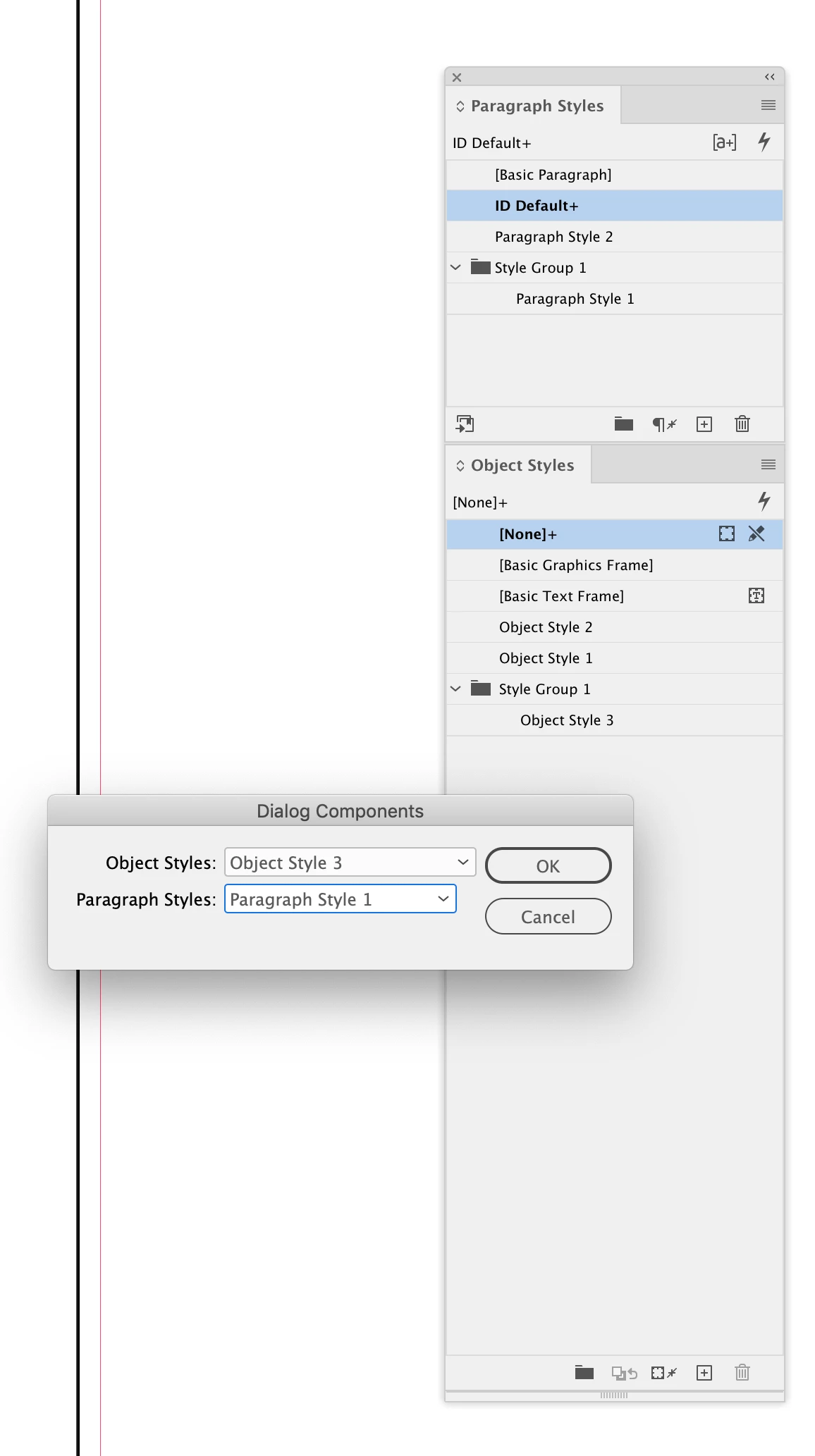
Hi @LynxKx , here’s a version that uses the InDesign dialog class to return the selected styles—osSel & psSel return the dialog’s selected Object and Paragraph styles


makeDialog();
var osSel, psSel;
function makeDialog(){

    var theDialog = app.dialogs.add({name:"Dialog Components", canCancel:true});
    with(theDialog){
        with(dialogColumns.add()){
                with(dialogColumns.add()){
                    staticTexts.add({staticLabel:"Object Styles:"});
                    staticTexts.add({staticLabel:"Paragraph Styles:"});
                }
                with(dialogColumns.add()){
                    osSel = dropdowns.add({stringList:getStyles(app.activeDocument.allObjectStyles), selectedIndex:0, minWidth:80});
                    psSel = dropdowns.add({stringList:getStyles(app.activeDocument.allParagraphStyles), selectedIndex:0, minWidth:80});
                } 
        }
        if(theDialog.show() == true){
            osSel = app.activeDocument.allObjectStyles[osSel.selectedIndex];
            psSel = app.activeDocument.allParagraphStyles[psSel.selectedIndex];
            main();
            theDialog.destroy();
        }
    }
}


function main(){
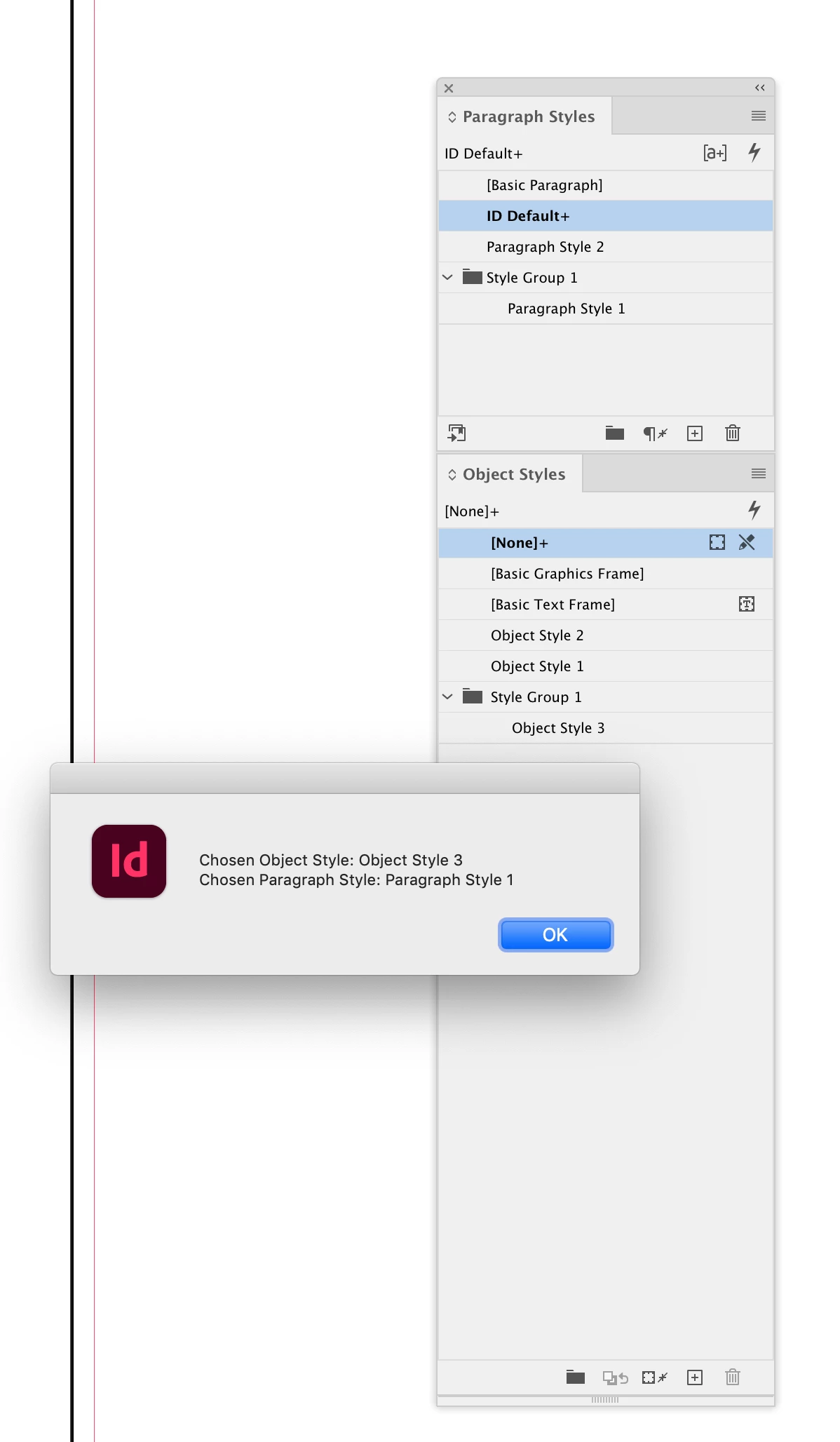
    alert("\rChosen Object Style: " + osSel.name + "\rChosen Paragraph Style: " + psSel.name);
    return 
}


/**
* Returns a list of style names from the provided array of styles
* @ param the object array 
* @ return array of names 
*/
function getStyles(p){
    var a = new Array;
    for(var i = 0; i < p.length; i++){
        a.push(p[i].name);
    }
    return a
}


4 replies

New Participant
January 20, 2023

I've been searching all over for a script for when I use a specific object style, it automatically places it on a specific layer. It sounds like the original script you found does what I'm looking for. Any chance you still have the original one? Also, I'm a script newbie so hopefully it's something straightforward I can copy and paste into my scripts panel. Thank you!

LynxKx
LynxKxAuthor
Inspiring
August 8, 2024

I do! here you go

var myDoc = app.activeDocument;


function getStyles(p){
    var a = new Array;
    for(var i = 0; i < p.length; i++){
        a.push(p[i].name);
    }
    return a
}

makeDialog();
var objSel, layerSel;
function makeDialog(){

    var theDialog = app.dialogs.add({name:"Objects to Layer Script Magic", canCancel:true});
    with(theDialog){
        with(dialogColumns.add()){
                with(dialogColumns.add()){
                    staticTexts.add({staticLabel:"Move objects with:"});
                    staticTexts.add({staticLabel:"to layer:"});
                }
                with(dialogColumns.add()){
                    objSel = dropdowns.add({stringList:getStyles(myDoc.allObjectStyles), selectedIndex:0, minWidth:80});
                    layerSel = dropdowns.add({stringList:(myDoc.layers.everyItem().name)}); // Layers list                    
                } 
        }
        if(theDialog.show() == true){
            objSel = myDoc.allObjectStyles[objSel.selectedIndex];
            layerSel = myDoc.layers[layerSel.selectedIndex];
            theDialog.destroy();
        }
    }
}

var pageItems = myDoc.pageItems;

if (parseFloat(app.version) < 6) // "app.version < 6" if it's running under an earlier version than CS4, as earlier versions don't support "Undo" in scripts
    objLayerMove();
else
    app.doScript(objLayerMove, ScriptLanguage.JAVASCRIPT, undefined, UndoModes.ENTIRE_SCRIPT, "Move to layer");
//< END OF doUndoWraper

function objLayerMove(){
    // unlock locked layers
    var lockedLayers = {};
    for(var layer = 0; layer < myDoc.layers.length; layer++){
        lockedLayers[myDoc.layers[layer].name] = myDoc.layers[layer].locked;
        myDoc.layers[layer].locked = false;
    }    
    
    if(objSel && layerSel){
        //for(var i = 0; i < pageItems.length; i++){
        for(var i = --pageItems.length; i >= 0; i--){
            if(pageItems[i].appliedObjectStyle.name === objSel.name && pageItems[i].itemLayer.name != layerSel.name){
                try{
                    // unlock locked objects
                    var objectWasLocked = false;                
                    if(pageItems[i].locked){
                        objectWasLocked = true;
                        pageItems[i].locked = false;
                    }               
                
                    // move objects to layer
                    pageItems[i].itemLayer = myDoc.layers.item(layerSel.name);
                    
                    // proceed until you bleed, lol!
                    var iterator = 0;
                    while(iterator < 1000 && pageItems[i].itemLayer.name != layerSel.name){
                        pageItems[i].itemLayer = myDoc.layers.item(layerSel.name);
                        iterator++;
                    }                    
                    
                    // locking back locked objects
                    if(objectWasLocked){
                        pageItems[i].locked = true;
                    }
                }catch(e){
                    alert(e, "Script Error", true);
                }              
            }
        }
    }
}
willcampbell7
Brainiac
May 11, 2022

I won't tackle the entire script, but I will offer my functions for gathering styles, which might help that part anyway. Or help anyone else who happens upon this discussion looking for a solution to gathering styles. Character, Object, and Paragraph styles all have the same problem that "sub-styles" (items inside subfolders in the list) are not included in the top level style array. Here are my three functions that each get the root sytles plus all in style groups too. The functions return an array of the style objects. To use, call any of them and pass the active document.


// To use call and pass active document.
// For example...
var characterStyles = getCharacterStyles(app.activeDocument);
// etc.

function getCharacterStyles(o) {
    var a = [];
    var i;
    // Root styles.
    for (i = 0; i < o.characterStyles.length; i++) {
        a.push(o.characterStyles[i]);
    }
    // Style groups.
    for (i = 0; i < o.characterStyleGroups.length; i++) {
        // Recursive; calls itself.
        a = a.concat(getCharacterStyles(o.characterStyleGroups[i]));
    }
    return a;
}

function getObjectStyles(o) {
    var a = [];
    var i;
    // Root styles.
    for (i = 0; i < o.objectStyles.length; i++) {
        a.push(o.objectStyles[i]);
    }
    // Style groups.
    for (i = 0; i < o.objectStyleGroups.length; i++) {
        // Recursive; calls itself.
        a = a.concat(getObjectStyles(o.objectStyleGroups[i]));
    }
    return a;
}

function getParagraphStyles(o) {
    var a = [];
    var i;
    // Root styles.
    for (i = 0; i < o.paragraphStyles.length; i++) {
        a.push(o.paragraphStyles[i]);
    }
    // Style groups.
    for (i = 0; i < o.paragraphStyleGroups.length; i++) {
        // Recursive; calls itself.
        a = a.concat(getParagraphStyles(o.paragraphStyleGroups[i]));
    }
    return a;
}


William Campbell
rob day
Adobe Expert
May 11, 2022

Hi William, the API also has allParagraphStyles, allCharacterStyles, and allObjectStyles which return arrays (not collections) of all the document’s styles. Try this which gets all paragraph styles including styles in folders:


var aps = app.activeDocument.allParagraphStyles
var i = aps.length; 
while (i--) $.writeln(aps[i].name);


willcampbell7
Brainiac
May 11, 2022

Nice. Missed that one. I will definitely put that to use. Thank you.

William Campbell
LynxKx
LynxKxAuthor
Inspiring
April 26, 2022

this code does work great to get the what I need done for right now, I just dont want to have to make a new script for every occurance that comes up. Thank you! I'm going to try and take pieces and see if I can get my original concept to work with how you set this up!

LynxKx
LynxKxAuthor
Inspiring
April 26, 2022

in case anyone wants it ... i jsut figured out the object list part 


myObjStyles = myDoc.allObjectStyles;
var myObjStylesList = [];
for (i = 0; i < myObjStyles.length; i ++){
myObjStylesList[i] = myObjStyles[i].name;
if (myObjStyles[i].parent.constructor.name == "ObjectStyleGroup") myObjStylesList[i]+=" ["+myObjStyles[i].parent.name+"]";
}

w.add("statictext", undefined, "Move all objects with");
var list1 = w.add("dropdownlist", undefined, myObjStylesList); // Object style list
list1.selection = 0;


LynxKx
LynxKxAuthor
Inspiring
April 27, 2022

REALLY WISH I could edit my posts! ... my code is pulling in the styles now but the action in the code isnt working when I select one thats in a folder.

m1b
Brainiac
April 25, 2022

Hi @LynxKx,

I've written a bare bones script to do what (I think) you want. I haven't modified your existing script though, so you might need to meld them together. For example my script uses a hard-coded lookup array of paragraph style to object style pairs, so you may want to incorporate your existing UI for that part. See how you go with that—it will be a great exercise I hope, but let me know if you get stuck. I have written the getByName function to handle object styles in folders.

- Mark


/*

    Set Object Style by Paragraph Style
    for Indesign 2022

    by m1b
    here: https://community.adobe.com/t5/indesign-discussions/help-adjusting-a-script-i-found-to-change-text-frame-object-style-based-on-paragraph-style/m-p/12903549
*/


// array of paragraph-style-to-object-style lookups
// note: if two lookups match the same text frame
// only the first will be applied
var lookups = [
    { paragraphStyleName: 'Green', objectStyleName: 'Blue' },
    { paragraphStyleName: 'Blue', objectStyleName: 'Green' }
]


function main() {

    var doc = app.activeDocument,
        textFrames = doc.textFrames;

    // resolve the objectStyle for each lookup
    for (var i = 0; i < lookups.length; i++) {
        var objectStyle = getByName(doc.allObjectStyles, lookups[i].objectStyleName);
        if (objectStyle != undefined && objectStyle.isValid) {
            lookups[i].objectStyle = objectStyle;
        }
        else {
            alert('Could not find object style "' + lookups[i].objectStyleName + '" in document.');
            return;
        }
    }

    // look through each text frame for paragraphs with style
    var counter = 0;
    textFrameLoop:
    for (var i = 0; i < textFrames.length; i++) {
        for (var j = 0; j < lookups.length; j++) {
            var lookup = lookups[j];
            if (hasAppliedParagraphStyle(textFrames[i], lookup.paragraphStyleName)) {
                // found a match, so apply the object style
                textFrames[i].appliedObjectStyle = lookup.objectStyle;
                counter++;
                continue textFrameLoop;
            }
        }
    }

    // finished
    alert("Changed " + counter + " text frame's object styles.");

    function hasAppliedParagraphStyle(textFrame, paragraphStyleName) {
        // returns true if any paragraph of textFrame
        // has paragraphStyle paragraphStyleName applied
        var paras = textFrame.paragraphs;
        for (var i = 0; i < paras.length; i++) {
            if (paragraphStyleName == paras[i].appliedParagraphStyle.name)
                return true;
        }
        return false;
    }

    function getByName(styles, name) {
        for (var i = 0; i < styles.length; i++)
            if (styles[i].name == name)
                return styles[i];
    }

} // end main

app.doScript(main, ScriptLanguage.JAVASCRIPT, undefined, UndoModes.ENTIRE_SCRIPT, 'Set Object Style by Paragraph Style');


LynxKx
LynxKxAuthor
Inspiring
April 26, 2022

maybe if i break it down a little further, i could probably figure it out if someone can help with the dropdown list. I need to have all my ObjectStyles pulled into a dropdownlist where it also references the folder name they live in.


var applyObjStyle = w.add("dropdownlist", undefined, myDoc.objectStyles.everyItem().name); // how do I adjust this language to include all styles in folder and preferrably show the folder name with the style as well
applyObjStyle.selection = 0;