Inspiring
May 30, 2022
Answered

Help spacing numeric characters in a column

  • May 30, 2022
  • 3 replies
  • 1372 views

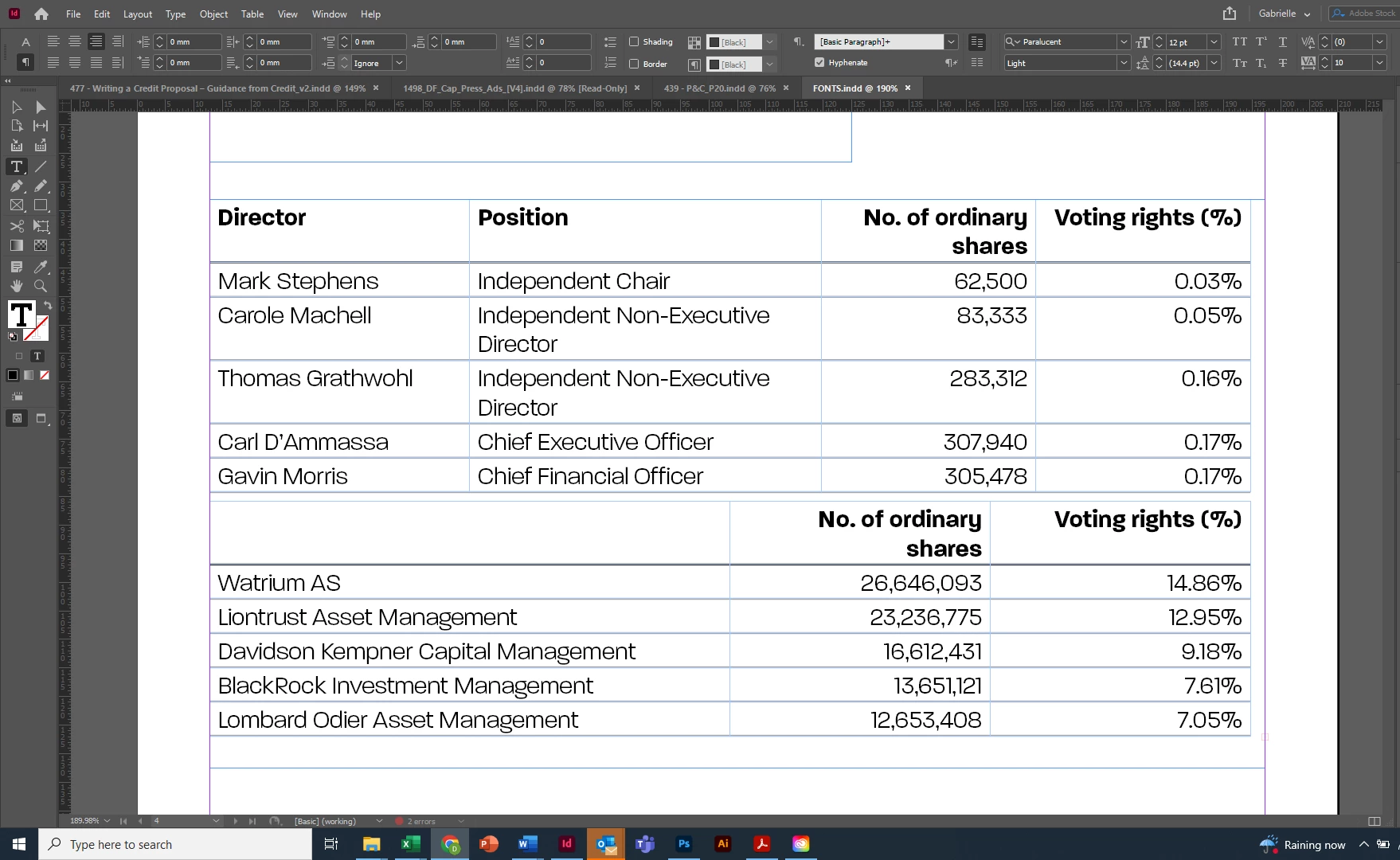
I need the numbers which are the same number of characters to take up the same width space. E.g. 26,646,093 which is eight characters looks loads bigger than 16,612,431 which is also eight characters. I'm sure there must be a setting to fix this. Can anyone help me please?


This topic has been closed for replies.
Correct answer Barb Binder

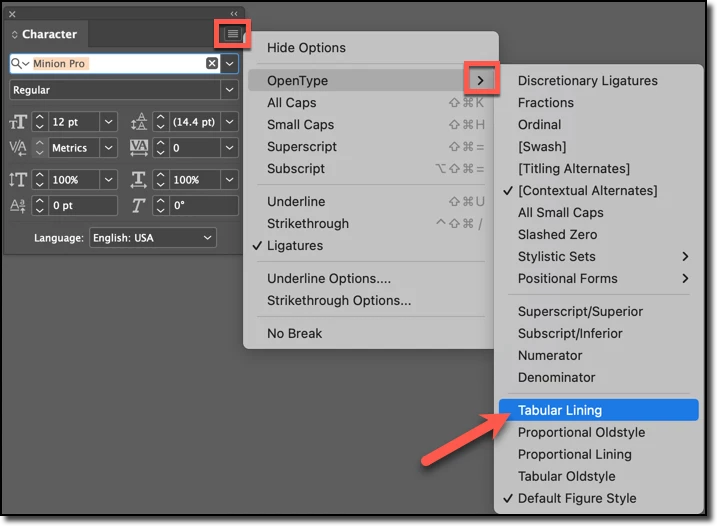
@jmlevy is showing you this menu, found under Type > Character:


OpenType fonts frequently have multiple options for figures. Your screen shot is showing Proportional Lining (the baseline is even but the figures are different widths). He is directing you to Tabular Lining (the baseline is still even but the figures are all the same width).


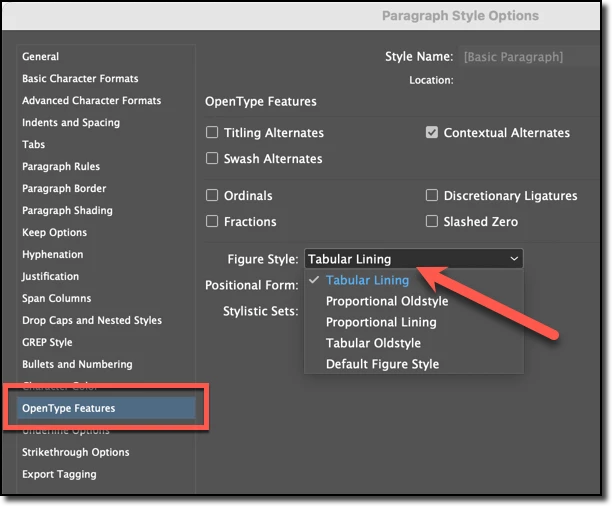
If you are using styles, you can make the same transition to Proportional Lining figures here:


~Barb

3 replies

Community Expert
May 30, 2022

You can select the cell

Set the justification for the text to All Lines

This spaces the text out all the way in the cell

Then add an cell space inset on the left to push the numbers over.

You'll have to adjust it manually.


Community Expert
May 30, 2022


Increase cell inset


Derek Cross
Community Expert
Community Expert
May 30, 2022

If I understand your question correctly, you are asking about the fixed width of numbers – in addition to old style and lining figures there are also proportionate and tabular figures – it's tabular figures (fixed width for alignment in columns you need). Note that not all fonts have these four kinds of numbers – you need to check in, for example,  the InDesign Glyphs panel to see if you have propotionate, lining figures in your selected font.

jmlevy
Community Expert
Community Expert
May 30, 2022

Check the OpenType options of the font and look for this (this is in French, but you will find the equivalent)

Inspiring
May 30, 2022

Thank you, but what menu are those options under? Is this in Indesign or in the font folder?

Barb Binder
Community Expert
Barb BinderCommunity ExpertCorrect answer
Community Expert
May 30, 2022

@jmlevy is showing you this menu, found under Type > Character:


OpenType fonts frequently have multiple options for figures. Your screen shot is showing Proportional Lining (the baseline is even but the figures are different widths). He is directing you to Tabular Lining (the baseline is still even but the figures are all the same width).


If you are using styles, you can make the same transition to Proportional Lining figures here:


~Barb

~Barb at Rocky Mountain Training