I had not thought of that, but unfortunately I am not able to delete or substitute the pantone color because it is being used in some placed graphics in the document.
No problem with that, I think.
You could add a new spot color to substitute the Pantone spot color by using the Ink Manager.
The trick is to define the added spot with CMYK 0,0,0,0.
Here some screenshots that illustrate this workflow.
Placed AI graphic with PANTONE spot color.
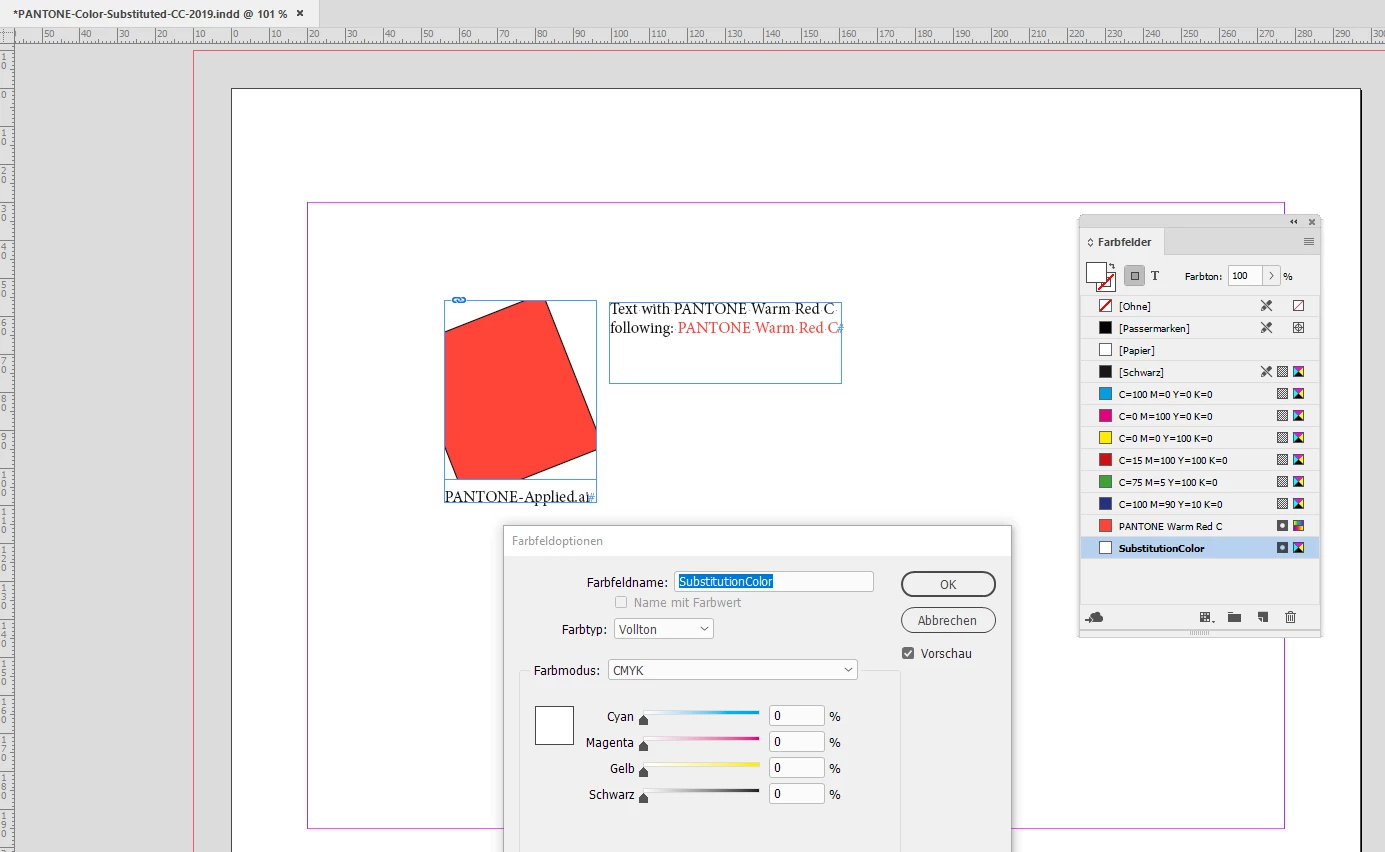
Added a spot color to the InDesign document with CMYK values all set to zero:
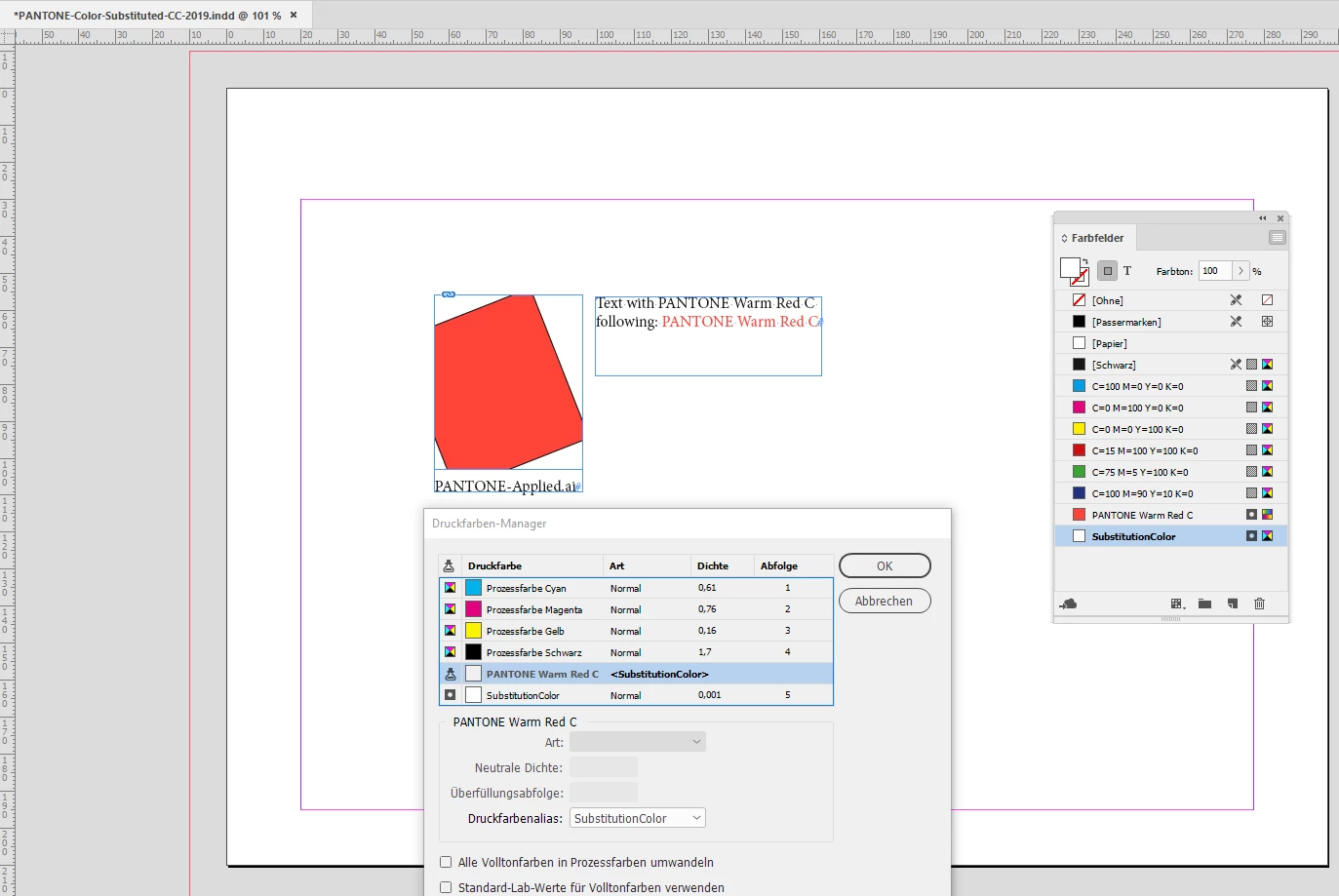
Ink Manager will map the PANTONE Warm Red C spot to spot color named "Substitution Color":
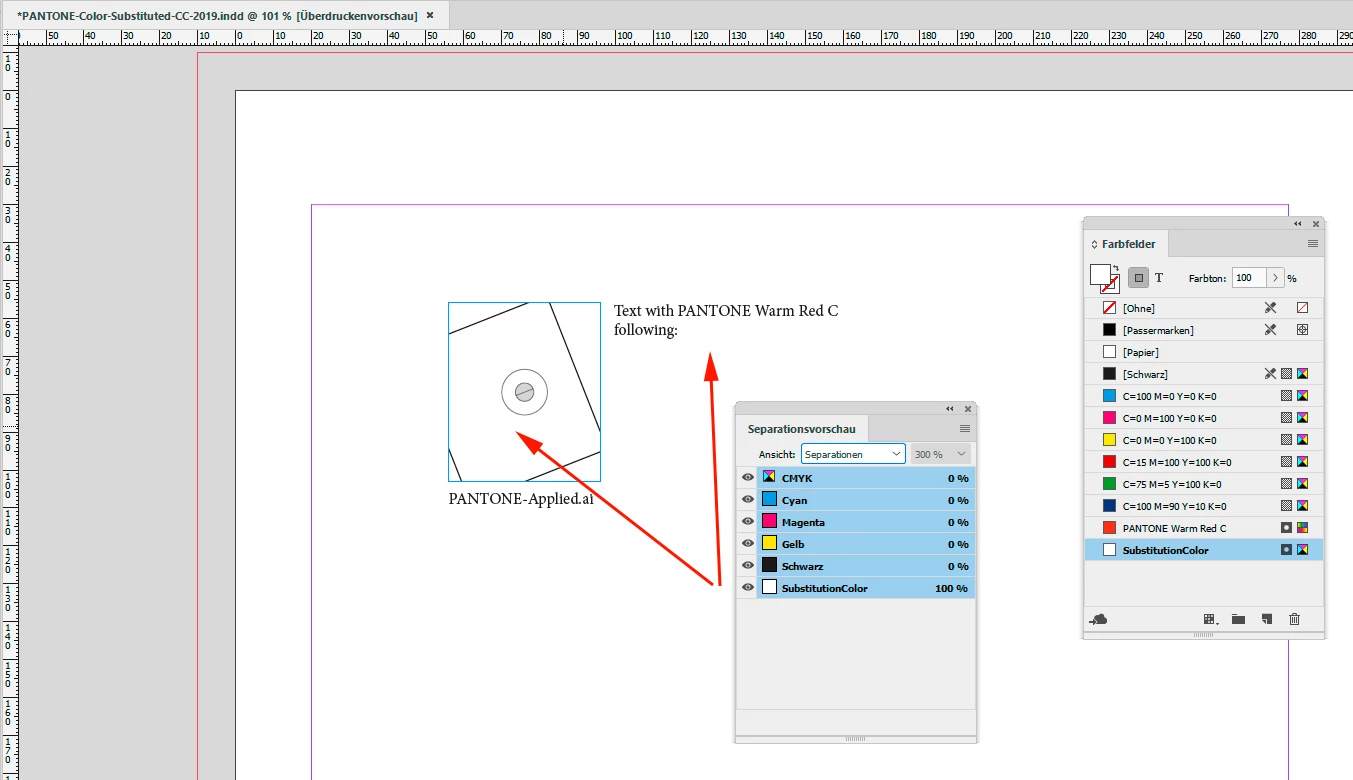
Overprint Preview will show the result of this trick:
Next step will be to export to PDF/X.
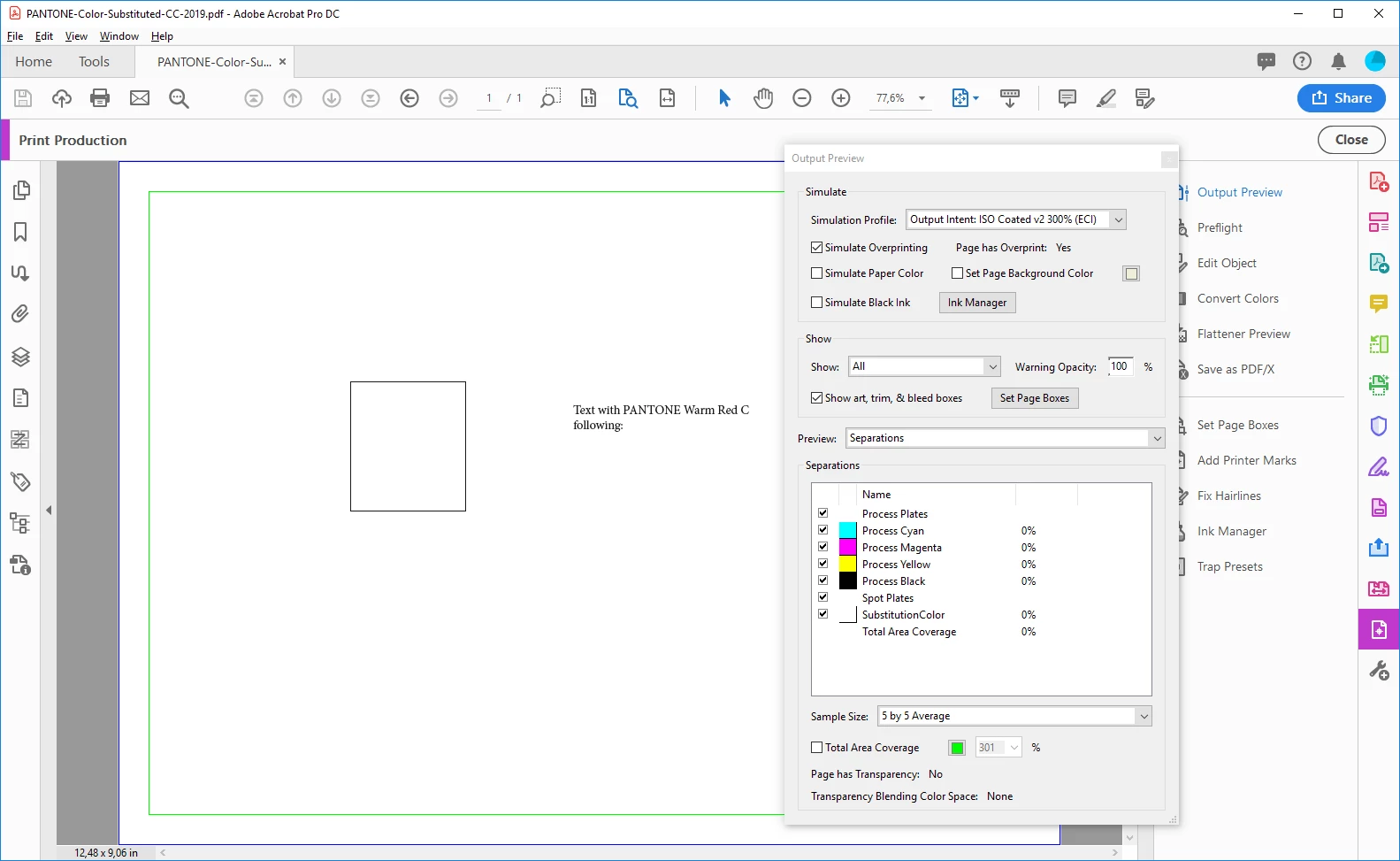
Below the view on the page in Acrobat Pro DC with Print Production > Output Preview
As you can see we have CMYK color plus one spot color.
Now we convert the spot to CMYK using Print Production > Convert Colors
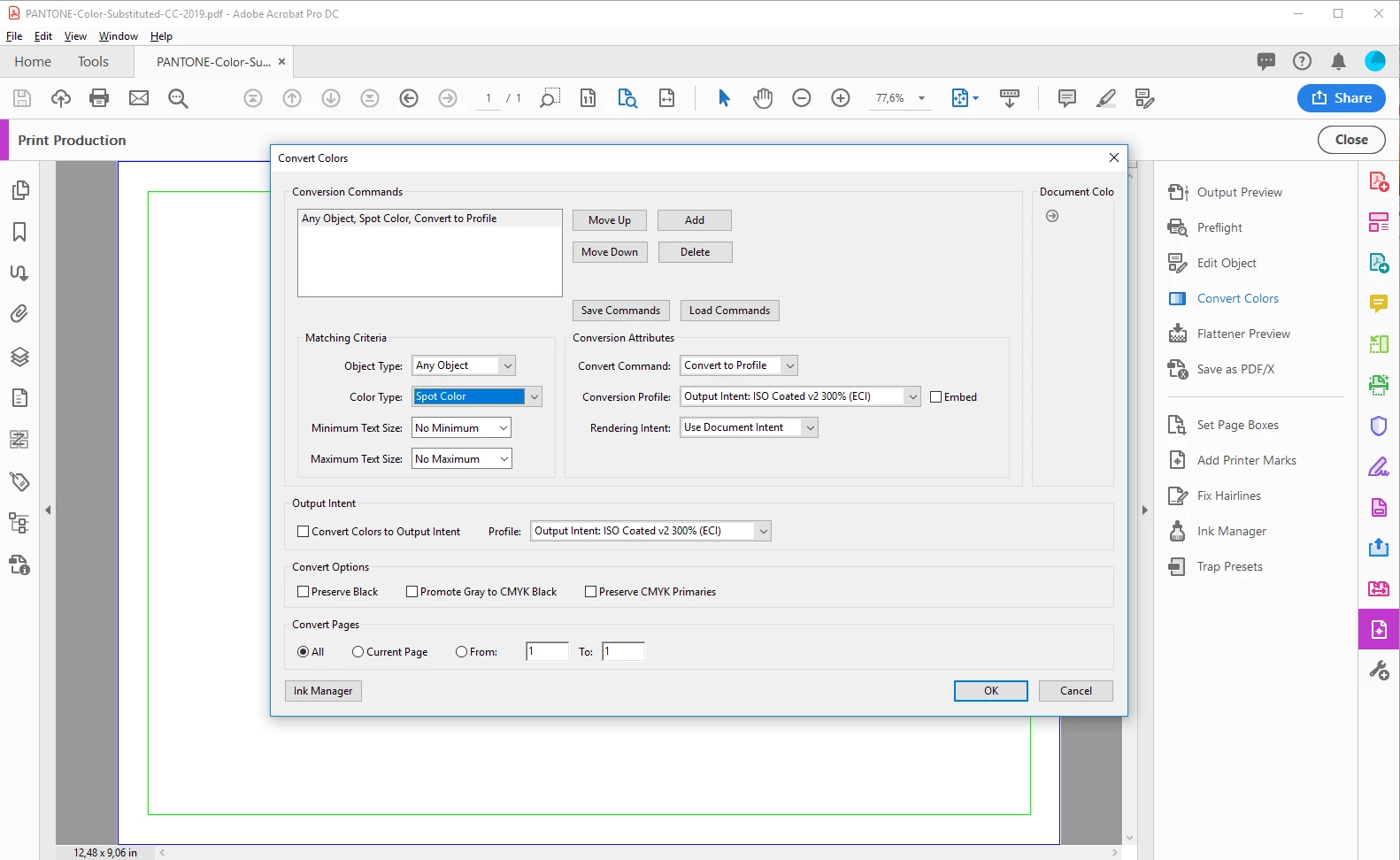
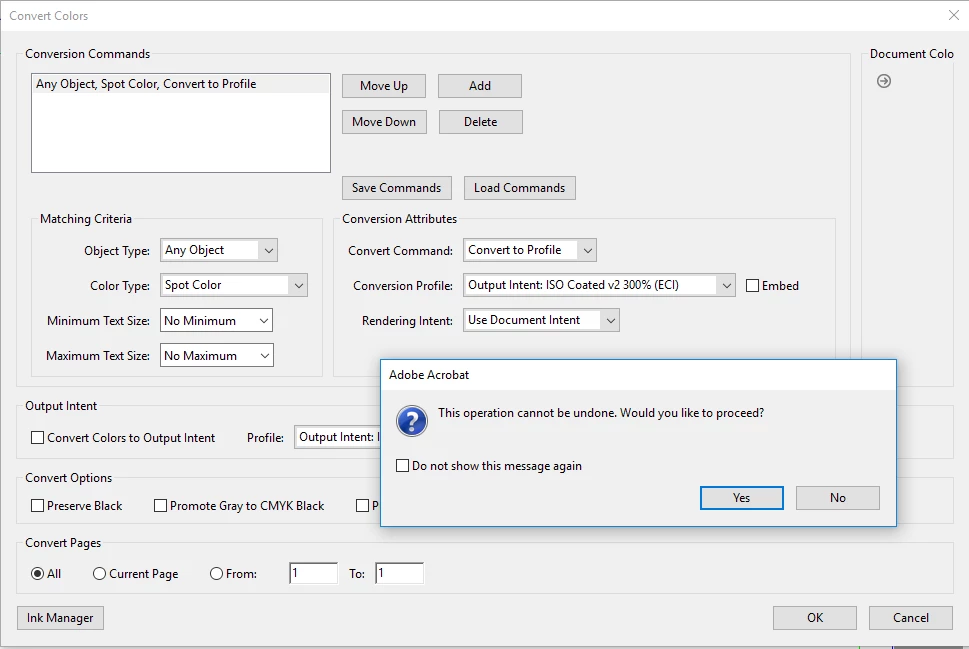
Here the result: The spot color vanished, all objects that originally had spot color PANTONE Warm Red C applied are now in CMYK 0,0,0,0.
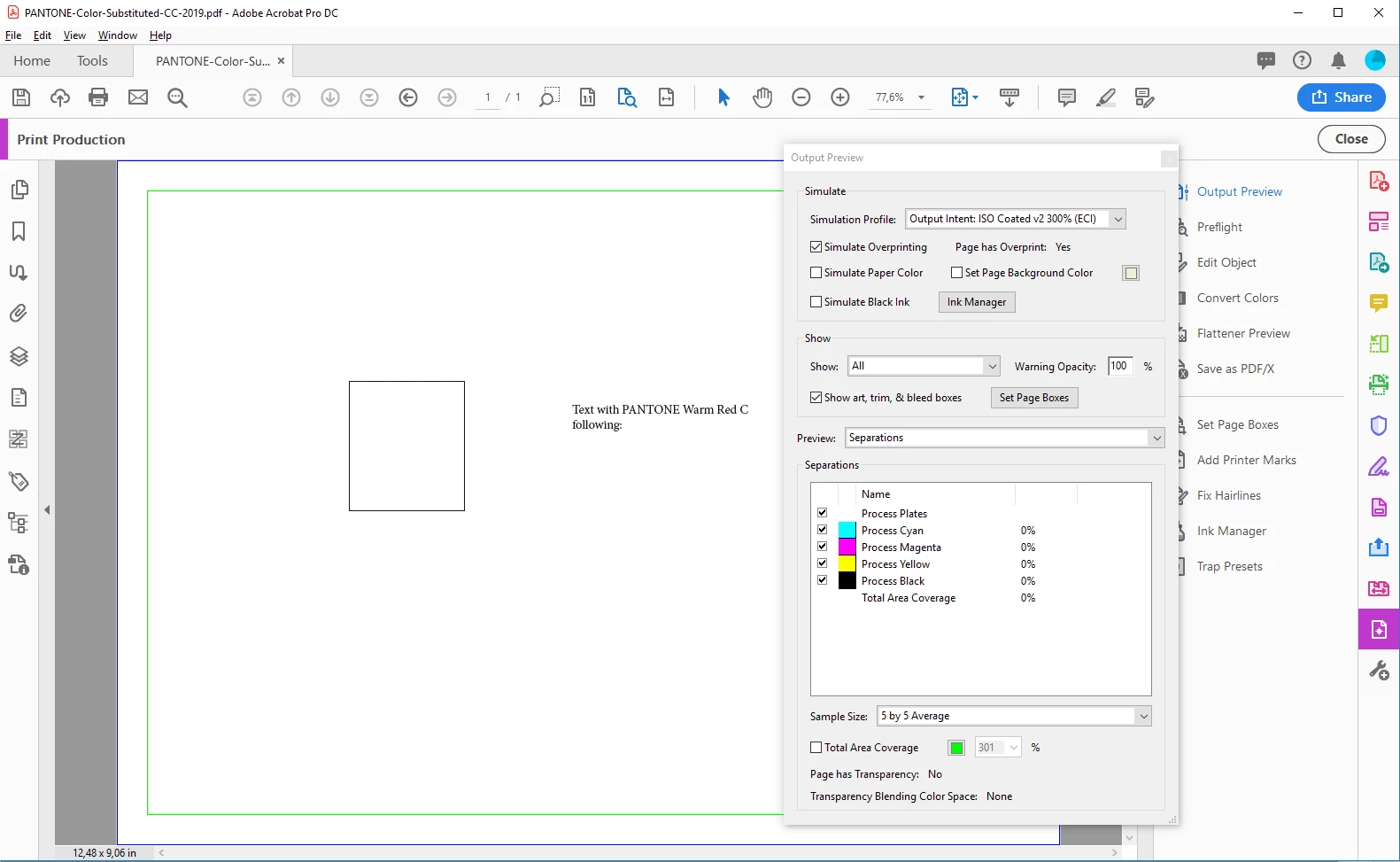
Easier than writing a complicated script, I think.
Regards,
Uwe
Note: The screenshots made from Acrobat Pro are showing a different version of the document where I did not rotated the placed AI graphic in its container frame. Sorry, if that was confusing to you.



 AdChoices