


Inspiring
May 7, 2019
Answered

Hiding "Generating PDF" Progress Bar

  • May 7, 2019
  • 3 replies
  • 3043 views

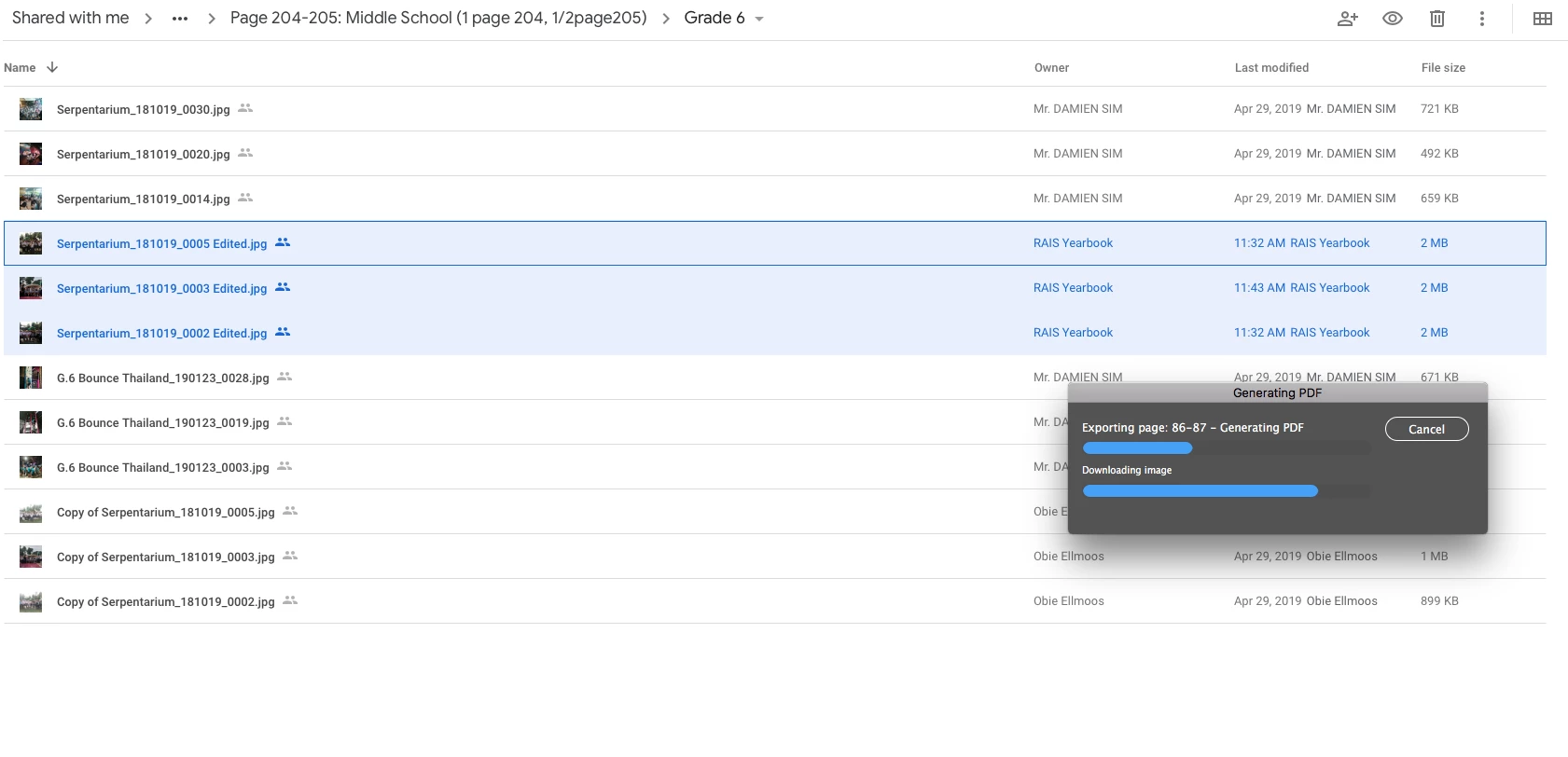
Hi, when I'm exporting a large pdf file it can takes some time, is there a way to minimize the dialog box instead of just dragging it in corner? When I switch to another application (on Mac), the dialog box persists throughout and cannot be hide. As you see when I switch to google drive on Safari, the dialog box persists.
    This topic has been closed for replies.
    Correct answer BobLevine

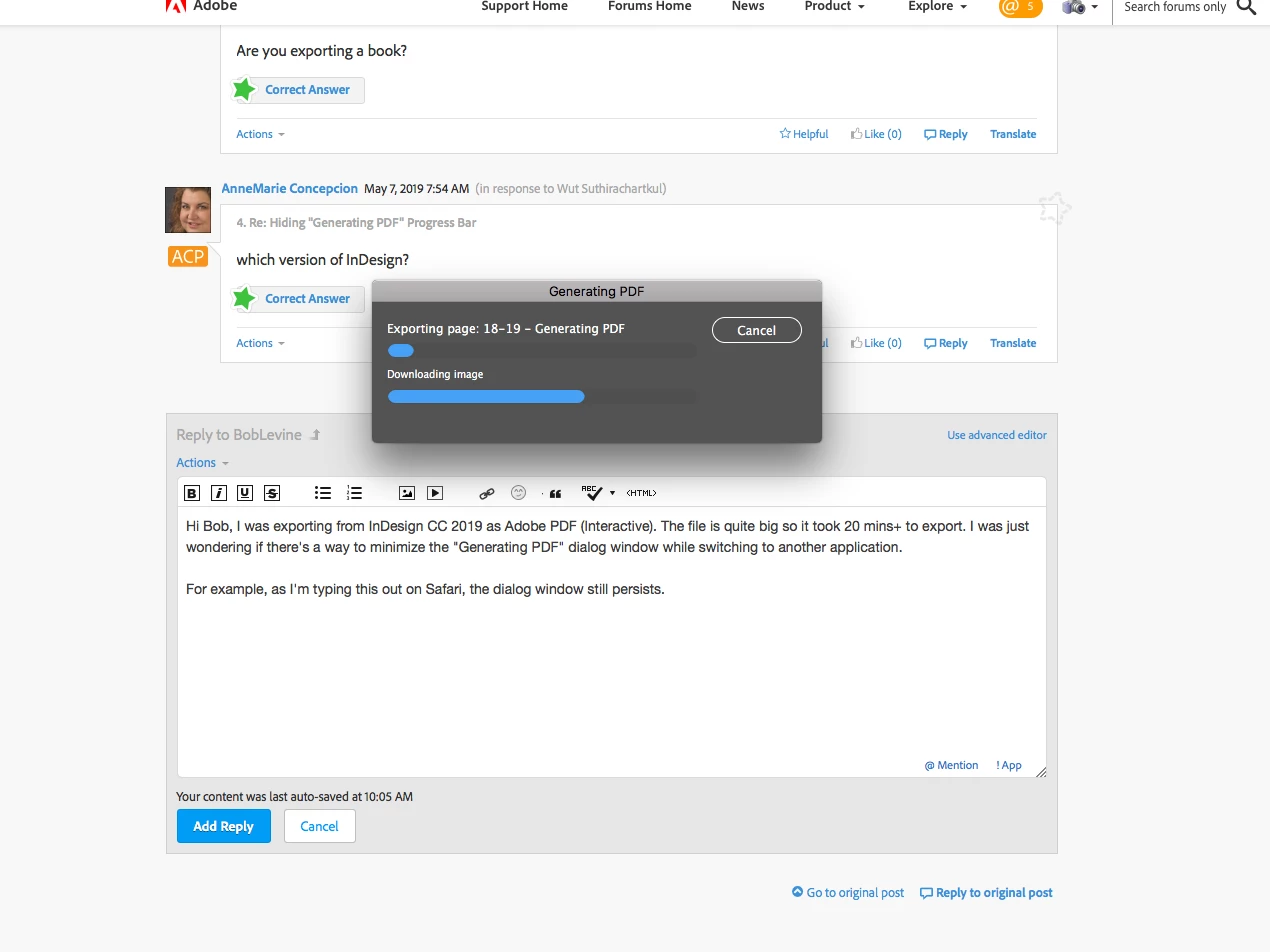
    Hi Bob, I was exporting from InDesign CC 2019 as Adobe PDF (Interactive). The file is quite big so it took 20 mins+ to export. I was just wondering if there's a way to minimize the "Generating PDF" dialog window while switching to another application.

    For example, as I'm typing this out on Safari, the dialog window still persists.


    I never use interactive PDF and forgot that it’s not a background task.

    AFAIK, there’s no way to force it to be one, either. I just tried it here and while you can’t minimize it, it doesn’t steal focus so I can switch applications and not be bothered by it.

    That said, what is in that file that’s taking that long?

    3 replies

    Known Participant
    September 9, 2023

    I, too, am constantly bothered by the Generating PDF dialog box for two reasons:

    First, it doesn't play well with my dual-screen setup. If I have InDesign on one monitor, the dialog box often shows up on the othe rmonitor, blocking whatever applications or windows I am working on outside of InDesign. Then I must manually drag it over to the InDesign monitor to get it out of the way. Come on Adobe! Many users have multiple monitors. Your apps should remember the locations of all dialog boxes, windows, and panels and not arbitrarily show up in random places.

    Second, and more importantly, there is NO reason for this dialog box to appear at all.

    If I select multiple files in an InDesign book panel, then choose Export Book to PDF, the dialog box appears for the duration of the export.

    But if I simply open a file and chose File > Export, the export happens as a background task as it should, allowing me to continue working on other files in InDesign.

    Why isn't background exporting the default? At the very least, please make it an Adobe PDF Preset option? 

    BTW, I'm using the latest version of InDesign (18.5), but this problem has always been present in all versions over the past decade.

    Community Expert
    September 11, 2023

    Hi @Owen Linzmayer , you asked:

    "Why isn't background exporting the default?"


    It is the default. For export with InDesign documents.

    But using an backround task to export is not available with the InDesign Book panel.

    The InDesign book functions were never updated in this regard.


    That would be a feature request e.g. you can do at InDesign UserVoice.

    The right category could be "Long Document Features":

    https://indesign.uservoice.com/forums/601021-adobe-indesign-feature-requests?category_id=209233


    Regards,
    Uwe Laubender
    ( Adobe Community Expert )

    Known Participant
    September 11, 2023

    You're splitting hairs when defending the different treatment of exporting an individual document versus a book.

    I would wage erverything I own that most users don't distinguish between documents and books, but rather view both as integral parts of InDesign. 


    I've already sent in a feature request, but don't hold out much hope as I've never gotten a positive response from Adobe to a past request, nor ever seen one actually implemented. 


    It's really maddening because this stupid Generating PDF dialog box is constantly popping up on top of work I'm trying to perform in other applications, forching me to waste time repositioning the dialog box. This happens dozens of times a day.

    AnneMarie Concepcion
    Community Expert
    May 7, 2019

    which version of InDesign?

    Inspiring
    May 8, 2019

    Hi AnneMarie,

    It's 14.0.2. InDesign CC 2019 on Mac

    BobLevine
    Community Expert
    May 7, 2019

    This is the InDesign forum. Check in the Acrobat forum.

    Inspiring
    May 7, 2019

    Hi Bob, I'm exporting using InDesign.

    BobLevine
    Community Expert
    May 7, 2019

    I was looking at the background there. Looked like a combine files in Acrobat.

    Are you exporting a book?