

Answered

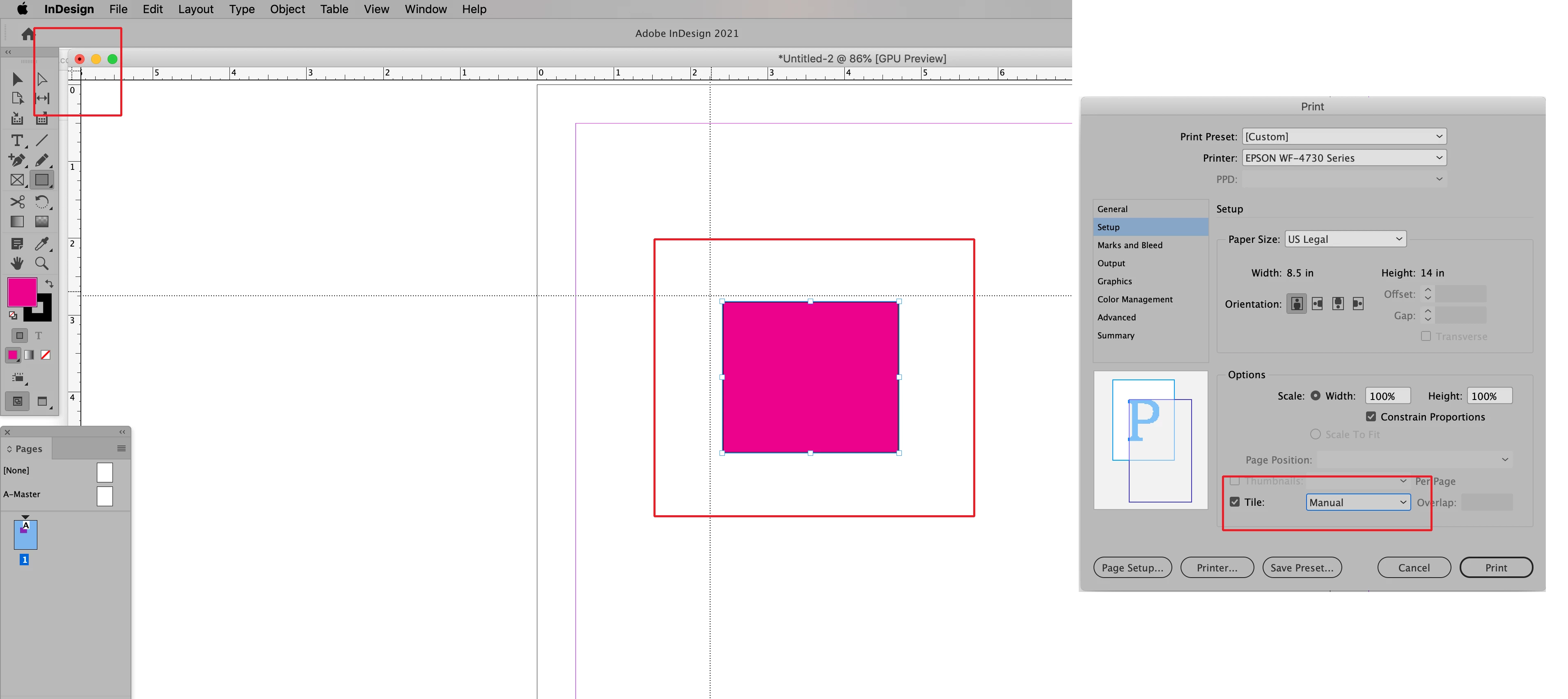
You can do this using Manual Tiling which is available in the Setup section of InDesign's Print dialog window. Begin the process by pulling on the upper left corner of your InDesign Window (highlighted in the screenshot below). Crossed lines will appear which you can drag to the upper left corner of what you need to print. This will define the upper left of your print output. Then choose Manual tile and print. Make sure that your paper size will cover the area that you need printed.
Sign up
Already have an account? Login
To post, reply, or follow discussions, please sign in with your Adobe ID.
Sign inSign in to Adobe Community
To post, reply, or follow discussions, please sign in with your Adobe ID.
Sign inEnter your E-mail address. We'll send you an e-mail with instructions to reset your password.
 AdChoices