


New Participant
March 11, 2021
Answered

How can I change the text colour in the interactive text box?

  • March 11, 2021
  • 1 reply
  • 1353 views

Hello Adobe Community, 
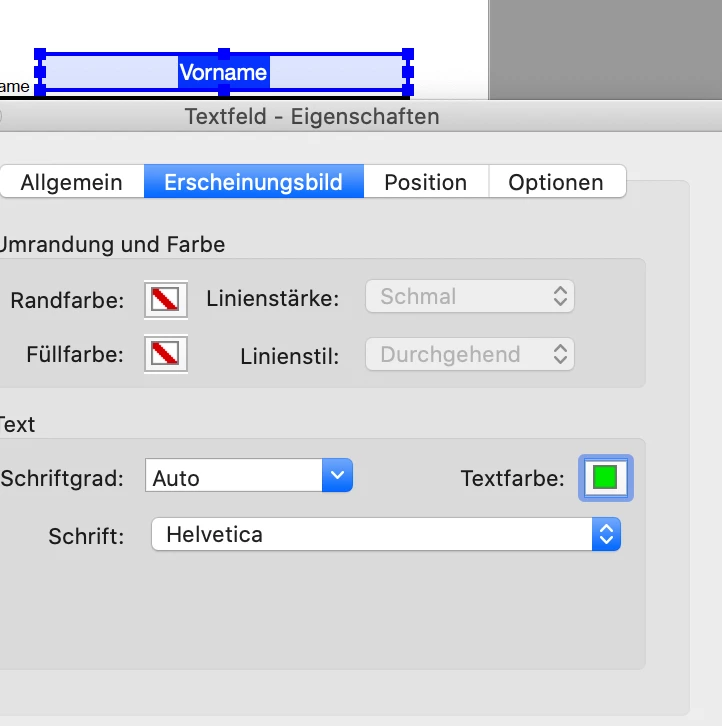
I've created an interactive text box, fillable once exported as PDF. I've set the font, font weight and font size in the Buttons and Forms tab but I don't see any advanced options for font colour nor paragraph alignment. I've inserted text in the interactive text box to the desired colour (dark blue) and the paragraph alignment to center but when I export it the text defaults to black and paragraph aligned to the left. HELP! Is it possible to set those preferences prior to exporting? 

Thank you in advance!
This topic has been closed for replies.
Correct answer Joely10623436

Hi,

You have to to this in Acrobat Pro DC:

https://helpx.adobe.com/acrobat/using/pdf-form-field-properties.html

PS: HELP! doesn't make it better 😉

1 reply

Joely10623436
Joely10623436Correct answer
Community Expert
March 11, 2021

Hi,

You have to to this in Acrobat Pro DC:

https://helpx.adobe.com/acrobat/using/pdf-form-field-properties.html

PS: HELP! doesn't make it better 😉

Geоrge
Brainiac
March 11, 2021

Yep, ID doesn't have all the features of PDF-forms things. Sad, but true.

Remember, never say you can't do something in InDesign, it's always just a question of finding the right workaround to get the job done. © David Blatner