



Aprking
Inspiring
July 20, 2023
Answered

How can I retrieve all the detailed parameters and constants for InDesign scripting?

  • July 20, 2023
  • 2 replies
  • 886 views

Hello everyone!

When I was searching for information to write scripts for InDesign, I found that some parameters are not easily obtained. For example, I want to resize an object while scaling its strokes and effects. In the Illustrator scripting manual, all the parameters are easily available, such as:

resize
(scaleX,
scaleY
[,changePositions]
[,changeFillPatterns]
[,changeFillGradients]
[,changeStrokePattern]
[,changeLineWidths]
[,scaleAbout])

or

translate
([deltaX]
[,deltaY]
[,transformObjects]
[,transformFillPatterns]
[,transformFillGradients]
[,transformStrokePatterns])

However, the InDesign scripting manual does not provide similar comprehensive script constant parameters. I believe that I might be using the wrong search method or the information I found is incomplete. So, I would like to ask the community for help. How can I access resources for InDesign in this regard and how can I solve the issue of scaling strokes and effects while resizing objects? Thank you!
This topic has been closed for replies.
Correct answer rob day

Additionally, is it true that InDesign does not have parameters like Illustrator's Resize, which allows for scaling strokes and effects simultaneously


If you want to scale strokes and effects I think you’ll need to look at the transform() method—resize() resizes but doesn’t scale the object. I don‘t do a lot of transformations, so maybe someone else can get help with the details, but here’s a simple example:


//transform the selected frame
var sel = app.selection[0];

//set stroke and effect transform prefs
app.transformPreferences.adjustStrokeWeightWhenScaling = true;
app.transformPreferences.adjustEffectsWhenScaling = true;

//a transform matrix object set to scale
var tm = app.transformationMatrices.add({horizontalScaleFactor:2, verticalScaleFactor:2})
sel.transform(CoordinateSpaces.innerCoordinates, AnchorPoint.leftCenterAnchor, tm);


And depending on the complexity of the transform you might not need the transform() method—you might simply change the absolute vertical and horizontal scales:


//transform the selected frame
var sel = app.selection[0];

//set stroke and effect transform prefs
app.transformPreferences.adjustStrokeWeightWhenScaling = true;
app.transformPreferences.adjustEffectsWhenScaling = true;
app.transformPreferences.whenScaling = WhenScalingOptions.ADJUST_SCALING_PERCENTAGE

sel.absoluteHorizontalScale = 200;
sel.absoluteVerticalScale = 200;


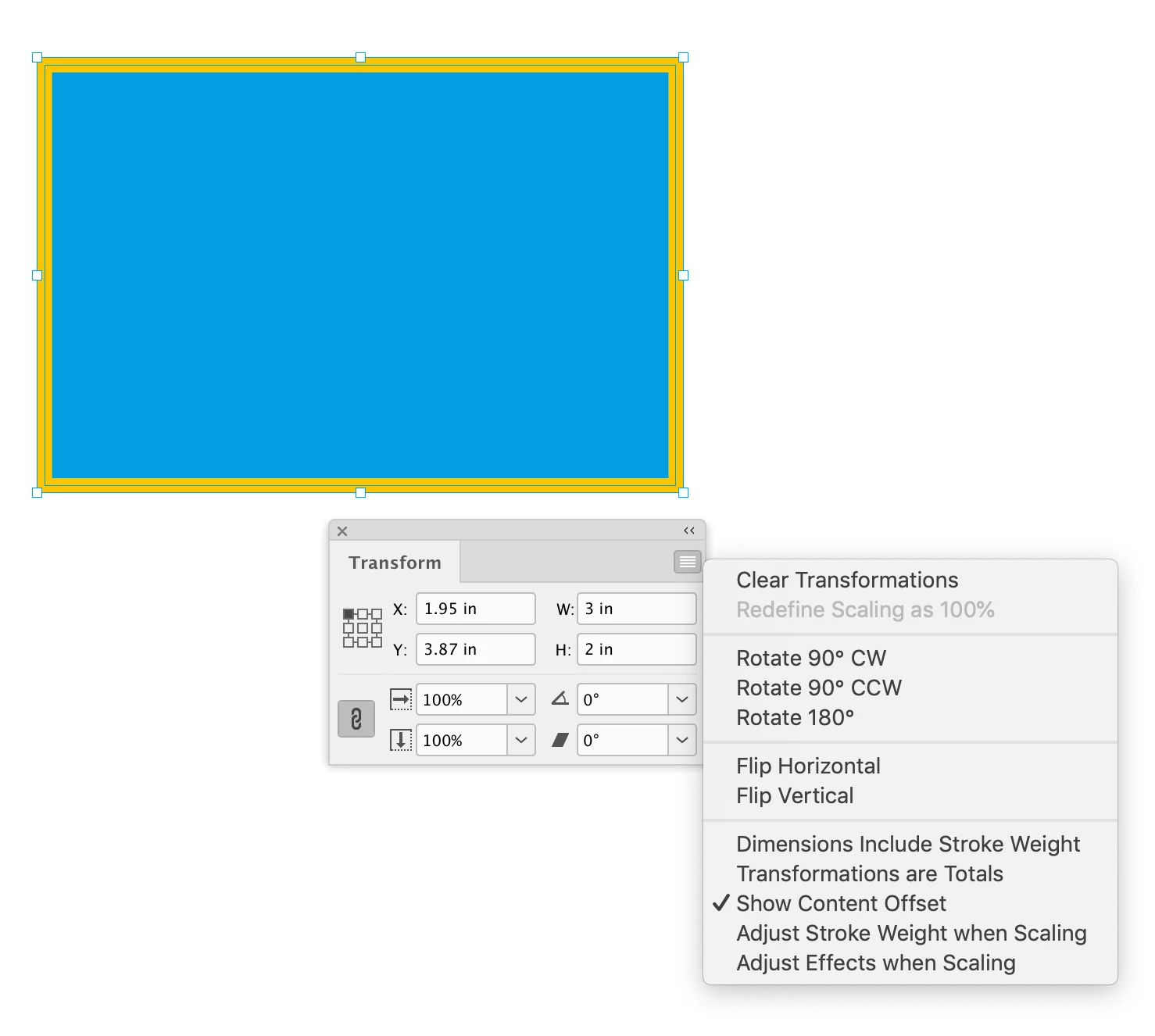
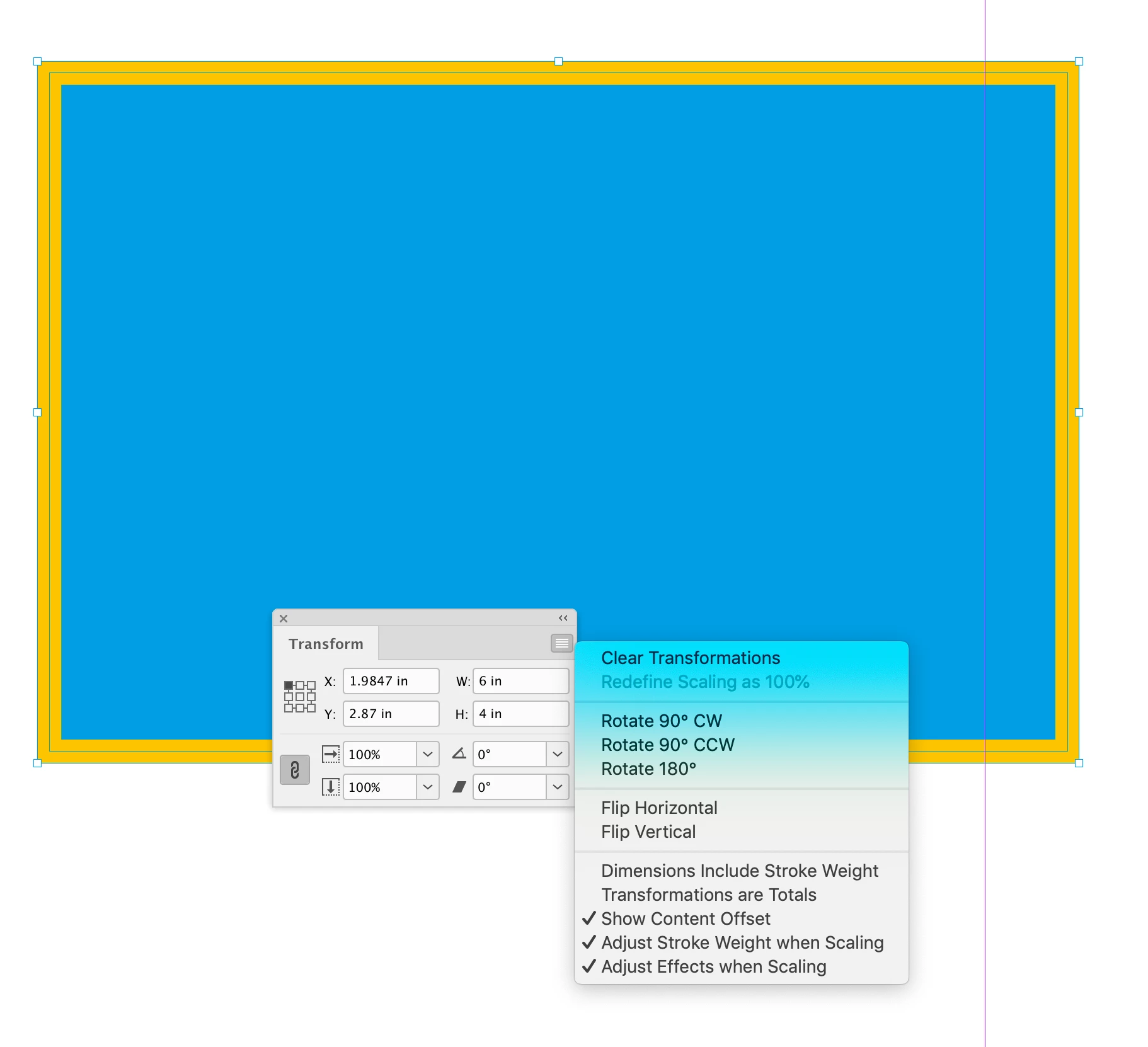
Before and after:


2 replies

rob day
Community Expert
July 20, 2023

Also, look at the .transformPreference properties, which lets you set stroke and effects scaling for the document:


https://www.indesignjs.de/extendscriptAPI/indesign-latest/#TransformPreference.html


Aprking
AprkingAuthor
Inspiring
July 20, 2023

A. var transformPrefs = myObject.transformPreferences; retrieves the original properties of the document.

B. When scaling the object, transformPrefs.adjustEffectsWhenScaling = true; is used to specify scaling effects simultaneously.

C. Then, myObject.transformPreferences = transformPrefs; restores the original values.

Is this the correct understanding?

rob day
Community Expert
July 20, 2023

var transformPrefs = myObject.transformPreferences; retrieves the original properties of the document.


That would throw an error—transformPreferences are a property of the application

rob day
Community Expert
July 20, 2023

Hi @Aprking , You can find a comprehensive InDesign API/Object Model here:


https://www.indesignjs.de/extendscriptAPI/indesign-latest/#about.html


The application>document page lists the resize() method along with all its parameters:


https://www.indesignjs.de/extendscriptAPI/indesign-latest/#PageItem.html#d1e208544__d1e211767


Aprking
AprkingAuthor
Inspiring
July 20, 2023

Hi @rob day , it's great to see you again. I have looked at the resources you shared, and it seems that my approach to searching for information was incorrect. Additionally, is it true that InDesign does not have parameters like Illustrator's Resize, which allows for scaling strokes and effects simultaneously? How can I achieve scaling effects in InDesign? I apologize for any inconvenience caused and thank you once again

rob day
rob dayCorrect answer
Community Expert
July 20, 2023

Additionally, is it true that InDesign does not have parameters like Illustrator's Resize, which allows for scaling strokes and effects simultaneously


If you want to scale strokes and effects I think you’ll need to look at the transform() method—resize() resizes but doesn’t scale the object. I don‘t do a lot of transformations, so maybe someone else can get help with the details, but here’s a simple example:


//transform the selected frame
var sel = app.selection[0];

//set stroke and effect transform prefs
app.transformPreferences.adjustStrokeWeightWhenScaling = true;
app.transformPreferences.adjustEffectsWhenScaling = true;

//a transform matrix object set to scale
var tm = app.transformationMatrices.add({horizontalScaleFactor:2, verticalScaleFactor:2})
sel.transform(CoordinateSpaces.innerCoordinates, AnchorPoint.leftCenterAnchor, tm);


And depending on the complexity of the transform you might not need the transform() method—you might simply change the absolute vertical and horizontal scales:


//transform the selected frame
var sel = app.selection[0];

//set stroke and effect transform prefs
app.transformPreferences.adjustStrokeWeightWhenScaling = true;
app.transformPreferences.adjustEffectsWhenScaling = true;
app.transformPreferences.whenScaling = WhenScalingOptions.ADJUST_SCALING_PERCENTAGE

sel.absoluteHorizontalScale = 200;
sel.absoluteVerticalScale = 200;


Before and after: