RvdT
Inspiring
October 1, 2024
Answered

How can you manage where/how sentences get cut off?

  • October 1, 2024
  • 3 replies
  • 1428 views

Hi,

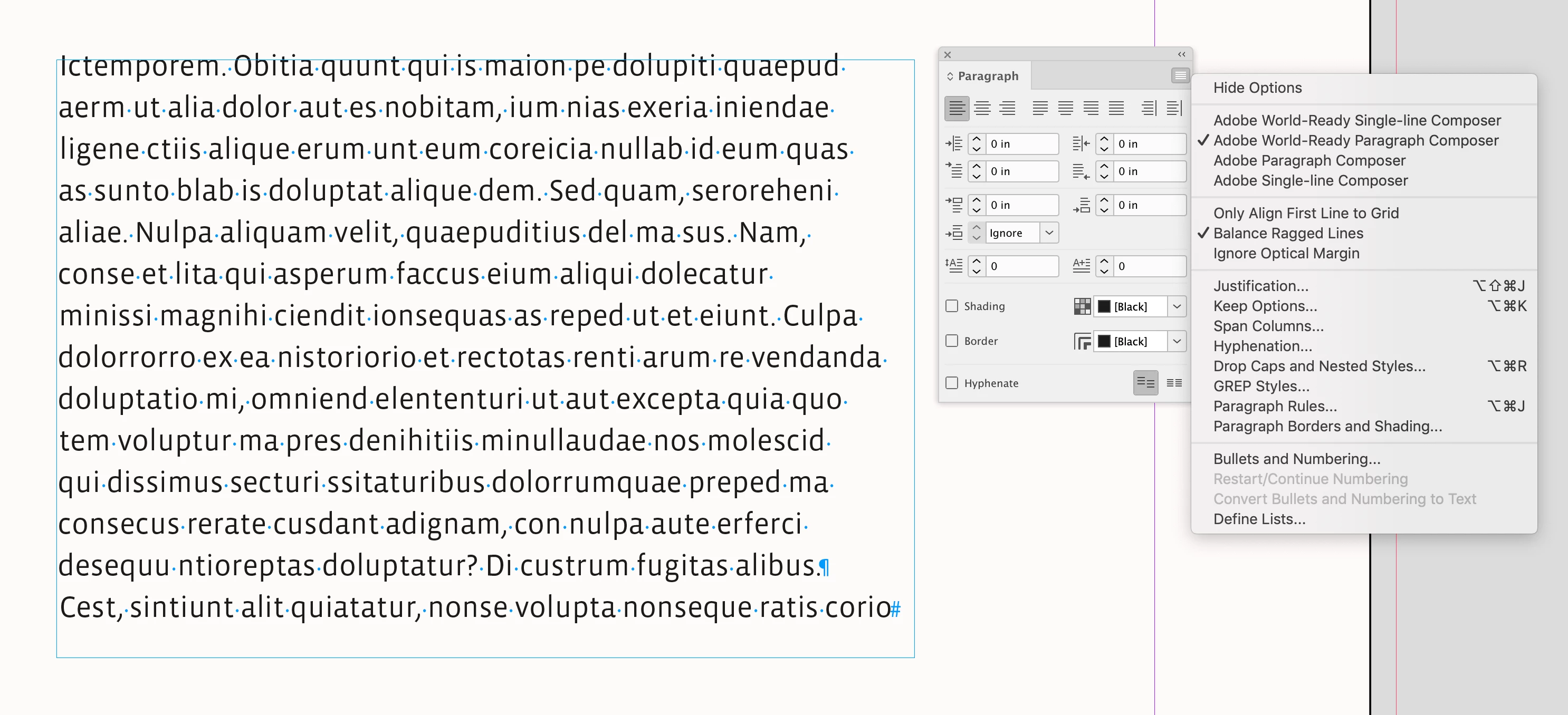
I would like Indesign to fill the gap at the end of this sentence

 

I've turned off hyphenation and don't want to justify the text.

Can you manage how sentences are cut off in your paragraph styles?


Thanks
This topic has been closed for replies.
Correct answer rob day

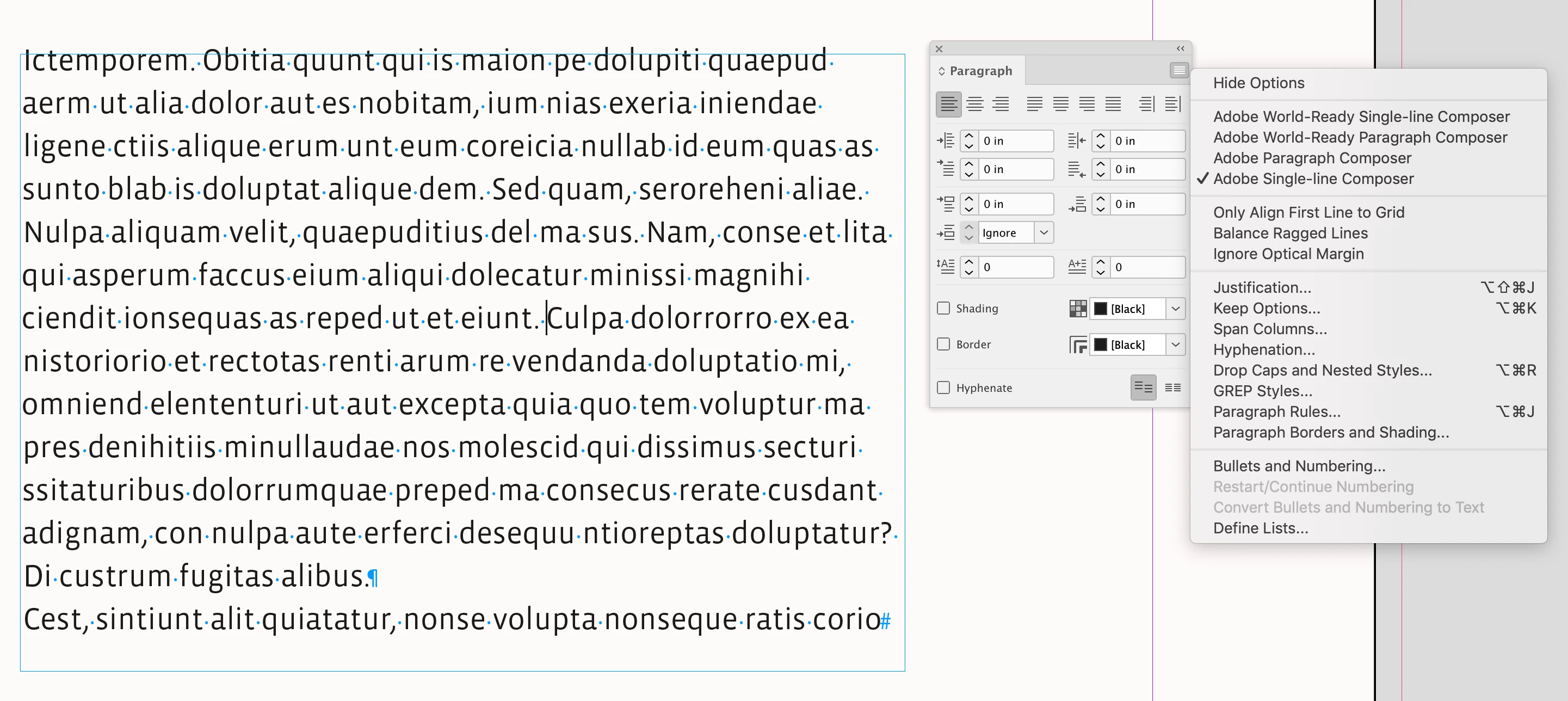
Hi @RvdT , Try using the Single-line Composer with Balance Ragged Lines turned off


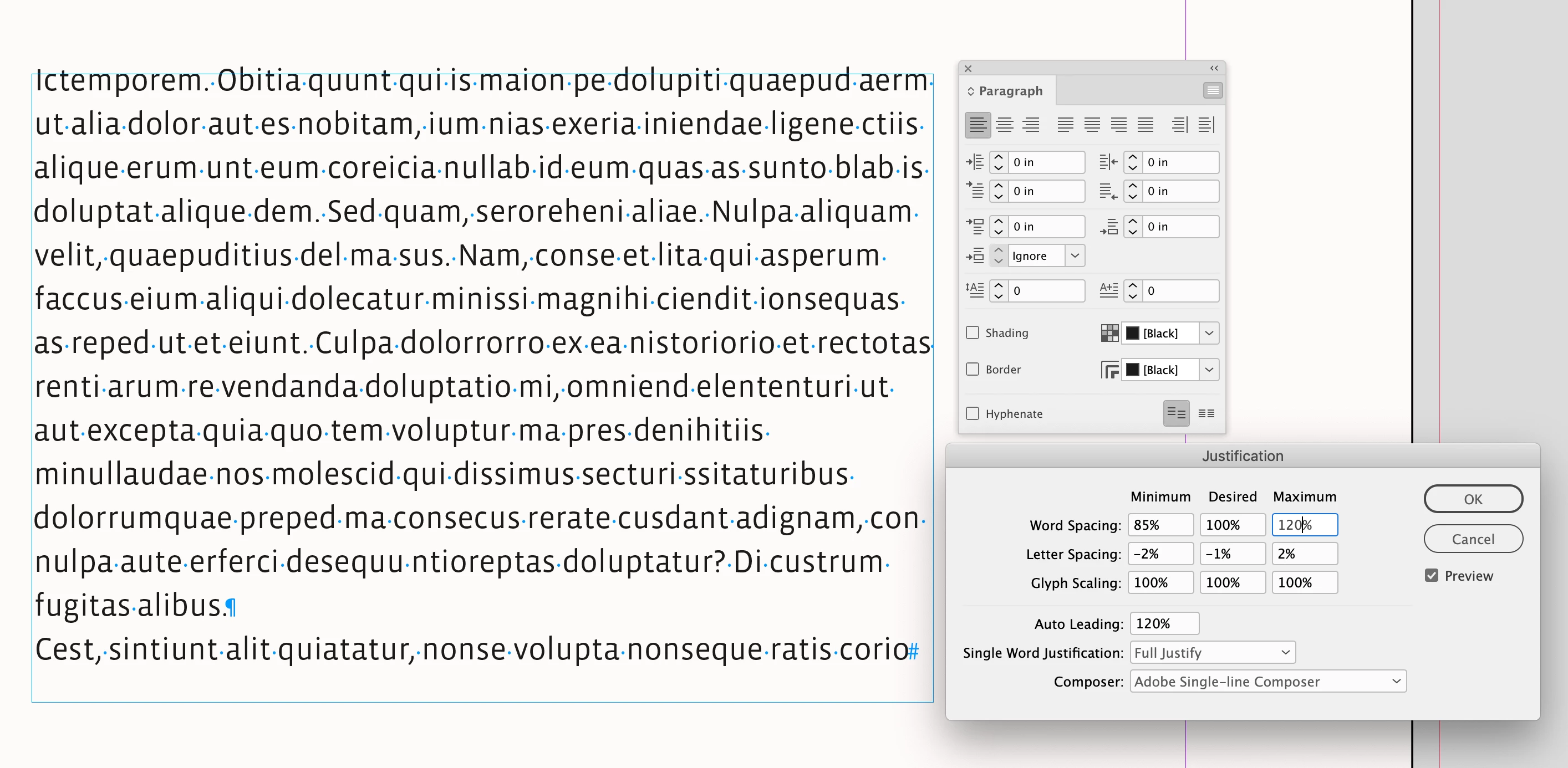
And the Justification Settings can affect Left aligned text:


3 replies

rob day
Community Expert
rob dayCommunity ExpertCorrect answer
Community Expert
October 1, 2024

Hi @RvdT , Try using the Single-line Composer with Balance Ragged Lines turned off


And the Justification Settings can affect Left aligned text:


Mike Witherell
Community Expert
Community Expert
October 1, 2024

Make sure you are controlling this paragraph with a named Paragraph Style.

Within that paragraph style, under Hyphenation, try these numbers: 9, 3, 4, 1, off, off, off.

Or else turn off Hyphenation completely.

And under Justification, try these numbers:

80, 100, 120

-5%, 0%, 5%

95, 100, 105


While you can insert nobreaks manually, the problem with this is that it is supremely slow and makes as many problems as it solves. In effect, you are treating the typesetting system as if it were a typewriter. What you want is a paragraph style with enough elasticity to set better fitting type without having to manually tweak every paragraph.

Mike Witherell
RvdT
RvdTAuthor
Inspiring
October 1, 2024

Thank you for your reply.

I don't want to hyphenate at all. Or Justified text.

Mike Witherell
Community Expert
Community Expert
October 1, 2024

Did you try the H&J numbers I suggested? Hyphenation can be off; alignment doesn't have to be justified.

Mike Witherell
Abhishek Rao
Community Manager
Community Manager
October 1, 2024

Hi @RvdT,


I understand how frustrating those gaps can be! Could you please share your InDesign version and OS details?


To manage sentence cutoff, try using the "No Break" option. Select the text, then go to Window > Type & Tables > Character and check "No Break" in the Character panel. This should help prevent awkward gaps.


Let me know if you need further assistance!


Best,  
Abhishek Rao

RvdT
RvdTAuthor
Inspiring
October 1, 2024

No, i don't want to manually place non-breaking characters... 
There's a gap that can easily be filled with Left aligned text.

InDesign 19.5, Win 11

Joel Cherney
Community Expert
Community Expert
October 1, 2024

In which case, you can try switching paragraph composers. You can find this setting in the Justification dialog (Ctrl-Alt-Shift J). The "Adobe Single-Line Composer" would try to fit that "the" on the first line of your example paragraph, maybe. It's most likely set right now to "Adobe Paragraph Composer" which probably is looking at that "the" and thinking that, if it wrapped it up to the first line, the rag would be more uneven; "Safety" would wind up too far in. 


If you don't like the decisions made by the paragraph composers you're using, all you can do is what Mike and Abhishek have suggested: add no break, play with the Justification settings, maybe track it in by a few points if you're the kind of person who uses tracking to copyfit. But basically, those are your options - you select a composer, make decisions in your paragraph and character styles, and then maybe do a bit of  No Break application here and there when you are "riding the lines" to make sure that your layout doesn't have any composition problems. I do a lot of manual copyfitting, myself, but that is a point of personal preference.