

Inspiring
June 28, 2019
Answered

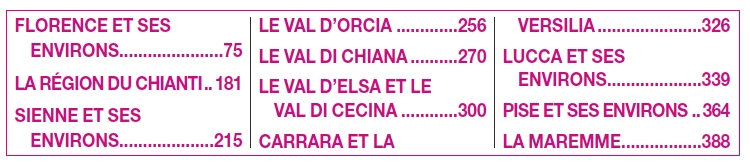
How I can fix this box using in border and shading paragraph-styles without create frame
  • June 28, 2019
  • 4 replies
  • 1190 views

    This topic has been closed for replies.
    Correct answer DBLjan

    I think I know what you are trying to do here.

    I fiddled a bit…and its possible, maybe more accurate than my example:
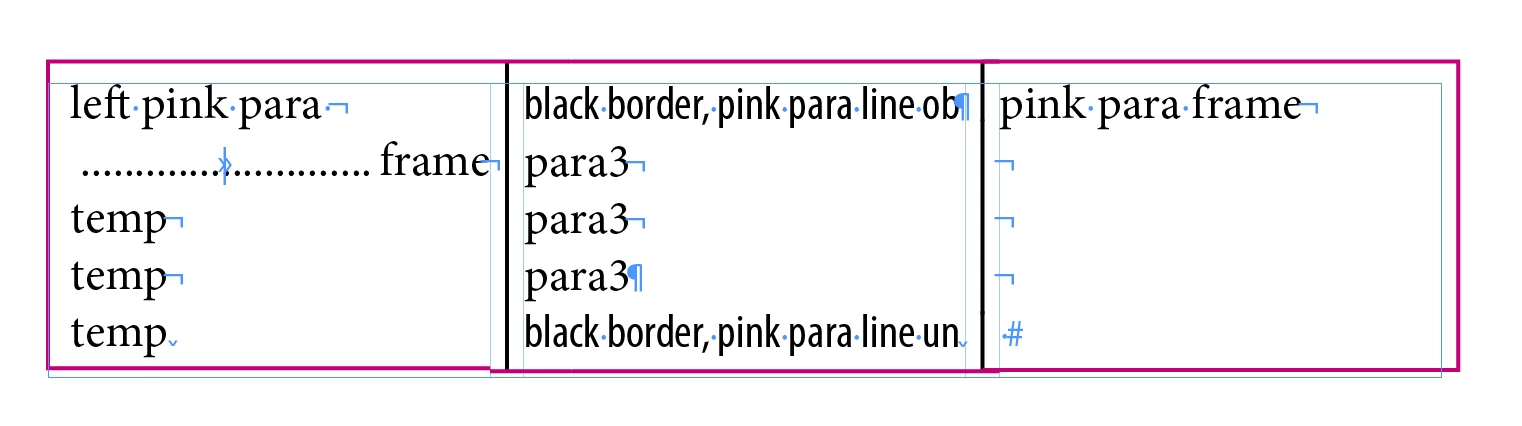
    Left side:

    1. The left paragraph style should just use paragraph-border above/left/below (in pink).
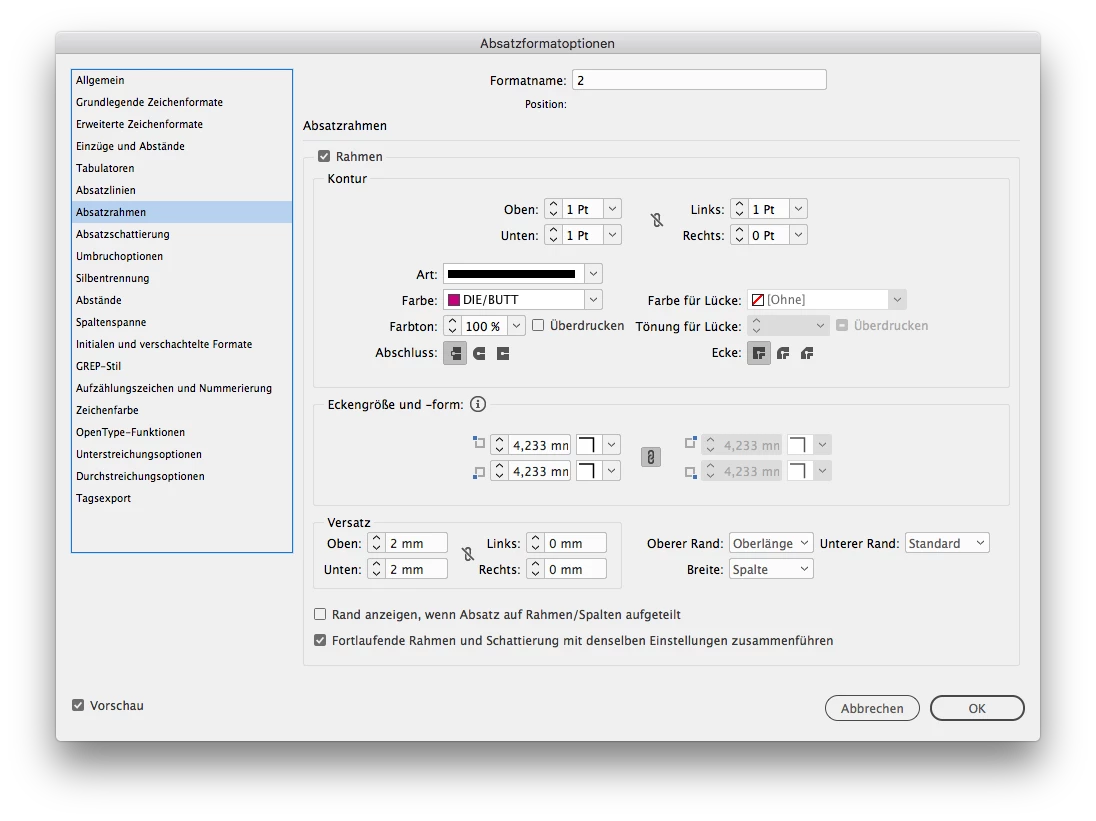
    1.1 You can split up into 3 styles: one for the border above, left and below, if you dont want to linebreak.

    To the right, its quite the same, just switch left/right border
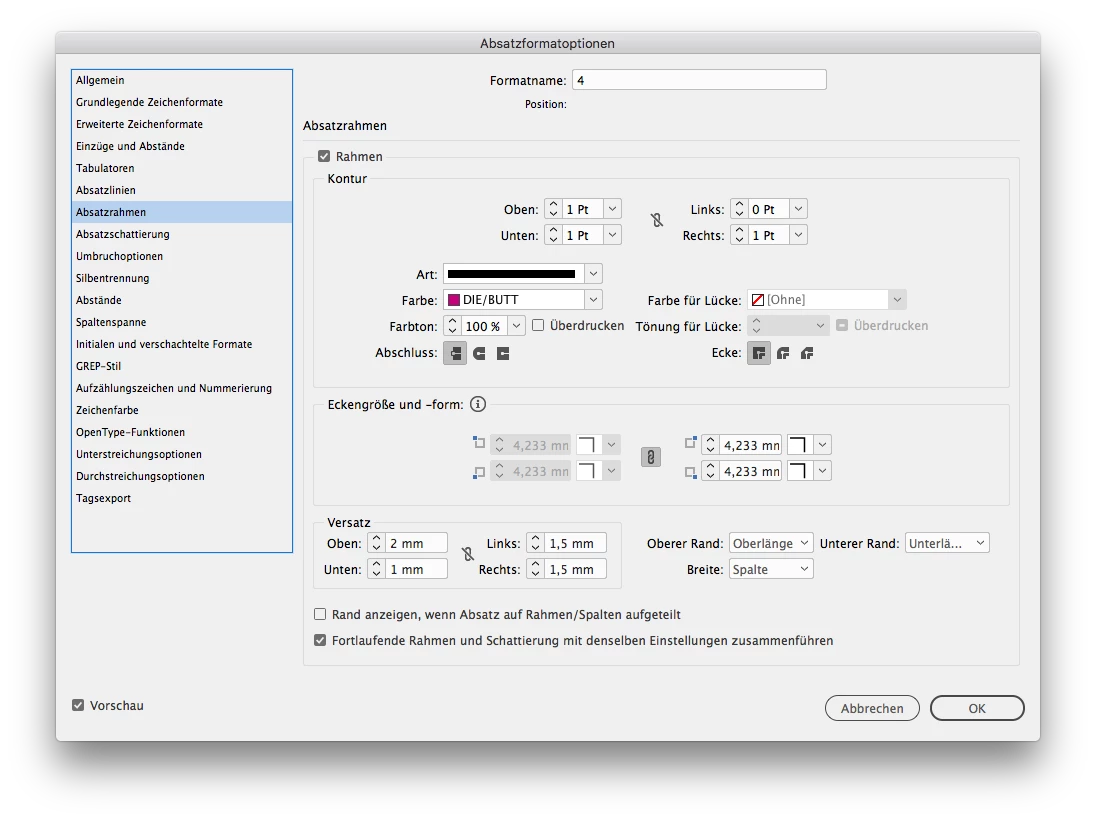
    the middle:

    2. This is tricky, because you seem to need the black lines between the rows. If you dont need them, you can advance like left/right, just deselect left and right, and keep above and below.

    2.1 But I guess, you need it. Now you have to split up your middle into 3 para styles.

    All 3 parastyles need a paragraph-border, but we need it to do the lines between.
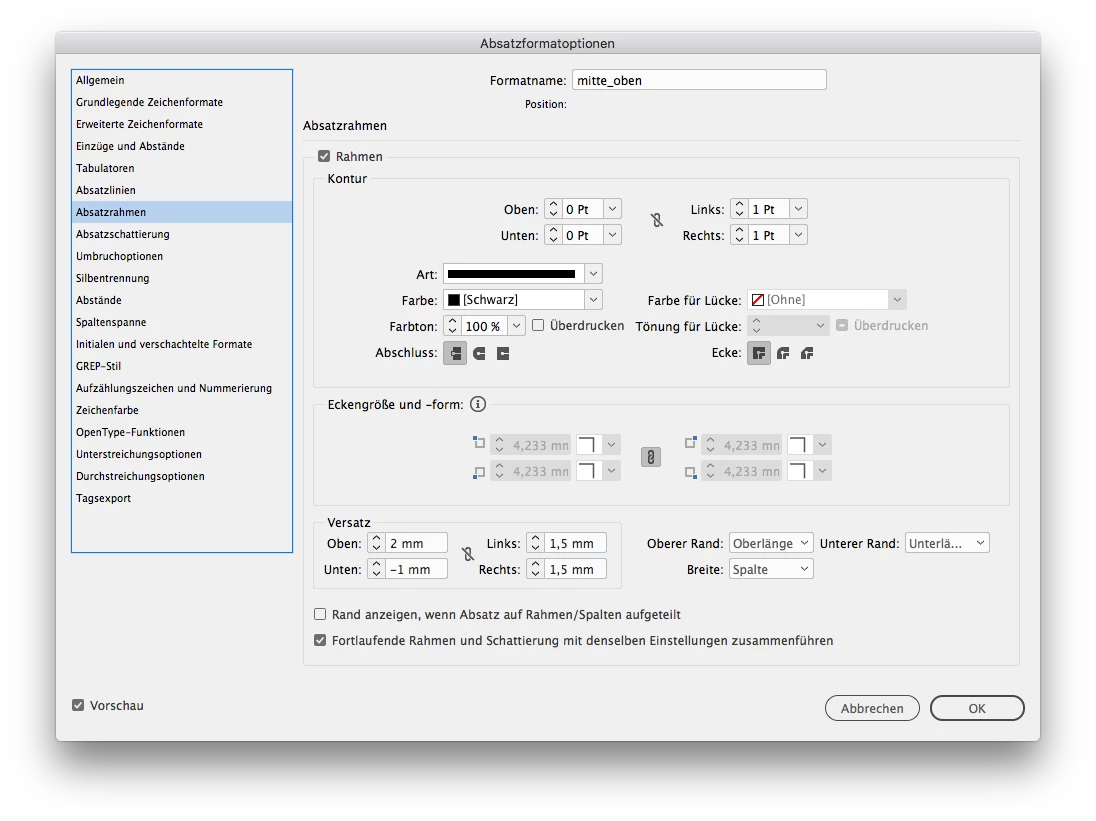
    2.2 To mimic the look of lines between rows, we cant use paragraph-lines, because they only apply horizontal.

    And because we have to use the border, we have to mimic the outlines now, by…

    2.3 adding paragraph-lines above and below.
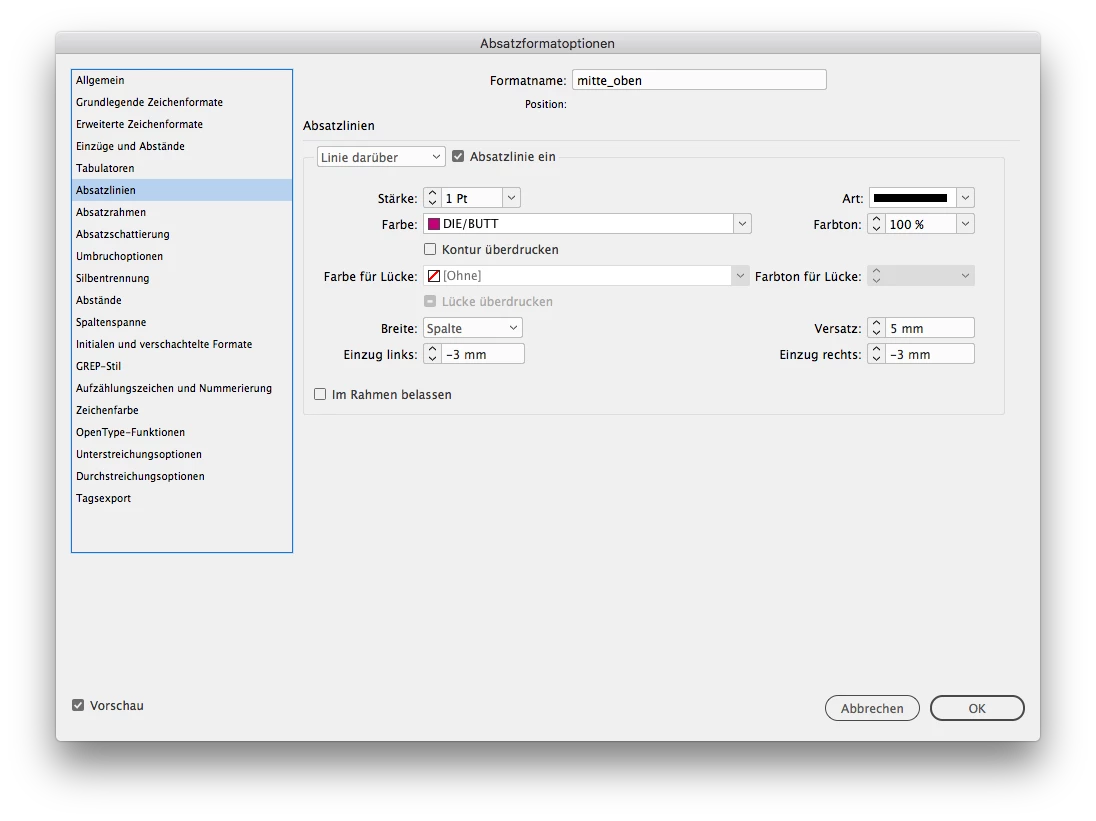
    As you see, it is a bit clunky, but possible :-)

    4 replies

    OgistianAuthor
    Inspiring
    July 1, 2019

    Hi Bill Silbert,

    It is possible to create above box styles using with Paragraph Shading and Borders styles. Any advice would be appreciated.

    OgistianAuthor
    Inspiring
    July 1, 2019

    Hi Bill Silbert,

    It is possible to fix above box styles using with Paragraph Shading and Borders styles. Any advice would be appreciated.

    jmlevy
    Community Expert
    Community Expert
    June 28, 2019

    Bonjour,

    Vu le document, j'imagine que tu es francophone ? Tu peux poser ta question sur les Forums en français

    Comme Bill, je ne comprends pas la question…

    OgistianAuthor
    Inspiring
    July 1, 2019

    Bonjour,

    Est-il possible de créer des styles de boîte ci-dessous en utilisant avec les styles Paragraphe et Bordures. Toute notification sera la bienvenue.

    DBLjanCorrect answer
    Legend
    July 2, 2019

    I think I know what you are trying to do here.

    I fiddled a bit…and its possible, maybe more accurate than my example:

    Left side:

    1. The left paragraph style should just use paragraph-border above/left/below (in pink).

    1.1 You can split up into 3 styles: one for the border above, left and below, if you dont want to linebreak.

    To the right, its quite the same, just switch left/right border

    the middle:

    2. This is tricky, because you seem to need the black lines between the rows. If you dont need them, you can advance like left/right, just deselect left and right, and keep above and below.

    2.1 But I guess, you need it. Now you have to split up your middle into 3 para styles.

    All 3 parastyles need a paragraph-border, but we need it to do the lines between.

    2.2 To mimic the look of lines between rows, we cant use paragraph-lines, because they only apply horizontal.

    And because we have to use the border, we have to mimic the outlines now, by…

    2.3 adding paragraph-lines above and below.

    As you see, it is a bit clunky, but possible :-)

    Bill Silbert
    Community Expert
    Community Expert
    June 28, 2019

    Could you please be more specific as to what you are looking for here? I'm not sure what you mean by "fixing" the box.

    OgistianAuthor
    Inspiring
    July 1, 2019

    Hi Bill Silbert,

    It is possible to create above box styles using with Paragraph Shading and Borders styles. Any advice would be appreciated.
