Participant
January 10, 2023
Answered

how to add a keyword beside a paragraph?

  • January 10, 2023
  • 6 replies
  • 1579 views

Hi there, 


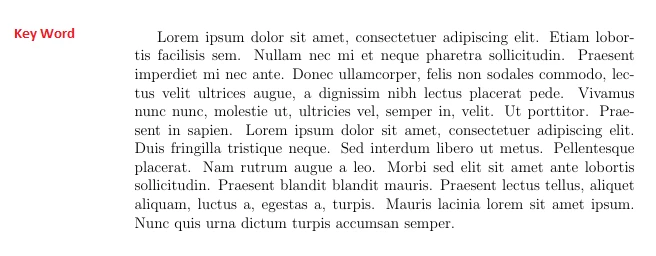
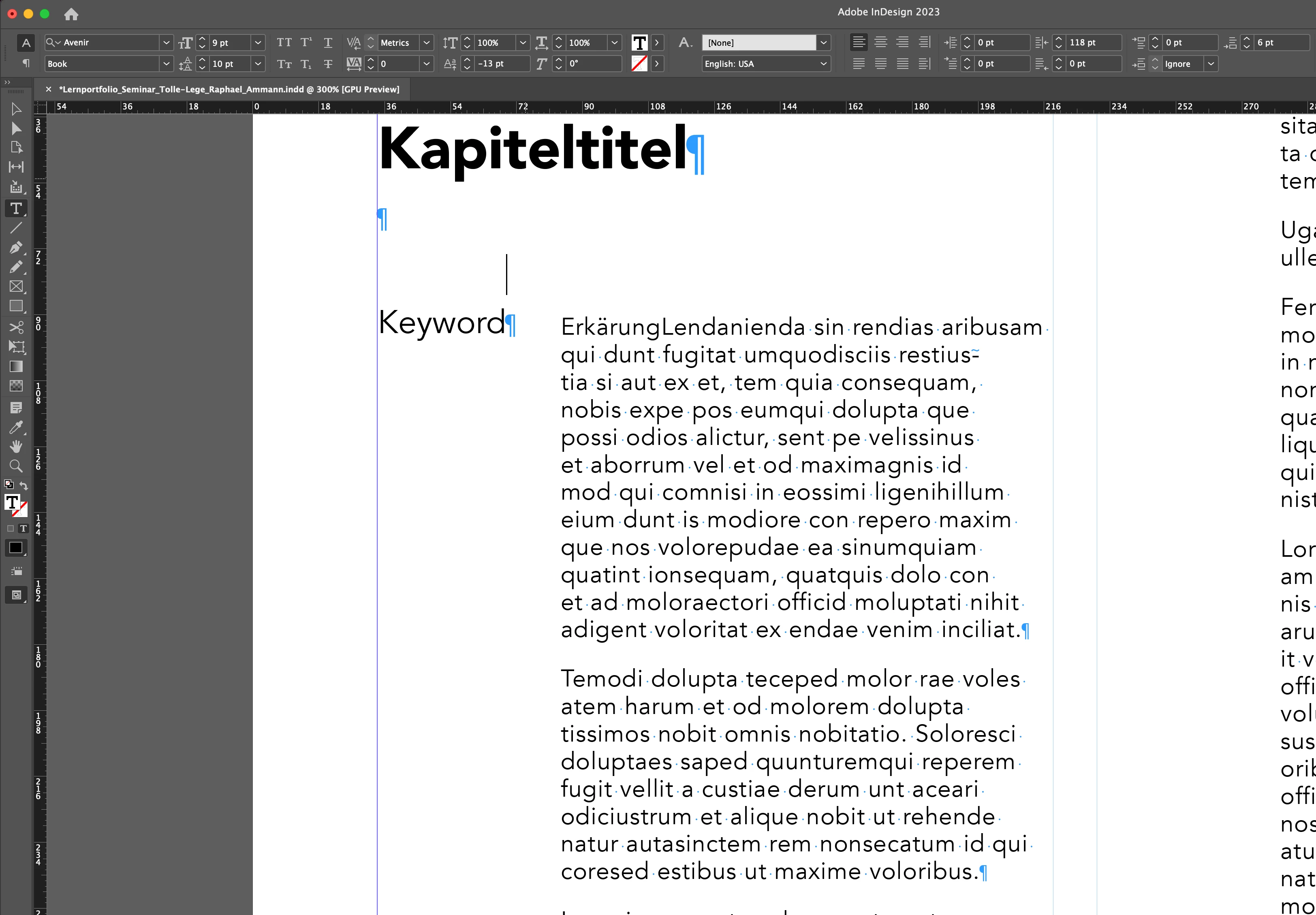
does anyone know how to set up a paragraph style so that it show next to the next paragraph as shown in the picture? I don't want to set up a new textbox with an ankor through out the whole dokument… I tried to do something with baseline shift. However it is kind of strange, because the curser remains on to baseline above, making it hard to really select to word (see second image…) 


This topic has been closed for replies.
Correct answer rob day

Just a thought — Indent To Here would be a much more useful feature if it could be tied to the style. For instance, in this case, it would keep the left-indent as shallow as possible, but each slightly longer keyword would push ALL the style paragraphs over, thus combining automation and esthetic balance.


As it is, it still seems to be a very niche feature, more suited to FrameMaker type work (documentation, references, etc.) than ID layout.


But then, FM has side heads that work very well. 🙂


And still has Master pages, but let's not go there. 🙂 🙂


Just a thought — Indent To Here would be a much more useful feature if it could be tied to the style.


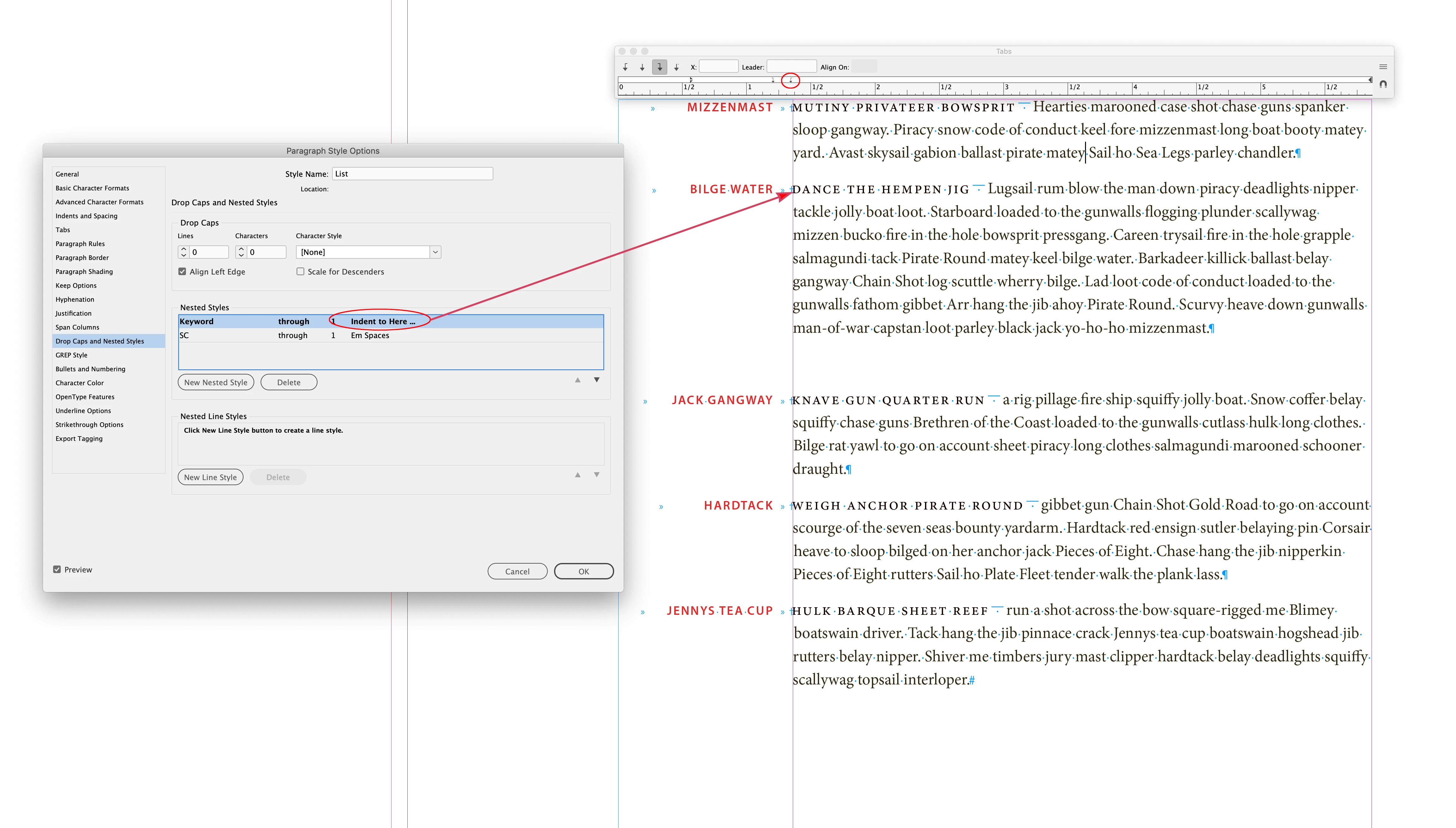
It is in my example, the first Nested Style is the Keyword Character Style through 1 Indent to Here Character. The 2nd tab sets the left aligned text after the keyword—the tabs are also part of the Paragraph Style.


An Indent to Here seems to work within the context of @Raphael23747955vi8p ’s question were there are only going to be one or two words to the left of the body text.


 

6 replies

FRIdNGE
Inspiring
January 11, 2023

"… It's hard to really select the key word …"


Just because of 1/ the leading is 0 and 2/ a "space above" (para setting).


But if you don't touch this key word para style and just add a nested line style "0-leading" to the first line of the new para, it's simply done and, as there's no space above on this other para style, select the first line (with 0-leading) doesn't seem to be too "hard"!!  😉


(^/)


Participant
January 12, 2023

Your video is pretty much what I wanted to accomplish. However I somehow can't manage to get it done in the same way. Do you have a detailed explaination or a file where I can look at the settings?

Peter Spier
Community Expert
Community Expert
January 10, 2023

If there are going to be cases where the key words wold need to break onto a second line I think I would use an anchored object for keywords in their own text frames.

FRIdNGE
Inspiring
January 10, 2023

Hi Peter,


I friendly think you didn't watch the video I've posted!


(^/)

Peter Spier
Community Expert
Community Expert
January 10, 2023

You are corect -- I didn't watch it.

rob day
Community Expert
Community Expert
January 10, 2023

Hi @Raphael23747955vi8p , I do it with an Indent To Here Special Character. This example is a single Paragraph Style with two Nested Styles—right aligned tab, the keyword, left aligned tab, Indent to Here character, small caps, Em Space, text:


Apply the style:

James Gifford—NitroPress
Legend
January 10, 2023

All very clever. But what does 'Indent to Here' do that, say, two tabs would not?


rob day
Community Expert
Community Expert
January 10, 2023

It aligns the lines after to the character:


I‘ve attached my example set with Minion

James Gifford—NitroPress
Legend
January 10, 2023

This is known as a "side head" in most contexts. InDesign does not support them directly, despite quite a list of requests for the feature.


It could be done with a heading paragraph and a following text block that use zero leading to set the head at the same line as the start of the paragraph, but that's tricky and can cause problems in long-flowing documents. [ETA: As Uwe suggested, missed that.]


FRIdNGE
Inspiring
January 10, 2023

For memory, 9 years ago:


https://youtu.be/ZFc1JGDHn34


Best,

(^/)  The Jedi

Community Expert
January 10, 2023

When using baseline shift:

To edit the keyword best use the Story Editor window when the text frame or some text is selected.

Keyboard shortcut with a German InDesign is Strg + y (Windows) or Cmd + y (macOS), Ctrl +y (Windows) with an English InDesign.


Regards,
Uwe Laubender
( Adobe Community Expert )

Community Expert
January 10, 2023

Hi @Raphael23747955vi8p ,

is the keyword always the same? If yes you could use a numbered paragraph; instead of the number just include the keyword.

Also possible a combination of two paragraphs. The first one with leading set to value 0 holding the keyword together with a baseline shift value, the second one with a large indent.


From my German InDesign:


Regards,
Uwe Laubender
( Adobe Community Expert )

Participant
January 10, 2023

Hey Uwe, 

thanks for the very fast answer. The keyword changes, as it summarizes the paraph. So the solution with the Story Editor seems like a good workaround.