

Henrik_Huus_Mikkelsen
Inspiring
October 19, 2018
Answered

How to adjust Margins in InDesign Document Setup

  • October 19, 2018
  • 4 replies
  • 11680 views

Is this a bug? Document Setup won't adjust margins. Only in the Margins and Columns box can I change the margins.


/Henrik
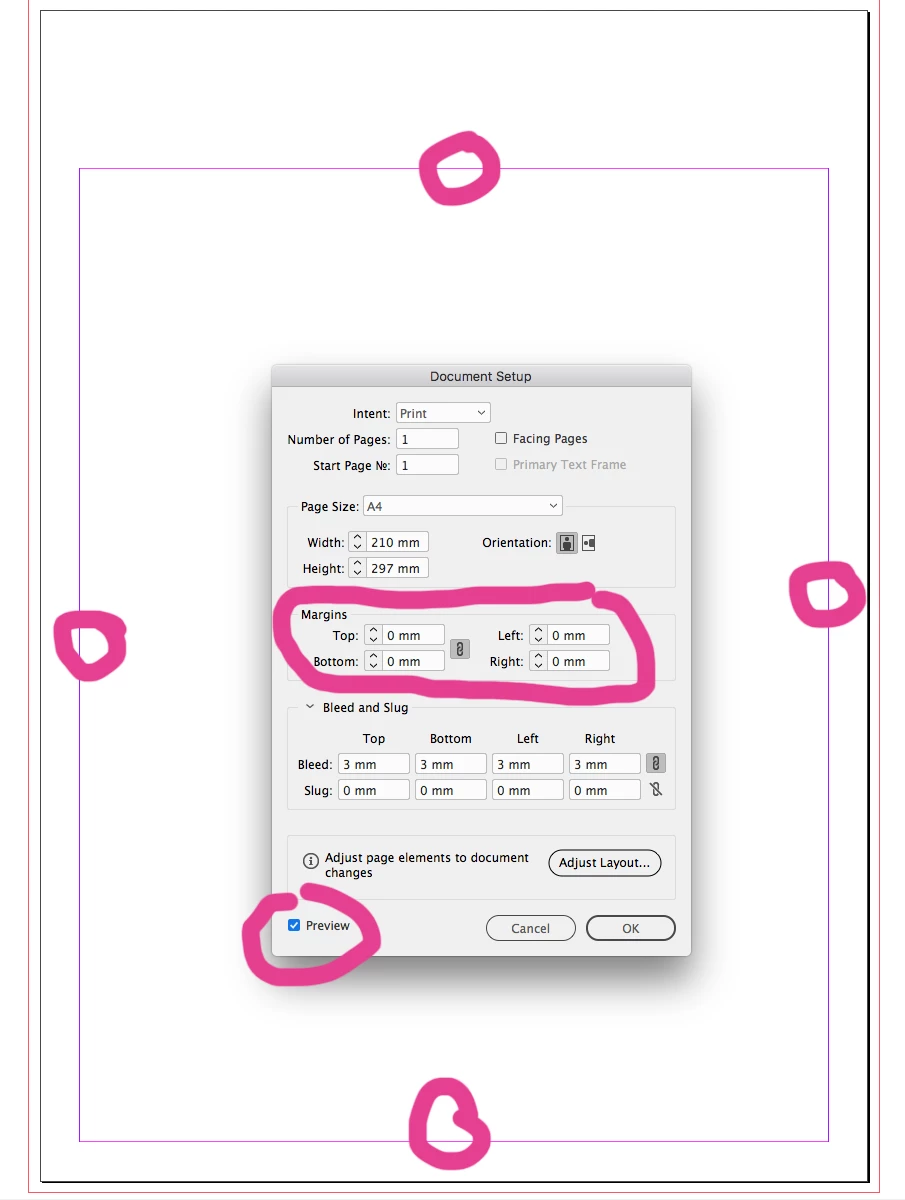


<Title renamed by MOD>

This topic has been closed for replies.
Correct answer jane-e

Short answer: it’s not a bug; you can only change this for an existing document in Margins and Columns.

Long answer:

I am not in my office and am on my iPad, but that does not look like the dialog box you get from File > Document Setup. How did you get it? Is it the one from changing a Document Preset? When you go to File > Document Setup, Margins and Columns is not an option.

You can select Margins and Columns when you create the document in File > New. To change them, they need to be changed on each Master in Margins and Columns.

Best practice is to change them on the Master. If you have one Master, it might be Master A. They can also be changed on individual pages, but I don’t do that.

Think of what would happen if you had a document with multiple settings for Margins and Columns and destroyed them by changing a global setting.

4 replies

Participant
December 8, 2022

Fixed- for me, the margins setting was set in the first master page. I could not adjust margins on the other pages unless I changed the fist mater page setting.

cinziamarotta
Participating Frequently
October 19, 2018

Hi,

with High Sierra it doesn't work and I couldn't find a solution. You can post the issue on:

Adobe InDesign Feedback

Participant
April 4, 2022

This doesn't seem to work on Windows either. Definitely looks like a bug.

Community Expert
April 4, 2022

Hi gerdavd,

what's your exact version of InDesign on your Windows machine?

Could you show some screenshots with the issue?


Thanks,
Uwe Laubender

( ACP )

jane-e
Community Expert
jane-eCommunity ExpertCorrect answer
Community Expert
October 19, 2018

Short answer: it’s not a bug; you can only change this for an existing document in Margins and Columns.

Long answer:

I am not in my office and am on my iPad, but that does not look like the dialog box you get from File > Document Setup. How did you get it? Is it the one from changing a Document Preset? When you go to File > Document Setup, Margins and Columns is not an option.

You can select Margins and Columns when you create the document in File > New. To change them, they need to be changed on each Master in Margins and Columns.

Best practice is to change them on the Master. If you have one Master, it might be Master A. They can also be changed on individual pages, but I don’t do that.

Think of what would happen if you had a document with multiple settings for Margins and Columns and destroyed them by changing a global setting.

Participant
August 23, 2024

Thanks, this worked!

Community Expert
October 19, 2018

What happens if you press OK ?

Or if you turn off Preview and turn it on again?

Regards,
Uwe

Henrik_Huus_Mikkelsen
Inspiring
October 19, 2018

Does not help.

I just discovered that the first time I adjust margins via Document Setup in a new document it works as expected. Once I adjust the margins via Margins and Columns and THEN try it via Document Setup it does'nt respond.

So:

- New doc

- Adjust via DS works

- Adjust via M&C works

- Adjust via DS fails

Regards,,

Henrik

Community Expert
October 19, 2018

Henrik_Huus_Mikkelsen  wrote


So:

- New doc

- Adjust via DS works

- Adjust via M&C works

- Adjust via DS fails

Hi Henrik,

just tested this on my Windows 10 version of InDesign CC 2019 German.

It works as expected.

What is your operating system?

Regards,
Uwe