Copy link to clipboard
Copied
Hi all,
I thought this was SO EASY to do and that I already knew how to do it... but all of a sudden I am battling to do it, maybe because I am trying to do it in a hurry...
I have been working on data merge today (finally got my problems with THAT sorted out yahoo!!) and need one of the fields/styles to be set on two lines instead of one, with the person's first name on the first line and their surname on the second line....so it looks like this:
Frank
Sullivan
instead of one line.
I have been fiddling with nested styles but am battling to find an easy way to do this. Before today I thought I was a PRO with nested files and thought this would be SO easy but....
Instead of doing this manually (there are just soooooooooooo many names to do ) I would love for it to happen automatically as part of the style.
Help???
Short version:
Grep code: (?s)^\H+\K\h
Char style: +tracking = 10000, +horizontal scaling = 1000
![]()
Copy link to clipboard
Copied
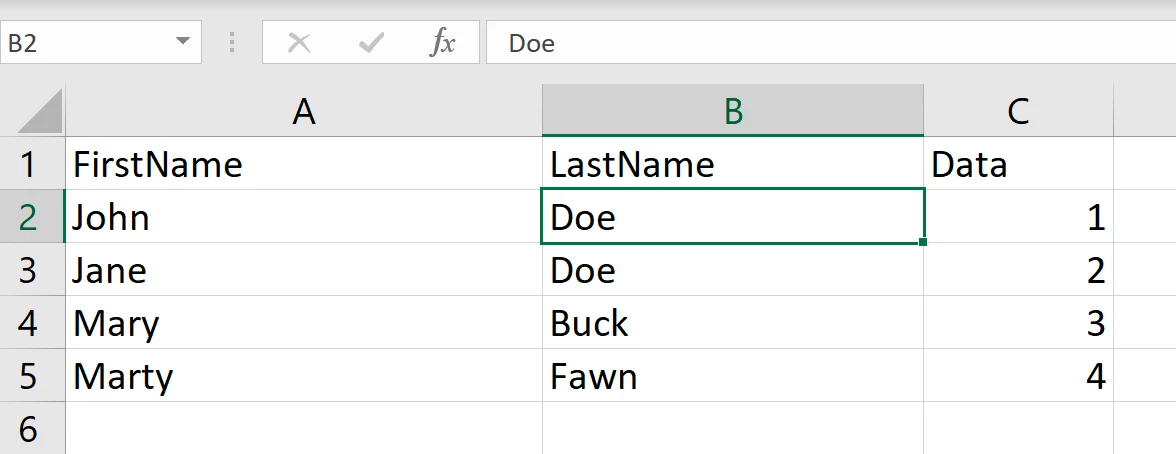
Are FirstName and LastName two fields (as they should be) or one? Are there any middle names or initials?
If they are in two fields, press Return after the first name field and put last name on the second line. Run data merge again.
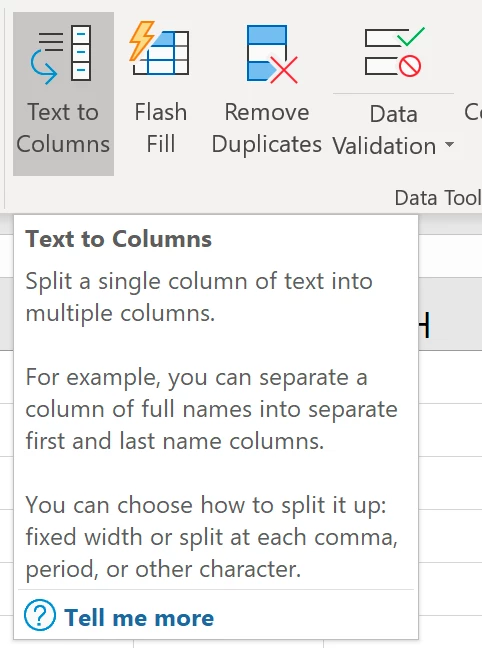
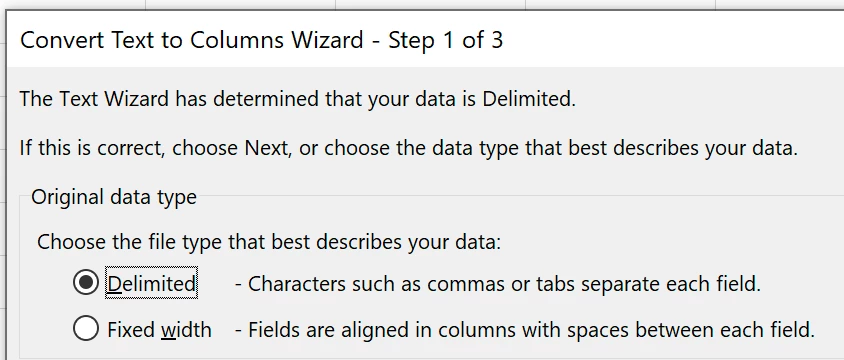
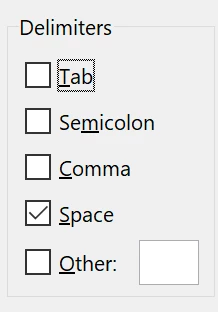
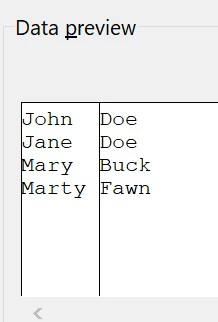
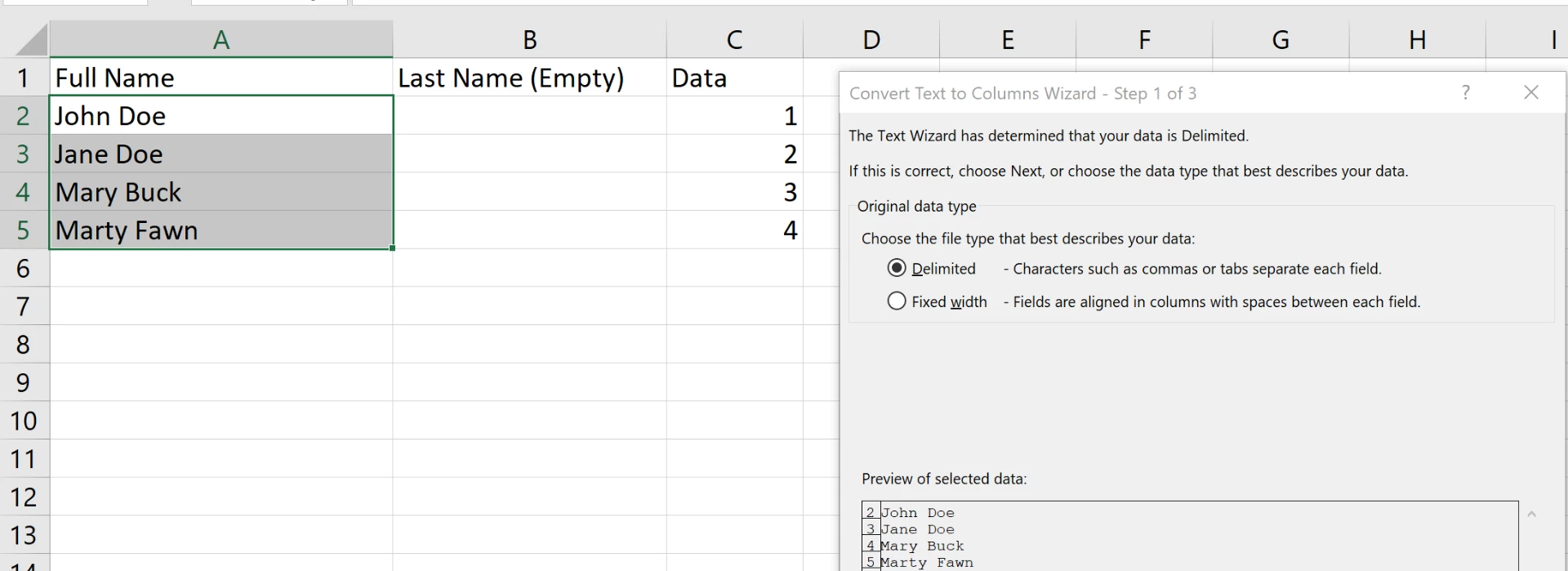
If they are in one field, you can split it in Excel. Tell me if you need to know that.
Copy link to clipboard
Copied
Jane,
They are in one field in Excel
This is how the spreadsheets were given to me.
Can you let me know how to split it in Excel then?
Copy link to clipboard
Copied


Copy link to clipboard
Copied
Short version:
Grep code: (?s)^\H+\K\h
Char style: +tracking = 10000, +horizontal scaling = 1000
![]()
Copy link to clipboard
Copied
Michel,
Thank you SO MUCH... I am pretty sure this is the exact answer I needed...but I confess that I need to play around with Grep styles a little more
I am going to do some experimenting right now after this post...
Copy link to clipboard
Copied
And Michel...thank you...that worked WONDERFULLY too!!!! Altho' at this point in time I have NO idea how exactly that worked...but it worked PERFECTLY!!! I really need to study GREP a LOT more so that I can understand a lot more about how to use it... I know I am missing out on SO MUCH MORE that I can do with InDesign ![]()
Copy link to clipboard
Copied
Jane-e, thank you SO MUCH for the time you took for your very detailed and helpful answer... it worked wonderfully and was SO SO easy to do!!!
I am SO HAPPY I posted this question here today.... I learned TWO ways to solve this .... THANK YOU again
How I LOVE this forum!!
Copy link to clipboard
Copied
Hi Christine,
They both work and Michel and I are friends, even though we have never met and live thousands of miles apart. So use whichever works best!
~ Jane
Copy link to clipboard
Copied
Thank you Jane-e
But I just WISH there was a way to mark TWO answers as being correct here....
Copy link to clipboard
Copied
Go ahead and mark Michel's answer correct, Christine, and thanks for asking!
Copy link to clipboard
Copied
Hi,
Just include a grep style in the para style! …
Best,
Michel, for FRIdNGE
Copy link to clipboard
Copied
So two choices, Michel!
I prefer a clean Excel document, and Text to Columns takes less than two minutes. Good database design includes that each piece of data goes into its own field. First and Last names should never get stored in the same field.
But wait, Michel, not a script? ![]()
Get ready! An upgraded Adobe Community experience is coming in January.
Learn more