


leonihodgson
Participant
January 7, 2018
Answered

How to change colour of pages in entire document

  • January 7, 2018
  • 3 replies
  • 4262 views

CS5. When I started writing my book 3 years ago, I changed the background page colour to pale blue. Now I want to restore it to white, but cannot figure out how to do it or what I did to get the blue colour. The Master pages look pale blue, but I cannot find a rectangle box on those pages. I did not add a layer, because the doc. only has the 1 locked layer that has no colour anyway. Can someone help?
    This topic has been closed for replies.
    Correct answer Barb Binder

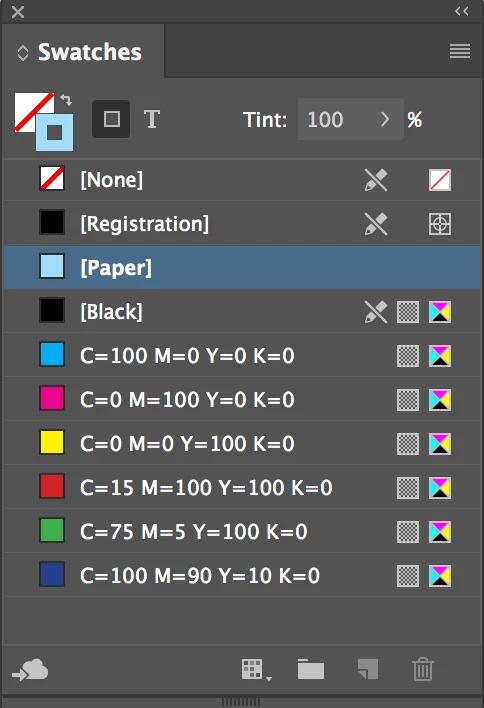
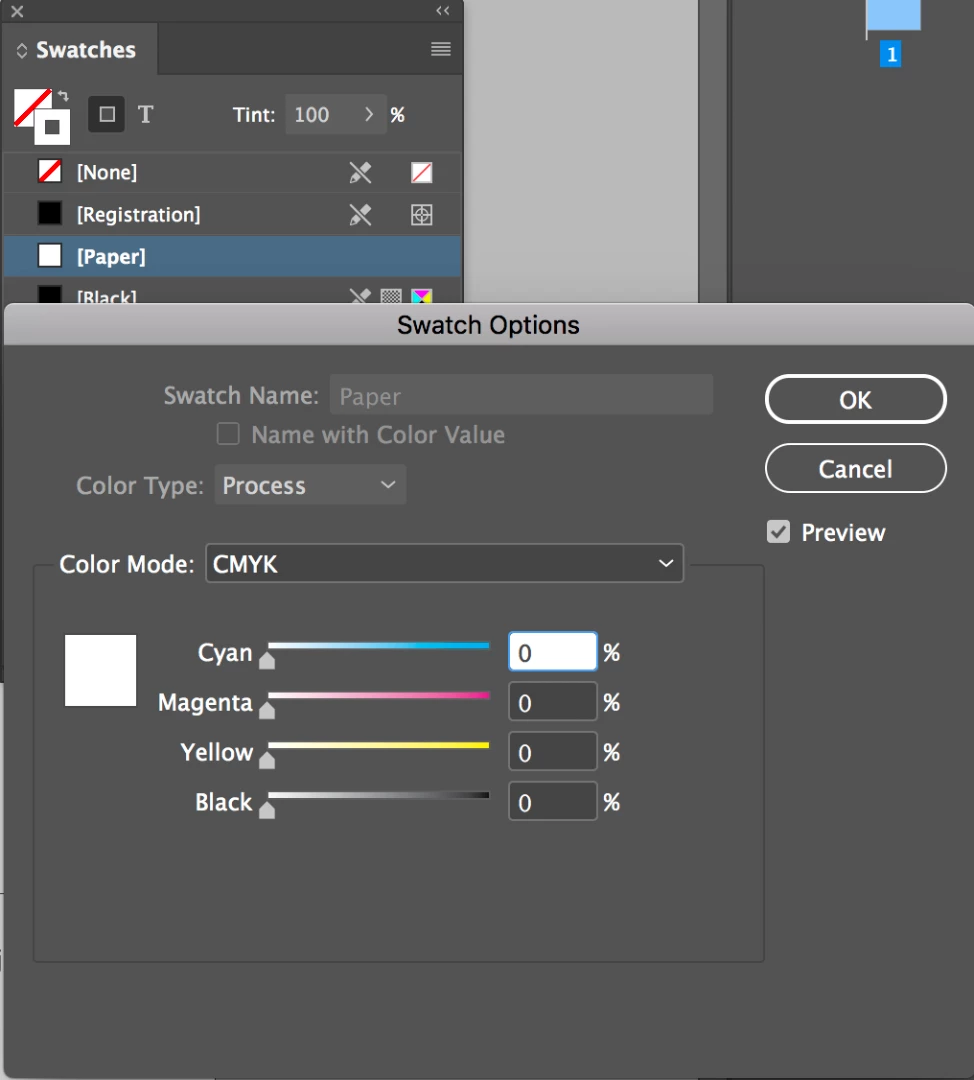
    Check your Swatches panel. You can redefine the color [Paper] as any color you like. If [Paper] isn't white, double click it and reset it.

    3 replies

    Barb Binder
    Community Expert
    Barb BinderCommunity ExpertCorrect answer
    Community Expert
    January 7, 2018

    Check your Swatches panel. You can redefine the color [Paper] as any color you like. If [Paper] isn't white, double click it and reset it.

    ~Barb at Rocky Mountain Training
    leonihodgson
    Participant
    January 7, 2018

    Thank you everyone for your prompt replies and fixing it. It was the paper Swatch. I had tinted it blue. when I reset it, it went back to white. Big hugs and all the best for 2018

    Jongware
    Community Expert
    Community Expert
    January 7, 2018

    What color is your [Paper] swatch?

    leonihodgson
    Participant
    January 7, 2018

    Thank you heaps. Problem solved. L

    Sent from Mail for Windows 10

    Participating Frequently
    January 7, 2018

    Hi,

    If the only layer that you have in your document is locked, then you would not be able to select anything on your master to change the blue (or remove it altogether if you want your page background to be white).

    Try unlocking the layer and then go back to your master page and delete the blue container.

    Regards,

    Malcolm

    leonihodgson
    Participant
    January 7, 2018

    Thank you heaps. Problem solved. L

    Sent from Mail for Windows 10